September 11, 2026
Indexing API: Avoid Wasting Quota on JavaScript Pages

The Indexing API tells Google’s crawler to look at a URL sooner by sending a URL_UPDATED or URL_DELETED signal, but Google restricts official use to JobPosting and BroadcastEvent pages. A successful call moves your page toward the front of the crawl queue. It does not force indexing, guarantee placement, or bypass Google’s quality checks. The API has a default daily quota, and a 200 response only confirms Google received the notification.
TL;DR:
- The Indexing API’s
URL_UPDATEDrequests only prompt Google to recrawl pages, not guarantee indexing or bypass quality checks, especially outside JobPosting and BroadcastEvent pages.- Proper setup requires enabling the API, verifying site ownership, creating and securing a service account, and testing on staging before use in production to avoid quota issues and leaks.
- Calls are made via a simple POST request, with batching possible for up to 100 URLs, but responses only confirm receipt, not actual indexing or crawling success.
- Ensuring pages are fully rendered and free of blocking schema or tags is essential before submitting, particularly for JavaScript-heavy sites relying on server-side rendering or prerendering.
- The API mainly rewards well-prepared pages; it cannot fix server or code issues, or guarantee indexing, making it ineffective if the underlying technical health of the site is poor.
Table of Contents
- What the Instant Indexing API Actually Does
- Prerequisites and Quick Setup Checklist
- How to Call the Indexing API: Endpoints and Batch Requests
- Quota, Status Checks, and Common Errors
- Best Practices: Rendering, Page Readiness, and What to Avoid
- Alternatives and When to Use Each
- A Practical Workflow for Teams Publishing Often
- A Managed Path When You’d Rather Not Run the API Yourself
- Why Developers Overestimate What This API Does
- Sources
What the Instant Indexing API Actually Does
Every request boils down to two actions: URL_UPDATED tells Google a page changed and should be recrawled, and URL_DELETED tells Google to drop a URL it already knows about. Each call returns a piece of data called UrlNotificationMetadata, which shows the last notification Google recorded for that URL and its status, not whether the page made it into the index.
Google built this specifically for pages that go stale fast. The Indexing API Quickstart spells out the intended scope clearly:
- JobPosting pages, because listings get filled or pulled within hours
- BroadcastEvent pages tied to livestreams, because the content is time sensitive
- Anything outside those two types is technically outside Google’s supported use case, even though the endpoint won’t reject the call
That last point trips up a lot of developers. The API will accept a notification for a blog post or a product page. Google just isn’t obligated to treat it as a priority signal, and misusing it at scale can flag your service account for review. A crawl request is not the same as a rendering decision, and rendering is not the same as indexing. Those are three separate steps, and the API only accelerates the first one.
Prerequisites and Quick Setup Checklist
Before you write a single line of request code, get the account plumbing right. Skipping a step here is the most common reason developers get a clean 200 response and nothing happens.
- Enable the Indexing API in Google Cloud Console and confirm your project requests the
https://www.googleapis.com/auth/indexingOAuth scope. - Create a service account under that project and download the JSON key. Store it outside your repository, ideally in a secrets manager, never in client-side code.
- Verify site ownership in Search Console and add the service account’s email as an owner or full user on the property.
- Test on a staging property first before pointing the script at production, so a misconfigured schema or auth error doesn’t burn quota.
- Request higher quota through the Indexing API Quickstart process if your JobPosting or BroadcastEvent volume regularly exceeds the default allowance.
Pro Tip: Rotate the service account key at least once a quarter, and set a calendar reminder. Old keys sitting in forgotten scripts are the most common source of accidental leaks.
How to Call the Indexing API: Endpoints and Batch Requests
A single notification goes to one endpoint with a small JSON payload:
- POST to
https://indexing.googleapis.com/v3/urlNotifications:publish - Body:
{"url": "https://example.com/jobs/senior-dev", "type": "URL_UPDATED"} - A successful call returns HTTP 200 with the notification’s timestamp and type
That’s the entire request for a single URL. According to Google’s Indexing API documentation, you can also combine up to 100 individual calls into one multipart request against the /batch endpoint, which cuts down on connection overhead if you’re publishing a batch of job listings at once. Each part inside the batch mirrors the single-request format, and Google returns a separate response for each part, so a failure in one doesn’t necessarily fail the rest.
Google publishes client libraries for several languages to handle the OAuth handshake and JSON formatting for you. If you’d rather skip writing that layer yourself, tools like the browser-based instant-indexer project demonstrate the request flow directly in JavaScript, using Web Crypto to sign the JWT locally. That approach only works safely if the service account key never leaves your machine or gets embedded in a public script. Uploading that key to a third-party server for convenience defeats the purpose of keeping it private in the first place.
Quota, Status Checks, and Common Errors
The API provides a default daily quota for URL notifications, and additional quota requires a review and request process. That’s a hard ceiling worth planning around if you’re managing job boards with heavy daily turnover.
You can pull the metadata for any URL you’ve submitted, which shows the last notification type and when Google logged it. It does not tell you whether the page was crawled, rendered, or indexed. That gap causes most of the confusion developers report after their first few calls.
- 401 Unauthorized: your OAuth token expired or the scope is wrong
- 403 Forbidden: the service account isn’t listed as an owner in Search Console for that property
- 429 Too Many Requests: you’ve hit your daily quota
- 400 Bad Request: malformed JSON or an unsupported notification type
A successful response confirms Google logged your request, not that indexing followed. Retry 429s the next day rather than hammering the endpoint, and log every response code so you can spot patterns instead of debugging one failed URL at a time.
Best Practices: Rendering, Page Readiness, and What to Avoid
Calling the API on a page that isn’t actually ready to be indexed wastes quota and teaches you nothing useful about why indexing failed. Before you fire a single notification, confirm the basics: the URL returns a 200 status, carries no noindex tag, and includes valid JobPosting or BroadcastEvent schema if that’s the content type you’re submitting.
JavaScript-heavy sites face a separate problem entirely. Google’s crawler often fetches the raw HTML first and renders the JavaScript later, sometimes with a real gap in between, and Semrush’s research on JavaScript SEO notes this rendering delay can leave a page effectively invisible even after Google has already crawled it. Server-side rendering or prerendering closes that gap by serving a fully formed page on the first request, and Prerender recommends it as one of the more reliable fixes for JS sites that struggle to get indexed at all.
A practical sequence saves you from guessing:
- Test the live URL in the Search Console URL Inspection tool and check exactly how Google sees it.
- Fix whatever’s blocking it: missing schema, a stray
noindex, a render that never completes. - Only then fire the Indexing API call or resubmit through URL Inspection.
Pro Tip: If a page returns 200 from the API but still isn’t indexed after 48 hours, don’t resubmit blindly. Pull the rendered HTML through Search Console’s inspection tool and compare it to what a browser actually shows.
Alternatives and When to Use Each
The Indexing API is one tool among several, and picking the wrong one for the job is a common mistake.
- URL Inspection tool works well for a single high-value page you need checked or nudged, but Google rate-limits how often you can use it manually.
- XML sitemaps handle bulk discovery well, and updating the
lastmodtimestamp signals which pages changed without spending any API quota. - IndexNow pushes batches of up to 10,000 URLs directly to Bing and Yandex, and while Google hasn’t officially adopted the protocol, some operators report indirect crawl benefits through shared web infrastructure.
- CMS plugins, such as the Indexing integration in SEOPress, automate the submission process, but they inherit the same default quotas and still require secure handling of your service account credentials.
A Practical Workflow for Teams Publishing Often
Editorial teams publishing JobPosting or BroadcastEvent content daily need a repeatable sequence, not a one-off script. Confirm the page is ready (status, schema, no noindex), test the live URL, submit through the API or URL Inspection, then log the result and check back.

If a page returns 200 from the API but shows no index activity after 48 hours, don’t just resend the request. Debug the render first using the same Semrush JavaScript SEO findings that flag rendering delay as the usual culprit. Teams that keep hitting this wall on a JS-heavy stack are usually better served moving to server-side rendering, or handing the operational piece to a service built to manage it, rather than fighting the same rendering gap indefinitely. Agencies managing this across multiple client sites often lean on workflow tooling, like the operational patterns described in BabyLoveGrowth’s agency resources, to keep submissions and monitoring consistent across accounts.
A Managed Path When You’d Rather Not Run the API Yourself
Most indexing failures aren’t API problems. They’re configuration problems: a missing Search Console permission, a JavaScript render that never finishes, a schema tag that’s slightly off. Fixing this requires someone watching the site’s technical health on an ongoing basis, not just someone who can write a POST request.

Some services build that oversight into the bilingual website itself, so setup mistakes that block indexing, ownership verification, rendering, schema markup, get handled before they become a support ticket. For practices serving Hispanic clients, this can mean a Spanish and English site built to be index-ready from launch, backed by a bilingual AI receptionist and WhatsApp integration that keep client communication moving while the technical side runs quietly in the background. If you’d rather have a bilingual site that’s already configured correctly than debug rendering delays yourself, see how Diazluna’s platform works and get a setup that’s built to be found from day one.
Why Developers Overestimate What This API Does
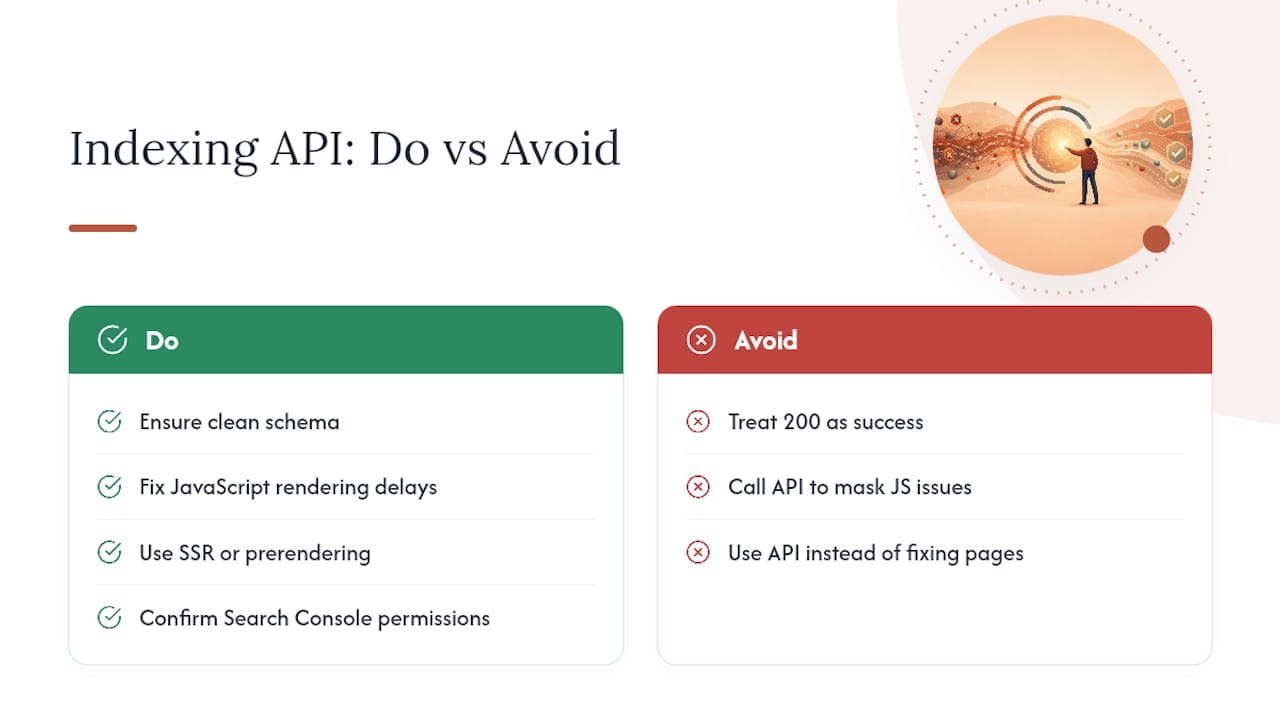
The biggest misconception about the Indexing API isn’t technical, it’s expectational. Developers treat a 200 response like a confirmation of success, when it’s really just a receipt. Google logged the request. That’s all.
The API rewards teams that already have their technical house in order: clean schema, no rendering delays, correct Search Console permissions. It punishes teams that treat it as a shortcut around those fundamentals, because a fast crawl request on a broken page just gets you a fast rejection. If you’re fighting JavaScript rendering delays on every submission, the fix isn’t calling the API more often. It’s moving to server-side rendering or prerendering so the first fetch is already index-ready, which the Prerender.io indexing checklist covers in more operational detail than most developers expect going in. The API is a last-mile signal, not a substitute for a page that’s actually built to be indexed.
— Francisco