September 16, 2026
Save 6 Min Per Call: Call Summary Automation for Bilingual

Call summary automation transcribes a conversation, runs it through natural language processing, and produces a structured note in seconds instead of the minutes an agent would spend typing it manually. The payoff is fewer minutes of after-call work per agent and cleaner, CRM-ready records for handoffs and audits. Contact center managers use it to cut wrap-up time; professional services teams serving bilingual clients use it to avoid lost details in translation.
TL;DR:
- Call summary automation can save approximately six minutes per agent per call, significantly reducing manual note-taking time across large teams.
- The accuracy of summaries depends on audio quality, standardized intake phrasing, and proper CRM field mapping, with noise reduction and script standardization key to success.
- Bilingual support requires separate templates and human validation for high-stakes calls to prevent mistranslation and preserve critical nuances.
- Rolling out automation in phases over several weeks helps identify issues early, with full deployment typically taking three to six months.
- Critical KPIs include after-call work minutes, summary acceptance rate, CRM sync rate, and time-to-action, all of which should be monitored during the pilot phase.
Table of Contents
- What Call Summary Automation Actually Does
- Why Call Summary Automation Matters for Your Bottom Line
- How Does the Technical Architecture Work?
- Common Implementation Challenges and Practical Solutions
- Which KPIs Prove Call Summary Automation Is Working?
- Getting Bilingual and Compliance Details Right
- Rolling Out Automation Without Breaking Your Queue
- What Most Teams Get Wrong About Rolling This Out
- A Bilingual Front Desk That Handles the Same Problem End to End
- Sources
- FAQ
What Call Summary Automation Actually Does
The pipeline has three moving parts: transcription turns audio into text, an NLP summarization layer condenses that text against a template, and an output stage pushes structured fields into whatever system the team already uses. Some clinical-grade tools generate 75 to 100 word recaps per call, with processing available for recordings running up to four hours.
What shows up on the other end typically includes:
- A short narrative recap of the conversation
- A list of action items or next steps
- Detected caller intent (billing question, scheduling request, complaint)
- A sentiment tag flagging frustration or satisfaction
These land in CRM notes, quality assurance dashboards, or task queues, depending on how the output is mapped. Latency varies by vendor, but most platforms return a finished summary within a minute or two of call end, which is fast enough to attach to the record before the next call starts.
Why Call Summary Automation Matters for Your Bottom Line
The most immediate benefit is time. Manual note-taking eats into the gap between calls, and that gap is exactly what drives average handle time and agent burnout. Some AI note-taking platforms document per-call reductions of roughly six minutes of manual note time, which scales into thousands of hours annually across a mid-sized team.
Time saved isn’t the only metric that moves. Consistency improves too, since every summary follows the same template regardless of who took the call or how rushed they were. That matters for handoffs between shifts and for compliance audits where a missing detail can turn into a real problem.
Beyond individual calls, aggregated summaries feed analytics that a human reviewing transcripts one by one would never catch:
- Faster agent coaching, since supervisors read a recap instead of listening to a full recording
- Trend detection across hundreds of calls (repeated complaints, product issues, scheduling friction)
- Quicker QA scoring because sentiment and intent are already tagged
A large healthcare deployment reported using AI summaries to process tens of thousands of weekly calls after rollout, replacing manual note-taking at a scale no staffing plan could match by hand.
How Does the Technical Architecture Work?
Accuracy and speed depend on choices made at each stage of the pipeline, not just which vendor you pick.
- Capture: audio comes from an agent desktop, direct telephony integration, or device recording. Telephony integration tends to produce cleaner audio than desktop mic capture.
- Transcription: real-time transcription lets agents see live captions during the call, while post-call transcription is simpler to deploy but delays the summary by however long processing takes.
- Summarization: this is where templates and custom instructions matter most. Clinical tools let practices choose SOAP or DAP-style formats so the output maps to existing documentation standards, and bilingual support at this layer decides whether nuance survives translation.
- Output and integration: summaries need to land somewhere useful. RingCentral’s summary API exposes both the raw AI summary and the agent-edited version, so downstream systems can pick which one becomes the canonical record. Platforms like Otter.ai push summaries and action items straight into CRMs such as Salesforce and HubSpot to trigger follow-up tasks automatically.
Common Implementation Challenges and Practical Solutions
Most rollouts hit the same five snags. None of them are fatal, but ignoring them wastes the pilot phase.
- Bad audio in, bad transcript out. Background noise and cheap headsets tank transcription accuracy. Fix it with noise reduction settings and a list of approved devices before launch, not after.
- Inconsistent intake phrasing. When agents ask discovery questions in ten different ways, the AI has ten different patterns to interpret. Standardizing the discovery script raises summary quality more than any model upgrade will.
- CRM schema mismatch. Dumping raw AI text into a generic notes field wastes the structure the tool already gave you. A mapping layer or lightweight middleware that routes fields into the right database columns turns summaries into searchable data instead of another wall of text.
- PII and privacy exposure. Selective redaction, careful model selection, and clear retention policies keep sensitive details out of records that don’t need them.
- Legally or clinically sensitive calls. These need a human set of eyes before the summary becomes the official record.
Pro Tip: Run a brief human validation step on any call touching diagnosis, medication, or legal instruction to catch rare AI errors before the summary becomes the official record.
Which KPIs Prove Call Summary Automation Is Working?
Several key performance indicators tell you whether the rollout is paying off, and these are easy to track from early deployment.
- After-call work minutes saved per agent — compare against a baseline time study from before deployment.
- Summary acceptance or accuracy rate — how often agents edit or reject the AI draft.
- CRM sync rate — the percentage of calls that land in the CRM without manual intervention.
- Time-to-first-action — how quickly a flagged item (complaint, urgent request) gets addressed after the call ends.
Collect your baseline with a short time study or a sample of QA-reviewed calls before you turn automation on, so the comparison means something. A pilot window of several weeks is usually enough to see whether accuracy and acceptance rates are trending the right direction before committing to a wider rollout.
Getting Bilingual and Compliance Details Right
Diazluna built its front desk around one hard lesson: a summary that loses nuance in translation is worse than no summary at all. A Spanish-speaking caller describing symptoms or legal concerns needs a model tuned to preserve that meaning, not one that flattens it into a generic English template.
Three things reduce that risk:
- Use separate custom templates for Spanish and English calls, tuned to the phrasing patterns each language actually uses, rather than one template translated twice.
- Preserve bilingual model tuning so idioms and clinical or legal terms carry their intended meaning across languages, an approach Spruce Health’s customization options support for clinical summaries.
- Keep the human-in-the-loop validation step for any high-stakes bilingual call, since a mistranslated instruction in a legal or medical context carries real consequences.
Diazluna’s approach to bilingual AI reception reflects this: the goal isn’t a fast summary, it’s an accurate one that reads the same way in either language.
Rolling Out Automation Without Breaking Your Queue
Skip the big-bang launch. A phased rollout catches problems while they’re still cheap to fix.
- Pick one or two pilot queues and write down exactly what success looks like: a target acceptance rate, a target ACW reduction.
- Configure templates, field mapping, and validation gates before the first live call, not during it.
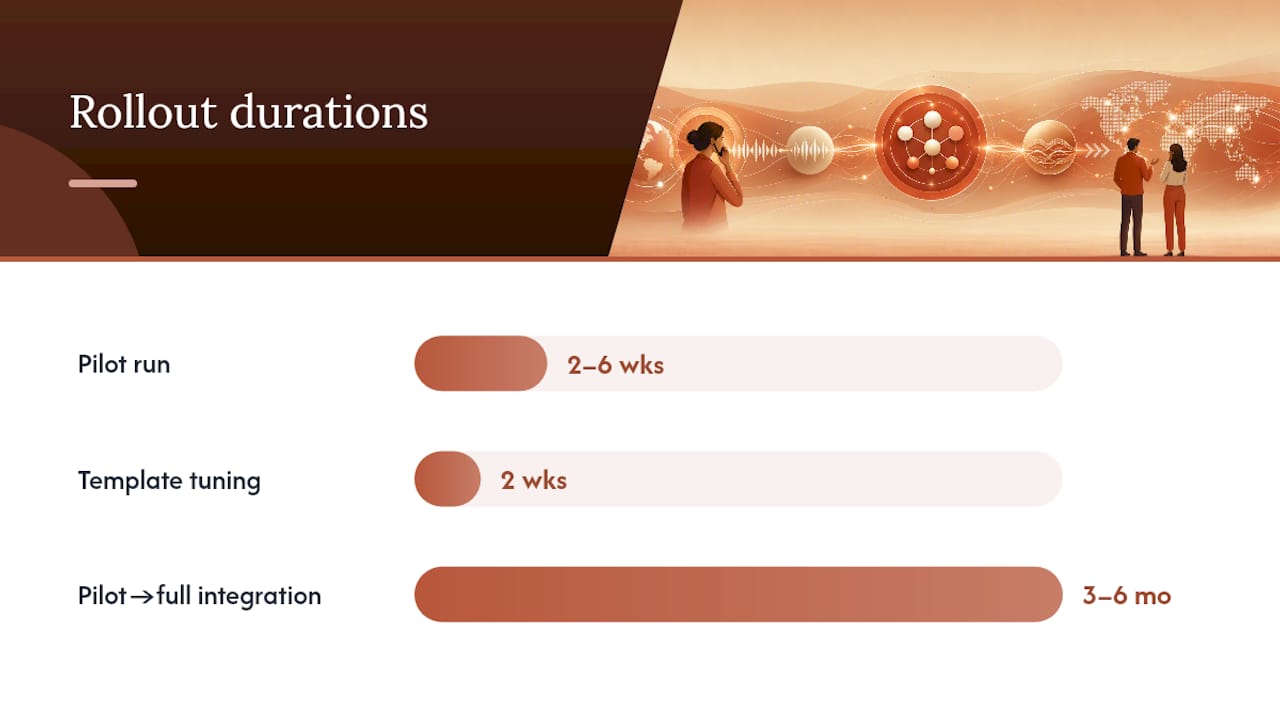
- Run the pilot for two to six weeks, then review KPIs and revise templates based on what agents are actually rejecting.
- Scale in phases, adding training, governance rules, and a clear retention policy at each stage rather than flipping every queue on at once.
Bigger healthcare deployments have taken three to six months to go from pilot to full integration, which is a reasonable timeline to plan against rather than a shortcut to look for.
Pro Tip: Treat the first two weeks of any pilot as template tuning, not a performance test. Most acceptance-rate problems in week one trace back to a template that doesn’t match how your agents actually talk.
What Most Teams Get Wrong About Rolling This Out
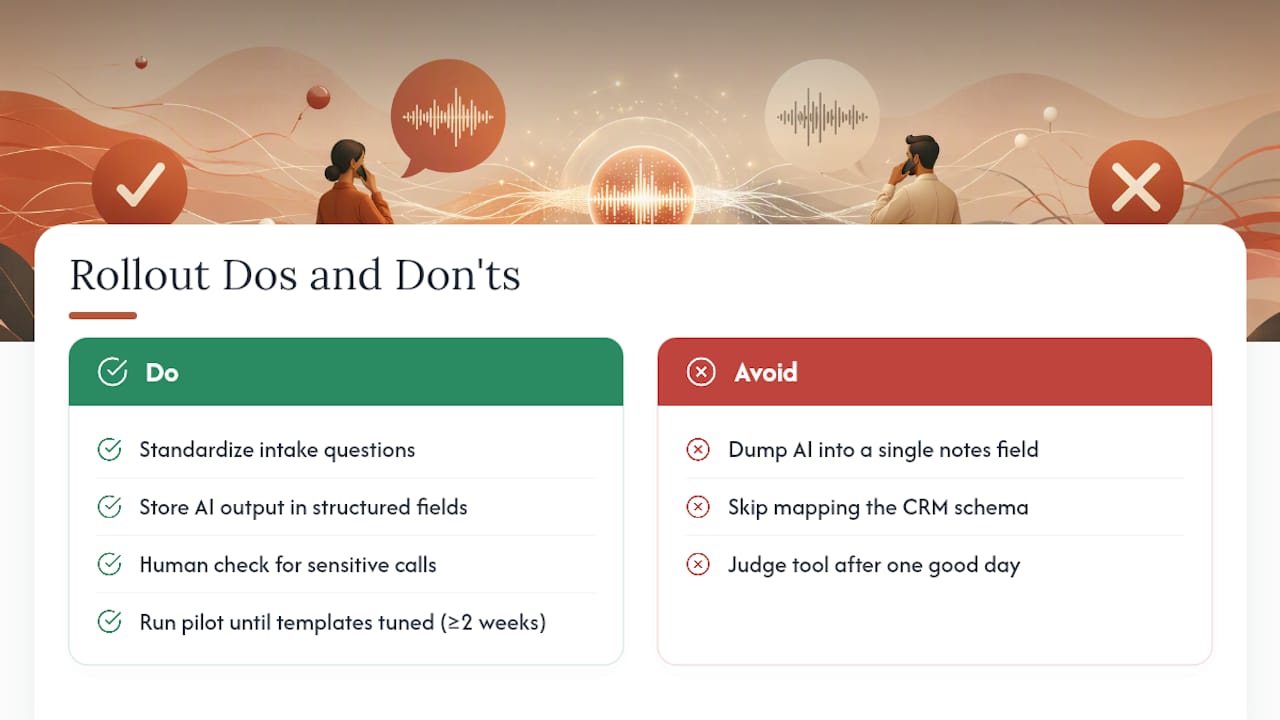
The technology rarely fails. The process around it does. Teams that skip standardizing intake questions or that dump AI output into a single notes field get mediocre results and blame the model for it. The fix is almost always upstream: structured fields instead of a text blob, a short human check on sensitive calls, and a pilot long enough to actually tune templates before judging the tool.
Before you scale past pilot, confirm three things: your CRM schema is mapped, not just receiving raw text; someone reviews high-stakes calls before they become the official record; and your acceptance rate has stabilized over at least two full weeks, not just a good day.
— Francisco
A Bilingual Front Desk That Handles the Same Problem End to End
If you run a dental practice, law office, or clinic serving Hispanic clients, call summarization is only half the job. The bigger risk isn’t a missing note, it’s a caller who hangs up because no one on the line spoke their language well enough to help. Diazluna is built around that exact gap: a 24/7 AI receptionist fluent in Spanish and English, WhatsApp integration for real-time follow-up, and a fully optimized bilingual website, bundled into one subscription instead of three separate vendor contracts.
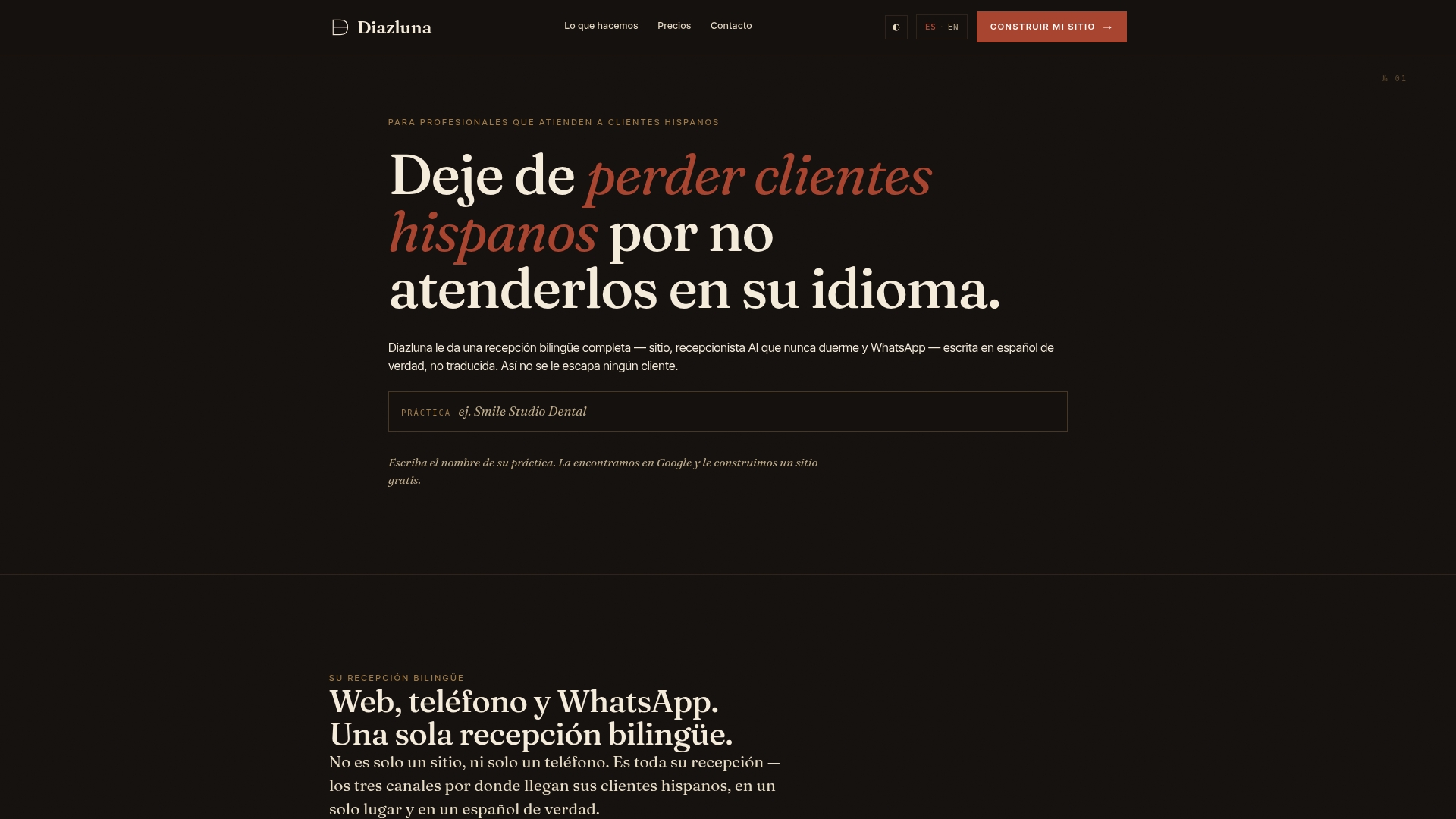
That bundling is the practical difference. Instead of stitching together a call summarization tool, a translation service, and a separate website agency, practices get one system where summaries, urgent-case transfers, and appointment scheduling already speak both languages by design. Some clients have seen new sites indexed by Google within 24 hours of launch, which helps reduce the impact of language barriers on client loss. Explore the bilingual digital front desk platform and see which package fits your call volume, or read through what a full bilingual service package includes before you reach out.
Sources
Spruce Health’s AI transcription documentation covers clinical templates in depth. The AXA Health case study shows deployment at scale. AmmarAI’s guide for agencies covers ROI framing for professional services teams.
- AI Transcription & Summarization — Spruce Health
- Fathom
- Call summaries at AXA Health — Context Windows case study
FAQ
Can AI Summarize Phone Calls?
Yes. AI transcribes the audio, runs it through an NLP summarization layer, and outputs a structured recap with action items, typically within a minute or two of call end.
Can I Use Summary AI for Free?
Some platforms offer limited free tiers or trials, but production-grade features like custom templates, bilingual tuning, and CRM integration are usually part of a paid plan. Diazluna includes AI-generated call summaries as part of its bundled bilingual front desk subscription.
How Can I Summarize a Phone Call?
Record or capture the call through your telephony system, run the audio through a transcription and summarization tool configured with a template, then route the structured output into your CRM or task system.
What Is a Summary Call?
A summary call refers to the AI-generated recap produced after a phone conversation, usually including a short narrative, detected intent, sentiment, and any action items the agent or system flagged.