August 19, 2026
How to Set Up WhatsApp QR Code Appointments for Your
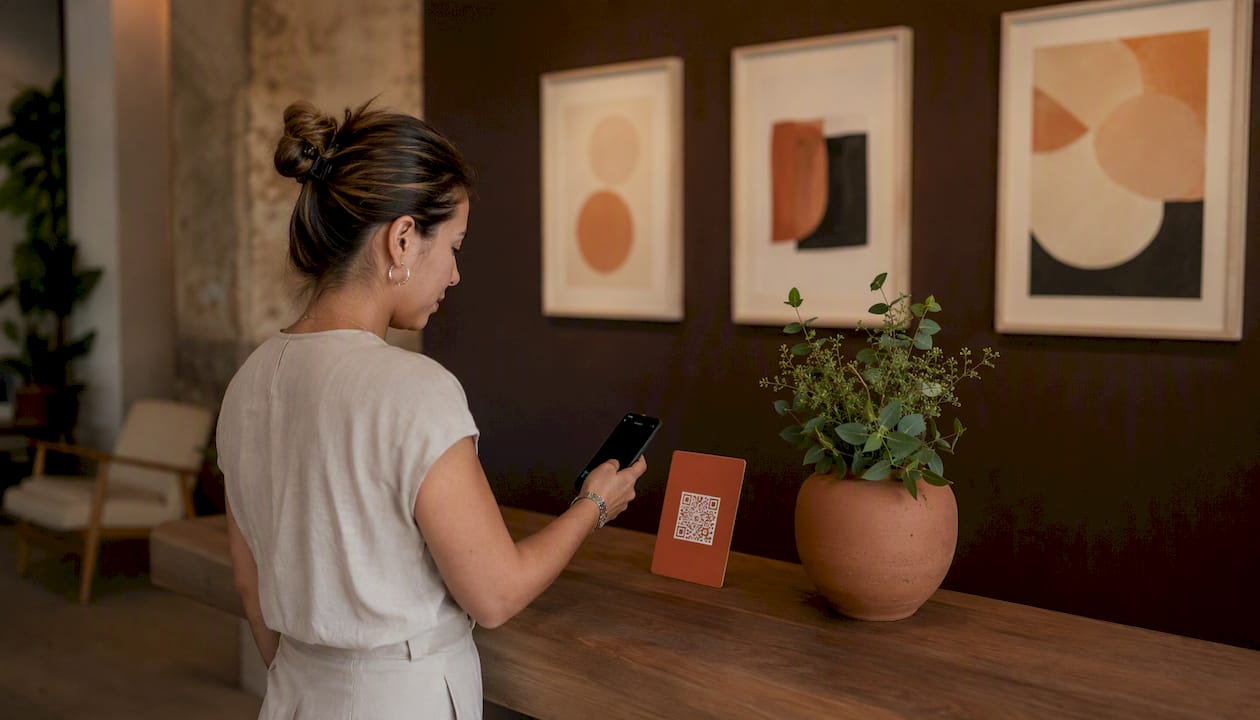
Use a wa.me prefilled-message QR code when you want walk-ins and casual bookers to text you directly, and a booking-page QR code when you need customers to pick a real timeslot. A simple wa.me link looks like https://wa.me/15551234567?text=Hi%2C%20I%27d%20like%20to%20book%20an%20appointment, while a booking-page QR might just point to yourpractice.com/book. Diazluna can sit behind either one as the bilingual front desk that actually answers.
- wa.me QR: opens a chat instantly, prefilled with your message. Best for quick requests.
- Booking-page QR: opens a scheduling widget with real availability. Best for calendars that fill up fast.
Key Takeaways
A WhatsApp booking QR code only works as well as the flow and language support behind it, and pairing a prefilled wa.me link or booking-page QR with automated, bilingual replies is what actually converts scans into confirmed appointments.
| Point | Details |
|---|---|
| Choose the right flow | Use wa.me for simple requests, a booking page for real timeslots, and API templates for high volume. |
| Format the link correctly | Strip symbols from the phone number and URL-encode the prefilled message text. |
| Use dynamic QR codes | An editable short link lets you change destinations and track scans without reprinting. |
| Pair every code with a CTA | A short line like “Scan to book” measurably improves conversion over a bare code. |
| Automate confirmations and reminders | Calendar sync and templated reminders cut no-shows without adding staff workload. |
| Add bilingual, 24/7 coverage | Diazluna’s AI receptionist answers WhatsApp scans in English and Spanish around the clock, reducing missed bookings. |
Where to Learn More About WhatsApp Booking Setups
- WhatsApp QR code basics for link formatting and CTA pairing.
- Creating prefilled wa.me links with correct phone number encoding.
- WhatsApp Business appointment booking for API and template details.
- WhatsApp booking system data on read and open rates.
- Diazluna’s bilingual front desk for a turnkey implementation.
Table of Contents
- What Happens After a Customer Scans a WhatsApp QR Code for Appointments?
- How Do You Generate a WhatsApp QR Code for Bookings?
- Which WhatsApp Booking Flow Fits Your Practice Size?
- What Integrations Turn a QR Scan Into a Booked Appointment?
- Where Should You Place Your WhatsApp Booking QR Code?
- What Privacy Rules Apply to WhatsApp Booking QR Codes?
- How Diazluna Builds a Bilingual Front Desk Around Your WhatsApp QR Code
- Fixing Common Problems With WhatsApp QR Code Bookings
- Frequently Asked Questions
- Sources
What Happens After a Customer Scans a WhatsApp QR Code for Appointments?
The scan itself takes under a second. What happens next depends entirely on which flow you built, and that difference is where most businesses either win a booking or lose one to a competitor’s faster reply.
- Scan. The phone’s camera app recognizes the QR and shows a link preview.
- Open. On a wa.me code, WhatsApp launches directly into a chat with your business number. On a booking-page code, the phone’s browser opens a scheduling widget or landing page instead.
- Message or form. The wa.me chat already contains a prefilled message like “Hi, I’d like to book a cleaning.” The booking-page route asks the customer to pick a service and time slot first.
- Reply. A staff member, an AI receptionist, or an automated template responds, often within minutes.
- Confirmation. The customer gets a chat message, a calendar invite, or both, along with a reminder scheduled ahead of the visit.
The mobile behavior differs by platform in small but real ways. iPhones sometimes ask which app should open the link if WhatsApp isn’t set as default, while Android tends to launch WhatsApp immediately. If someone doesn’t have WhatsApp installed, a well-built wa.me link falls back to a web version of the chat rather than dead-ending.
Why does this channel convert so well in the first place? WhatsApp reportedly sees about 80% of messages read within five minutes and a 98% open rate, which is a big part of why a scanned QR code so often turns into a same-day confirmed appointment instead of a missed callback.
How Do You Generate a WhatsApp QR Code for Bookings?
You’ve got three real options, ranked from “five minutes, no cost” to “built for scale.”
Option A: WhatsApp Business app QR code.
- Open WhatsApp Business and go to Settings.
- Tap Business Tools, then QR Code.
- Optionally add a short greeting message that appears when someone scans.
- Save or download the QR image directly from the app.
This built-in code is fast, but it’s static. Change your greeting later, and you’ll need a new code.
Option B: Manual wa.me deep link.
Build a link in the format https://wa.me/[country code][number]?text=[encoded message]. The technically correct version strips out any plus signs, spaces, or dashes from the phone number and URL-encodes the message text so spaces become %20 and punctuation converts properly. Paste that finished link into any free QR generator to produce your code.
Option C: Dynamic QR from a booking platform. A dynamic QR points to an editable short link rather than baking the destination into the code itself. Change where it points, whether that’s a new promotion or an updated booking widget, without reprinting anything, and track how many scans each placement generates.
Testing checklist before you print anything:
- Scan with both an iPhone and an Android phone.
- Confirm the prefilled message actually populates.
- Test what happens if WhatsApp isn’t installed on the test phone.
- Double-check the phone number is in full international digit format with no symbols.
Pro Tip: Generate a separate QR code for every physical location or campaign. A trackable, named code per placement tells you whether the reception desk or the receipt footer is actually driving bookings, so you’re not guessing where to invest next.
Which WhatsApp Booking Flow Fits Your Practice Size?
- wa.me prefilled message: lowest setup cost, works in an afternoon, but scheduling precision depends entirely on a human (or AI) checking availability manually. Great for solo practitioners with light volume.
- Booking-page QR: moderate setup, usually built through a scheduling tool your practice already owns. Gives customers real-time slots and cuts back-and-forth messaging. Fits multi-provider clinics juggling several calendars at once.
- API-driven flow: highest setup investment, but it unlocks pre-approved templates for confirmations, reminders, and rescheduling sent automatically. Built for high-volume reception or bilingual practices fielding dozens of daily requests.
Staff workload scales inversely with setup effort. A wa.me-only flow means someone is manually checking a calendar all day. An API-driven flow with automated reminders tends to reduce no-shows because confirmations and nudges go out without anyone lifting a finger, and bilingual practices in particular benefit since a template system can serve Spanish and English requests without a staff member translating in real time.
What Integrations Turn a QR Scan Into a Booked Appointment?
A QR code alone just opens a conversation. What converts that conversation into a filled calendar slot is the plumbing behind it.
- Calendar sync with Google or Outlook so a confirmed slot actually blocks off provider time.
- Automated confirmation and reminder messages sent without staff intervention.
- Payment links or deposit requests for services where no-shows are costly.
- CRM or intake form capture so returning customers aren’t re-entering their information every visit.
- Escalation to a live staff member or AI receptionist when a request falls outside standard hours or needs judgment.
Three message templates cover most of what a practice needs: a booking confirmation, a reminder sent 24 hours out, and a cancellation or reschedule notice. Routing matters just as much as the templates themselves. Some practices assign incoming chats round-robin across providers; others tag messages by service type inside WhatsApp Business, or hand the whole triage step to an AI receptionist trained to sort urgent cases from routine ones.
Pro Tip: Set your reminder message to send the night before, not the morning of. Customers who get a same-day nudge are far more likely to already have plans; the prior-evening reminder gives them time to reschedule instead of just no-showing.
Where Should You Place Your WhatsApp Booking QR Code?
Placement decides whether your QR code gets scanned at all. The highest-performing spots put the code in front of someone who’s already decided they want an appointment: the front desk, printed appointment cards, receipts, email signatures, and click-to-WhatsApp ads on social media.
Three CTA lines that consistently pull scans:
- “Scan to book your visit in seconds.”
- “Text us on WhatsApp to schedule.”
- Bilingual version: “Scan to book / Escanee para reservar su cita.”
Print the code at least 1 inch by 1 inch for close-range materials like appointment cards, larger for posters viewed from a distance, and always leave a quiet white margin around it. A code alone on a flyer with no explanation gets ignored. Pairing it with a short action statement dramatically improves conversion, because people need to know exactly what tapping “open” is going to do before they commit to it.
What Privacy Rules Apply to WhatsApp Booking QR Codes?
Before you print a single flyer, run through this short list:
- Get explicit consent before sending follow-up marketing messages, not just appointment confirmations.
- Know where chat transcripts get stored and for how long.
- Use WhatsApp’s pre-approved template messages for anything automated, rather than freeform bulk texts.
- Include a simple opt-out instruction near the QR code itself.
If your practice handles health information, keep sensitive details out of the chat itself. Confirm a date and service type over WhatsApp, but save actual medical specifics for a secure patient portal or phone call. A one-line disclosure near the code, something like “By scanning, you agree to receive appointment messages. Reply STOP to opt out,” covers most of the basics without turning your signage into a legal document.
Pro Tip: Review your message frequency every quarter. Practices that send more than a confirmation and one reminder per visit start seeing opt-outs climb, which quietly shrinks the very channel you built the QR code to grow.
How Diazluna Builds a Bilingual Front Desk Around Your WhatsApp QR Code
A scanned QR code is only as good as whoever answers it. Diazluna handles that step end to end: a customer scans, lands in a wa.me chat or booking page, and an AI receptionist trained in both English and Spanish reads the request, summarizes it, and either confirms the slot or flags it for a staff member if it’s urgent.
- Bilingual replies that don’t feel like a translation app, which cuts down on no-shows tied to miscommunication.
- Coverage around the clock, so a Saturday-night scan gets a same-minute reply instead of a Monday morning callback.
- Faster movement from “scanned the code” to “on the calendar,” since there’s no gap waiting for a human to check messages.
A dentist’s office serving a majority-Spanish-speaking neighborhood loses potential patients the moment a front desk can’t respond in their language, fast, at the hour they happen to reach out.
Dentists, clinics, and law offices serving Hispanic communities see the most benefit, since language mismatch is often the single biggest reason a booking request goes cold. Diazluna’s dentist-focused implementation shows what a turnkey version of this setup looks like in practice.
Fixing Common Problems With WhatsApp QR Code Bookings
Most WhatsApp booking failures trace back to a handful of repeat offenders, and nearly all of them are fixable in minutes once you know what to check.
The QR opens the wrong number or a dead chat. This almost always means the phone number wasn’t formatted correctly, usually a stray plus sign, space, or leftover country-code error. Rebuild the wa.me link with digits only, no symbols, and regenerate the code.
The prefilled message doesn’t show up. This happens when the message text wasn’t properly URL-encoded. Spaces need to become %20, and special characters need their own encoded equivalents. Most free wa.me link generators handle this automatically, so building the link through one instead of typing it by hand avoids the issue entirely.
Customers on desktop get stuck. WhatsApp Web requires an active phone connection, and some browsers block the automatic redirect. A booking-page QR sidesteps this since it opens a normal web page instead of trying to launch an app.
Response times lag and customers give up waiting. If no one’s monitoring the chat outside business hours, scans during evenings and weekends go nowhere. This is usually the moment a practice either hires more front-desk coverage or moves the triage step to an automated or AI-based responder.
Static QR codes point to an outdated destination. If you printed a code linking to a booking page you’ve since redesigned or retired, a dynamic QR that redirects through an editable short link avoids ever needing a reprint.
A Few Quick Notes From Running Through This Setup
If you’re building this today, prioritize ease of setup first. Get a basic wa.me flow live this week, then layer in bilingual templates and automation once you see real scan traffic. Measuring scan-to-book conversion matters more than scan count alone. A code that gets scanned fifty times and books three appointments needs a different message, not more foot traffic. Test the actual flow yourself on a real phone before printing anything, and check your analytics again a week after launch.
A Front Desk That Answers Every Scan, in Either Language
Diazluna gives your practice a bilingual, 24/7 front desk that catches every WhatsApp scan the moment it happens, in English or Spanish, without you hiring another receptionist.
If you’re running a dental, legal, or medical practice serving Hispanic clients, a missed WhatsApp message after hours is a booking that walks to whoever answers first. Diazluna pairs your QR code setup with an AI receptionist that reads the request, replies in the customer’s language, and gets a confirmed slot on your calendar before you’d have even seen the notification. Visit the Diazluna dentist page to see how a turnkey bilingual front desk gets set up around your existing booking QR code.
Frequently Asked Questions
Do I need WhatsApp Business to generate a booking QR code? No. WhatsApp Business makes it faster since it has a built-in QR generator, but a manual wa.me link works on a regular WhatsApp account too. Business accounts add extras like quick replies and labels that make managing bookings easier at scale.
Can I change where my WhatsApp QR code points after printing it? Only if you used a dynamic QR code linked to an editable short URL. A static code generated directly from a phone number is permanent, so any change means printing a new one.
What’s the difference between a wa.me link and a WhatsApp API integration? A wa.me link opens a manual chat that a person reads and answers. An API integration can send automated, pre-approved templates for confirmations and reminders without anyone typing a reply.
Is it safe to collect health or legal information over WhatsApp? Keep sensitive specifics out of the chat itself. Use WhatsApp to confirm dates, services, and basic contact details, and route anything sensitive to a secure portal or phone call instead.
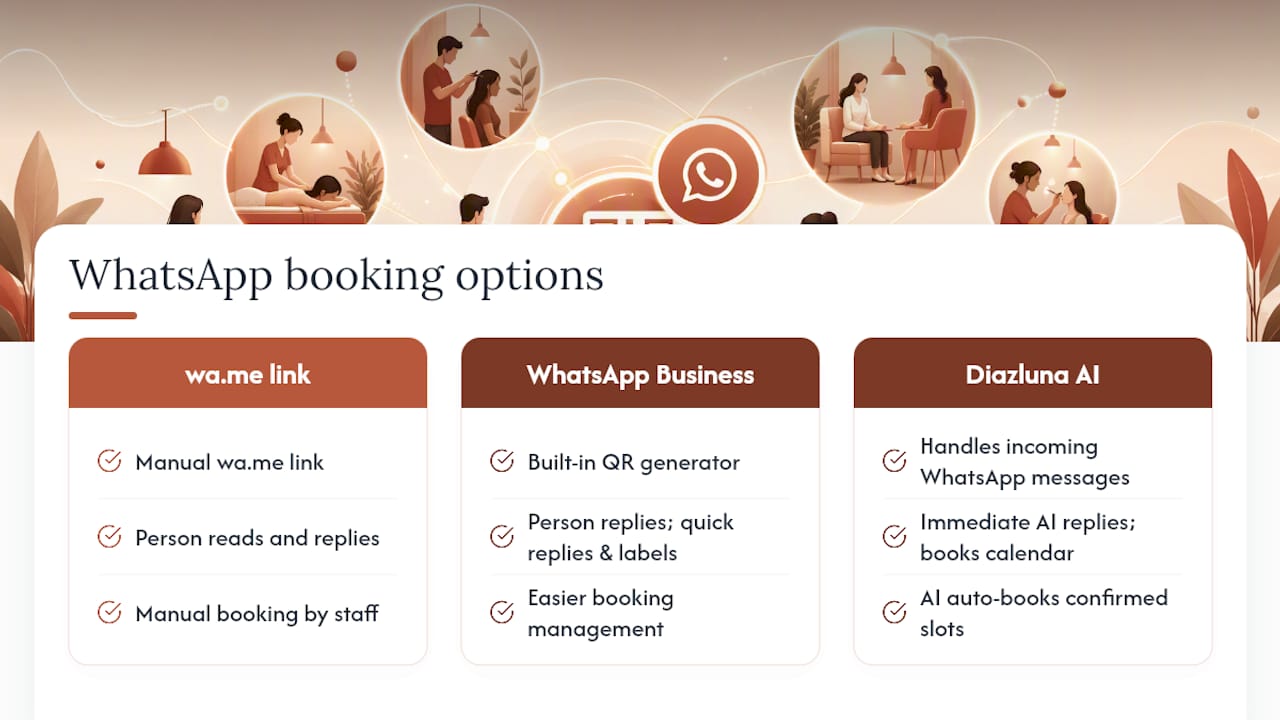
How can Diazluna help with WhatsApp appointment booking specifically? Diazluna’s AI receptionist reads incoming WhatsApp requests in English or Spanish, replies immediately, and books confirmed slots onto your calendar, all without a staff member manually checking messages.
Sources
- WhatsApp QR code (QR Code Generator)
- How to Create a WhatsApp QR Code with Prefilled Messages — Scanely Blog
- WhatsApp Business Appointment Bookings (Infobip)
- WhatsApp booking system (SleekFlow blog)