October 7, 2026
BAA Before You Go Live: Bilingual Online Scheduling
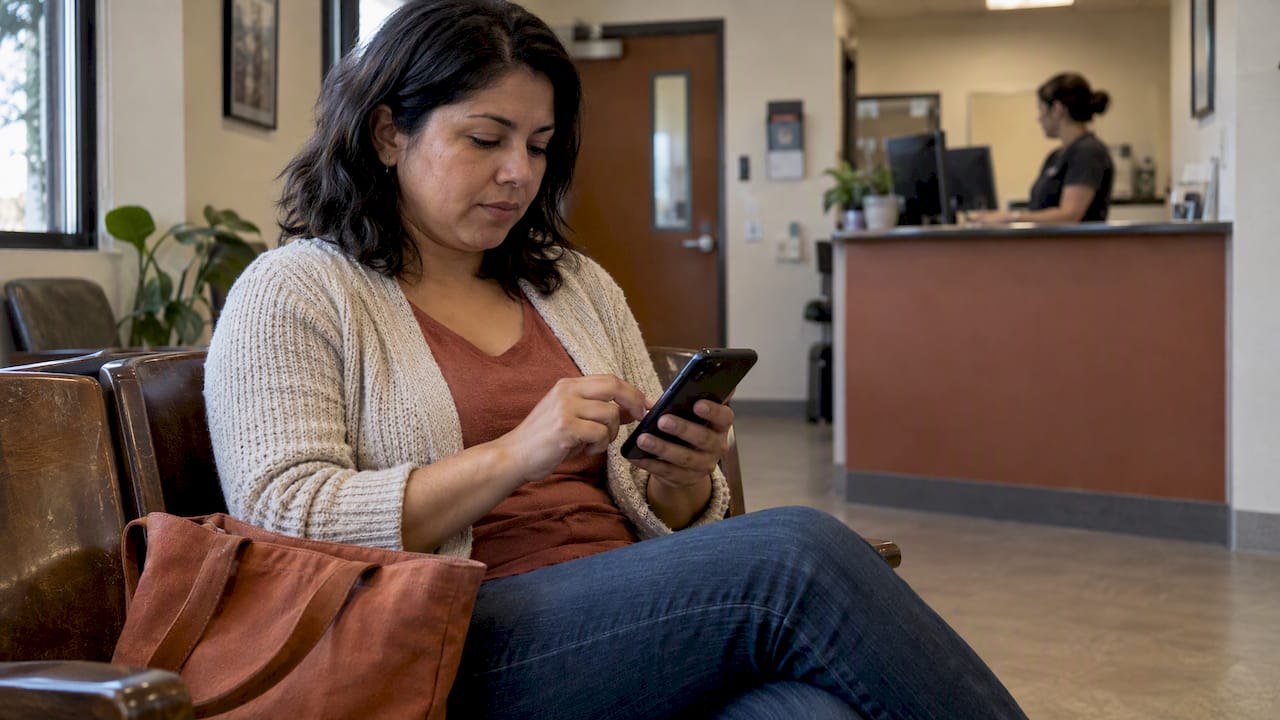
A bilingual digital front desk combines a Spanish and English website, a 24/7 AI receptionist, WhatsApp messaging, and appointment scheduling into one system, and it stops the quiet loss of Hispanic clients who hang up or click away when no Spanish option appears. Before choosing a vendor, confirm they will sign a Business Associate Agreement if your scheduling tool touches protected health information.
TL;DR:
- Ensure the vendor signs a Business Associate Agreement if the scheduling system handles protected health information to stay HIPAA compliant.
- Confirm the content is human-reviewed, not solely machine-translated, especially for medical or legal language to prevent subtle errors.
- Verify the scheduling tool supports early language selection, two-way WhatsApp messaging, calendar sync, and provides user activity logs by language.
- Assess whether the platform’s privacy practices extend beyond HIPAA, including data retention, encryption, and compliance with international standards if necessary.
- Test the mobile booking flow in Spanish to ensure natural phrasing and seamless user experience before relying on it for client appointments.
Table of Contents
- What a bilingual digital front desk actually includes
- Why bilingual online scheduling matters: evidence and expected benefits
- Compliance and privacy checklist: HIPAA, BAA, and tracking risks
- Technical and UX features to require from a bilingual scheduling solution
- Implementation checklist and realistic timeline for a small practice
- Risks and trade-offs: AI translation limits and staying accurate
- Why Diazluna fits practices that need bilingual online scheduling
- Cost and pricing models for bilingual online scheduling solutions
- Comparative evaluation criteria for selecting bilingual scheduling software vendors
- Integration capabilities with EHR and practice management systems
- User experience differences between bilingual scheduling platforms
- Data security beyond HIPAA for bilingual scheduling
- Support and maintenance requirements for bilingual scheduling tools
- Author perspective: practical lessons and common mistakes to avoid
- Try Diazluna: bilingual website, AI receptionist, and WhatsApp in one plan
- FAQ
- Sources
What a bilingual digital front desk actually includes
Bilingual online scheduling is not a staffing service and it is not about hiring bilingual employees to answer phones. It is a packaged digital system with four working parts:
- A bilingual website where Spanish is a full, human-reviewed experience rather than a machine-translated afterthought.
- A 24/7 AI receptionist that answers calls and messages in either language and books appointments without a live staffer.
- WhatsApp integration for two-way messaging, confirmations, and reminders in the client’s preferred language.
- Calendar sync so bookings made by phone, chat, or WhatsApp land on the same schedule staff already use.
Practices that put these pieces in place typically see fewer missed calls after hours and fewer appointments lost simply because no one answered in Spanish. For a closer look at how this works in dental and legal offices specifically, see our practical guide to bilingual appointment scheduling.
Why bilingual online scheduling matters: evidence and expected benefits
Language access is not a courtesy feature. The AMA Journal of Ethics identifies language concordance, meaning a patient and provider who share a language, as the standard that improves trust, adherence, and treatment outcomes, and notes that assumptions about English proficiency routinely reduce access to care. On the legal side, the American Bar Association’s Standard 5.1 calls for online intake tested in the languages a community actually uses, warning that missing language access at the first point of contact drives people away before they ever explain their problem.
Early language access directly affects whether someone completes an intake at all, according to ABA intake standards, which tie abandonment directly to the absence of tested, available language options at the first point of contact.
In practice, that research points to concrete gains for a small practice:
- Fewer abandoned intake forms when Spanish is offered immediately rather than buried in a menu.
- Fewer no-shows when reminders and confirmations arrive in the client’s preferred language.
- Better adherence and outcomes tied to language concordance, as described in the AMA Journal of Ethics.
Compliance and privacy checklist: HIPAA, BAA, and tracking risks
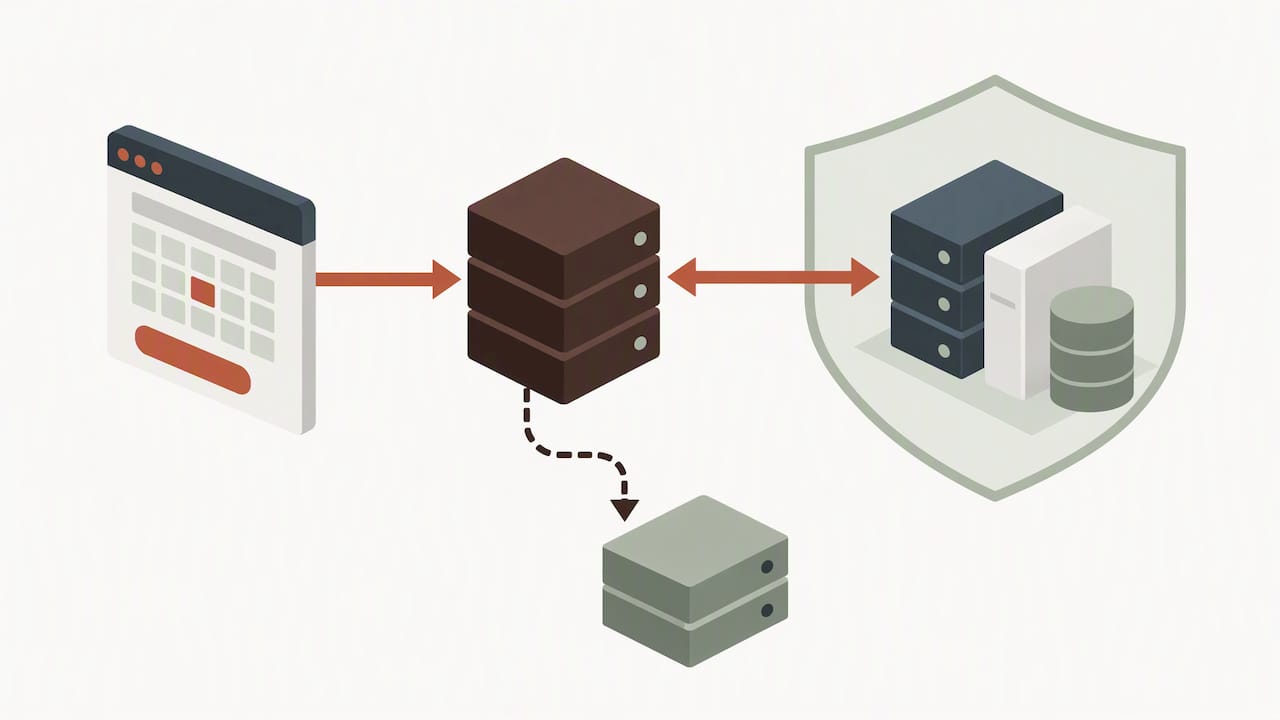
Scheduling tools that touch health information are not neutral software. HHS guidance on HIPAA and online tracking states that any vendor that creates, receives, maintains, or transmits protected health information on behalf of a covered practice is a business associate and must sign a Business Associate Agreement. That includes scheduling widgets: even an unauthenticated page that lets someone pick an appointment time can transmit PHI to third-party trackers if it is not configured correctly.
For practices receiving federal financial assistance, the HHS Section 1557 fact sheet adds a separate obligation: posting notices of available language assistance, training staff on language-access procedures, and making those notices visible online and in person, not just in a waiting room poster.
Before signing with any vendor, confirm these items:
- A signed BAA is available and covers any tool that stores or transmits appointment or health data.
- Language-assistance notices appear on your website and intake pages, not only at check-in.
- The vendor can explain exactly where appointment data goes, including any analytics or advertising pixels embedded in the booking widget.
- Audit logs exist so you can trace who accessed scheduling data and when.
Pro Tip: Ask any scheduling vendor to show you, in writing, which third parties receive data from their booking widget before you embed it on your site.
General-purpose chatbots and booking plugins can quietly leak appointment-intent data to marketing platforms, a risk the FTC’s 2026 action against a telehealth company illustrates: the agency alleged the company shared sensitive health data with advertisers while obscuring its own billing practices.
Technical and UX features to require from a bilingual scheduling solution
A bilingual scheduling tool earns its keep through specific, testable features rather than a general promise of “multilingual support.” Look for:
- Early language selection that appears before any form field, not buried in a settings menu, paired with plain-language Spanish content reviewed by a human rather than left to raw machine translation.
- Two-way WhatsApp messaging alongside SMS reminders sent in the client’s chosen language, with working reschedule and confirmation flows, not one-way alerts.
- Calendar sync that writes directly into the schedule your front desk already uses, so a WhatsApp booking and a phone booking never collide.
- 24/7 natural-language booking that can handle a caller asking in Spanish for “the first opening next week” rather than requiring rigid menu selections.
- Audit logs and reporting by language, so you can see how many bookings come through Spanish versus English and spot where either path breaks down.
Partner research on multilingual booking UX echoes the same point: reminders and confirmations in the wrong language are a common reason clients miss appointments they technically booked successfully.
Pro Tip: Test the booking flow yourself in Spanish, start to finish, before asking any staff member to rely on it with a real client.
Implementation checklist and realistic timeline for a small practice
Rolling out bilingual scheduling does not require a long project, but skipping steps shows up later as missed appointments or compliance gaps.
- Audit first. Map where Spanish-speaking callers or site visitors currently drop off, whether that is a phone tree, a form, or a lack of Spanish content.
- Vet vendors on compliance, not just features. Confirm a BAA is available, ask how translations are reviewed by a human, and verify WhatsApp support and calendar integration before signing anything.
- Configure language defaults so Spanish is a first-class option, not a fallback link at the bottom of the page.
- Test with real community members, not just staff, and have your team practice explaining the new system in both languages.
- Go live and watch early numbers, tracking bookings by language and no-show rates for the first 30 to 60 days.
Most small practices can move from audit to launch within a few weeks if the vendor handles translation review and technical setup. Our overview of the AI receptionist’s role in small bilingual practices walks through how staff responsibilities shift once the system is live.
Risks and trade-offs: AI translation limits and staying accurate
Fluent-sounding Spanish is not the same as clinically or legally accurate Spanish. Machine translation can render a sentence that sounds natural while subtly changing a dosage instruction or a legal deadline, which is why domain-tuned review matters more in medicine and law than almost anywhere else. The ABA’s analysis of AI reliance warns that speed without human review creates real exposure in high-stakes language.
Practical guardrails include:
- Maintaining a glossary of clinical or legal terms that must always be translated the same way, never left to on-the-fly generation.
- Building an escalation path so a confusing or high-stakes exchange routes to a human interpreter rather than staying with the AI.
- Using conservative, plain-language phrasing for anything touching diagnosis, medication, or legal rights.
- Running routine audits and real-user tests rather than trusting a one-time launch check.
The ADA’s guidance on interpreters in dental offices makes a similar point for clinical settings: qualified human interpretation remains the standard that automated tools support, not replace.
Why Diazluna fits practices that need bilingual online scheduling
Our platform includes a bilingual website, a 24/7 AI receptionist fluent in Spanish and English, and WhatsApp integration, all working from one system instead of three separate vendors. We provide an alternative to piecing together a translation agency, a call service, and a scheduling plugin separately, aiming to make sure no Hispanic client is lost simply because no one answered in their language. We also index new bilingual pages with Google quickly, so a new practice site can start showing up in search soon. If this matches what you have been trying to assemble piecemeal, a short audit of your current setup is a reasonable next step.
Cost and pricing models for bilingual online scheduling solutions
Pricing for bilingual front desk platforms generally follows one of two shapes: a flat monthly subscription or an annual plan billed at a discount, often alongside a one-time setup or activation fee. A practice evaluating options should expect tiers that scale with capability, where a basic bilingual website costs less than a package that adds a 24/7 AI receptionist and WhatsApp integration.
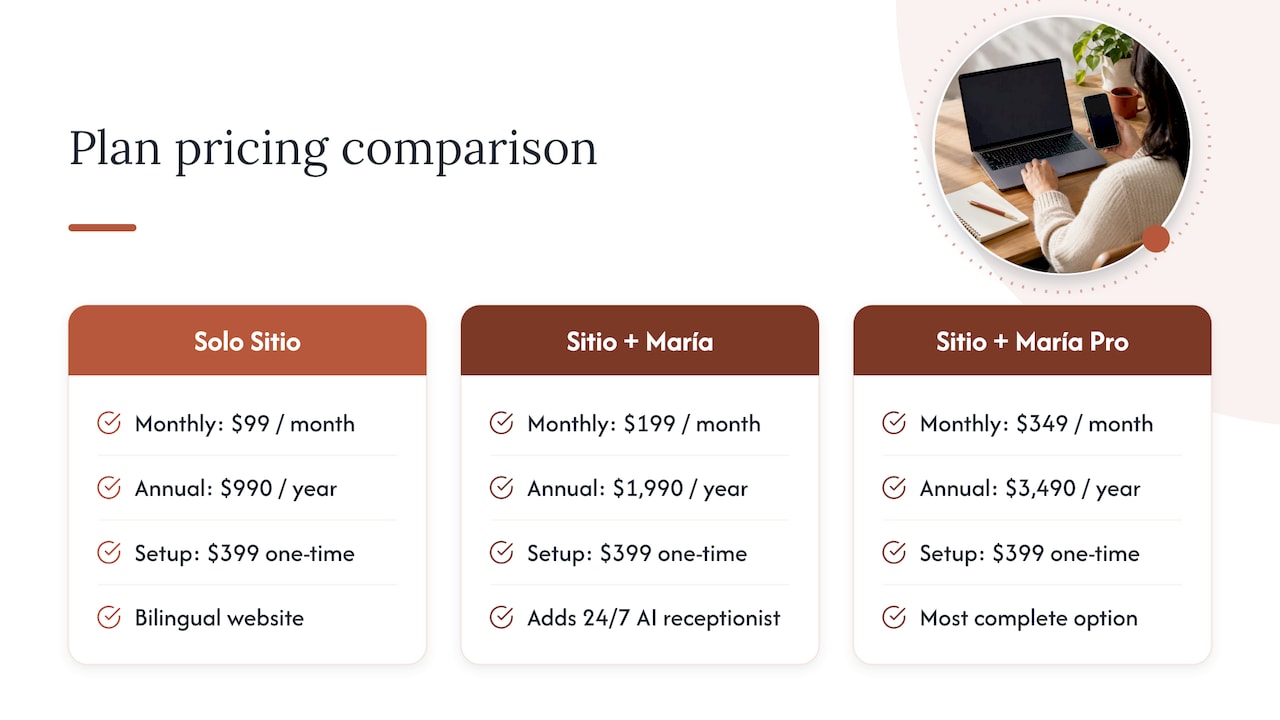
As one example of how this breaks down, our own Solo Sitio plan, covering the bilingual website alone, runs $99 per month or $990 per year. Adding the AI receptionist moves to the Sitio + María plan at $199 per month or $1,990 per year, and the most complete option, Sitio + María Pro, is $349 per month or $3,490 per year. A one-time Activación fee of $399 applies at setup.
When comparing vendors, ask whether the quoted price includes translation review, WhatsApp integration, and calendar sync, or whether those are add-ons billed separately. A quote that looks lower at first glance can end up costing more once you add the pieces a true bilingual front desk needs. Annual billing tends to offer a meaningful discount over paying monthly, which matters for a practice planning to use the system long-term rather than testing it for a few months.
Comparative evaluation criteria for selecting bilingual scheduling software vendors
Choosing between bilingual scheduling vendors comes down to a short list of criteria that matter more than feature counts. First, ask whether Spanish content is human-reviewed or purely machine-generated, since the gap between the two shows up fast in clinical or legal contexts. Second, confirm BAA availability in writing rather than taking a sales page’s word for it.
Third, check whether the vendor supports two-way WhatsApp messaging natively or routes through a third-party integration that adds latency and failure points. Fourth, look at how quickly a new site or booking page gets indexed and discoverable, since a bilingual front desk that no one finds in search does not solve the abandonment problem it was built for.
Finally, weigh ease of self-service editing. A practice owner without technical skills should be able to update hours, services, or messaging without filing a support ticket every time something changes. Vendors that require a developer for small edits add friction that offsets whatever they save on sticker price. Our overview of bilingual support service types breaks down how these approaches differ in practice, which is useful context if you are comparing a packaged platform against assembling separate tools yourself.
Integration capabilities with EHR and practice management systems
A bilingual scheduling tool that cannot talk to your existing calendar or practice management system creates double entry and double the chance of error. At minimum, confirm that appointment bookings made through the bilingual website, AI receptionist, or WhatsApp all sync to the same calendar your front desk staff already uses, rather than living in a separate dashboard someone has to check manually.
For medical and dental practices running an electronic health record system, ask specifically how appointment data flows between the scheduling tool and the EHR, and whether that connection is a true API integration or a manual export process. A manual process defeats much of the time savings a bilingual front desk is supposed to deliver, and it increases the chance that PHI ends up sitting in an unsecured spreadsheet during the handoff.
Legal practices should ask the equivalent question about case management software: does a new bilingual intake create a matter automatically, or does staff still need to re-enter client information by hand? The answer affects both efficiency and how many hands touch sensitive client data, which matters for the privacy safeguards discussed earlier in this guide.
User experience differences between bilingual scheduling platforms
Mobile and desktop experiences are not interchangeable, and a platform that looks clean on a laptop can fail on the device most of your Hispanic clients actually used to book. Many clients will reach a scheduling page through a phone, often after clicking a WhatsApp link, so language selection, button size, and form length matter more on mobile than on desktop.
A strong mobile experience puts the language choice in the first screen, keeps forms short, and lets someone confirm or reschedule directly inside WhatsApp without opening a separate app or website. Desktop users, often staff checking a schedule or a client researching before calling, benefit more from a fuller view: visible calendar availability, service descriptions, and clear office information in both languages.
The practical test is simple: book a test appointment on a phone, in Spanish, starting from a WhatsApp message, and separately on a desktop browser in English. If either path takes more than a minute or two, or if the Spanish version reads as an obvious translation rather than natural phrasing, that is a sign the platform was built primarily for English speakers with Spanish added afterward.
Data security beyond HIPAA for bilingual scheduling
HIPAA sets the floor for health data protection, but it is not the only standard worth checking. If your practice serves clients outside the country or uses a vendor with international infrastructure, data protection rules like the General Data Protection Regulation in the European Union may apply depending on where data is processed and who it covers, though this is far less common for a typical US-based dental, medical, or legal practice serving local Hispanic clients.
More relevant for most small practices is how a vendor handles data beyond the strict PHI definition: names, phone numbers, and appointment preferences collected through a bilingual website or WhatsApp chat. The HHS guidance on online tracking makes clear that even seemingly non-clinical booking data can trigger HIPAA obligations if it reveals someone sought care from a specific practice.
Ask vendors directly how long they retain message history, whether WhatsApp conversations are encrypted in transit and at rest, and whether any speech-to-text processing used for call transcription is itself HIPAA-compliant. Partner research on HIPAA-compliant speech-to-text covers the technical considerations worth raising with a vendor before transcription becomes part of your intake process.
Support and maintenance requirements for bilingual scheduling tools
A bilingual front desk is not a set-it-and-forget-it purchase. Spanish content needs periodic review as services, pricing, or office hours change, and a vendor that only translates once at launch will drift out of date while the English site keeps getting updated.
Ask what ongoing support looks like: can you edit hours, services, or promotional content yourself without technical skills, or does every change require a support ticket and a wait? Confirm response times for issues like a broken WhatsApp connection or a scheduling sync failure, since a front desk tool that goes down silently costs you bookings every hour it stays broken.
Maintenance also includes monitoring: periodic checks that translations still read naturally, that reminders are reaching clients in their preferred language, and that no new third-party script has been added to the booking widget without review. A practice that treats bilingual scheduling as a one-time setup rather than an ongoing system tends to see quality slip within a year, even if the initial launch went well.
Author perspective: practical lessons and common mistakes to avoid
The biggest lesson from watching practices adopt bilingual scheduling: language selection has to happen in the first few seconds, and a signed BAA has to happen before launch, not after a close call. The most common mistake is assuming that having one bilingual staff member covers the compliance and consistency a real system requires. One person’s availability is not a language-access policy, and it does not scale past their shift.
— Francisco
Try Diazluna: bilingual website, AI receptionist, and WhatsApp in one plan
If your practice is losing Hispanic clients to a phone tree that only works in English, the fix does not require hiring more staff or stitching together separate tools. We combine a bilingual website, a 24/7 AI receptionist, and WhatsApp messaging in one plan built for dental, medical, and legal practices.
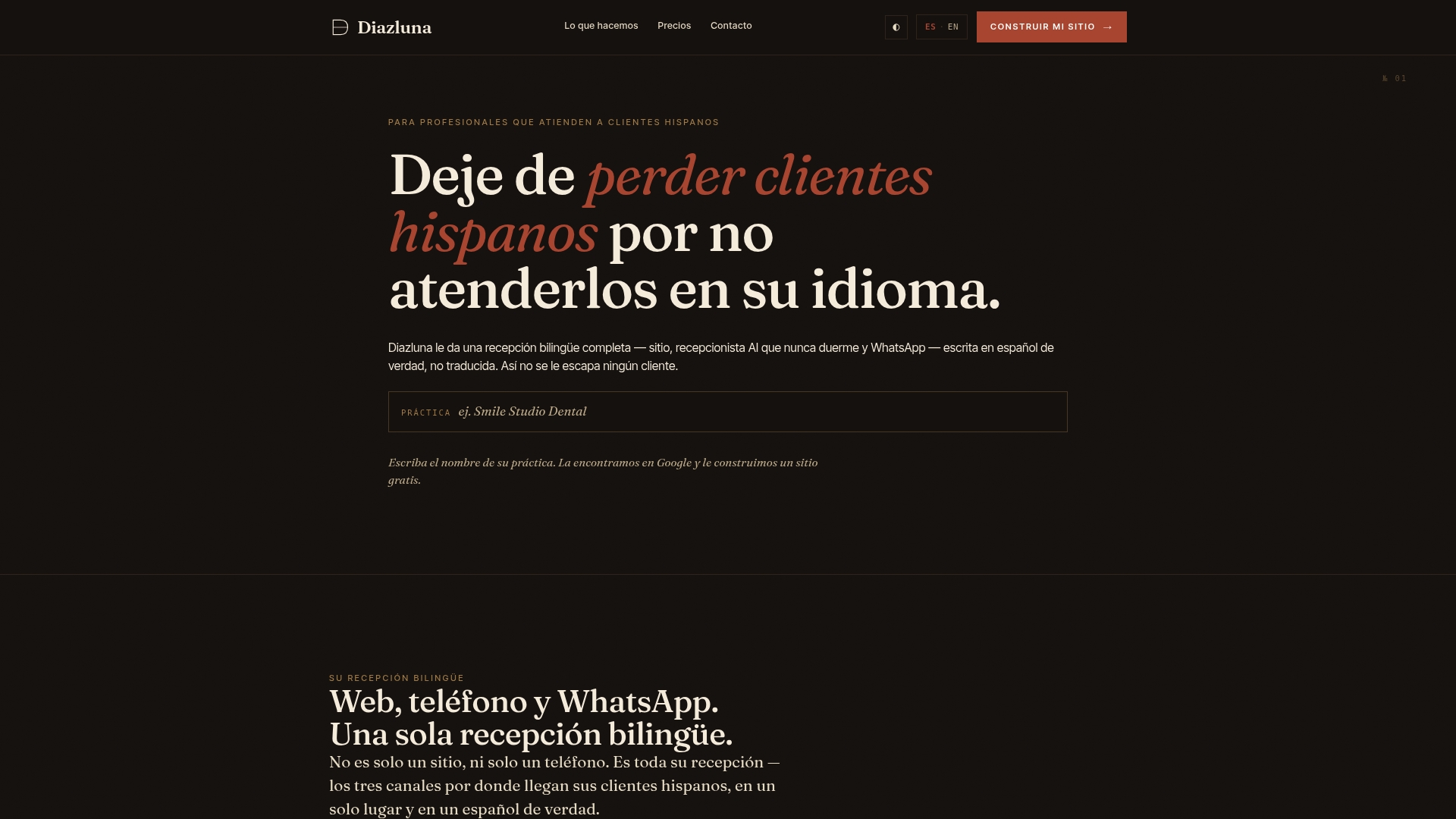
Visit Diazluna to see current plans and request a demo or a free setup walkthrough.
FAQ
What makes scheduling software count as HIPAA compliant?
A scheduling tool is only as compliant as the business associate agreement behind it: HHS guidance states any vendor handling PHI must sign a BAA with your practice. Ask for that agreement in writing and confirm how the vendor handles any third-party tracking scripts on the booking page before you go live.
Do small practices legally need to offer Spanish scheduling?
Practices receiving federal financial assistance have specific obligations under Section 1557, including posting language-assistance notices and training staff on access procedures. Even where the legal requirement does not apply directly, the access and trust benefits described in the AMA Journal of Ethics make a strong practical case for offering it anyway.
How much does bilingual scheduling software typically cost?
Pricing varies by vendor and feature set, often running from a basic bilingual website plan to a fuller package with an AI receptionist and messaging included. Our own plans range from $99 per month for a bilingual website alone up to $349 per month for the full package with a 24/7 AI receptionist and WhatsApp integration.
Can AI translation alone handle medical or legal scheduling accurately?
AI translation speeds up intake but carries real risk in clinical and legal language, where a subtle error can change meaning entirely, a concern the ABA has raised directly. Human-reviewed content and an escalation path to a live interpreter remain the safer standard for anything beyond routine scheduling confirmations.
What should I check before embedding a scheduling widget on my site?
Confirm the vendor can document exactly where booking data goes, since even a simple scheduling widget can transmit PHI to analytics or advertising platforms without clear configuration. The FTC’s 2026 enforcement action against a telehealth company shows the real consequences of skipping this check.
Sources
- Updated standards for the provision of civil legal aid — Standard 5.1
- HIPAA and online tracking guidance — HHS
- Language and health (in)equity in US Latinx communities — AMA Journal of Ethics
- Using an interpreter in your dental office — ADA