September 2, 2026
Avoid 4 WhatsApp Click to Chat Mistakes for Bilingual
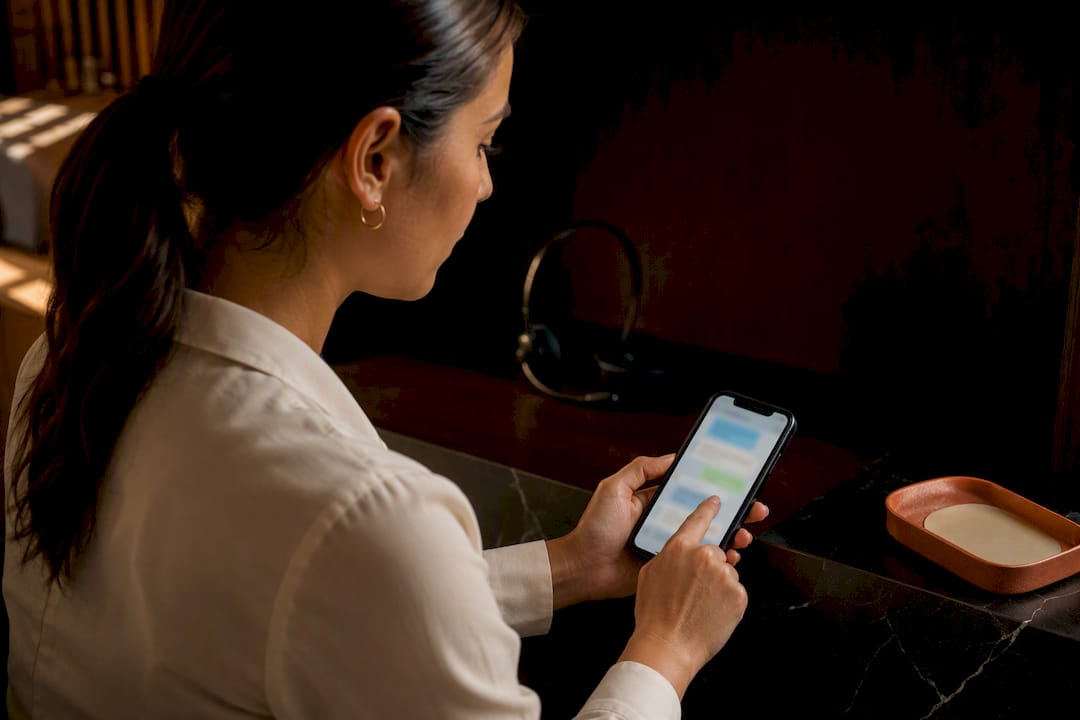
A WhatsApp click to chat link follows one exact format: https://wa.me/<number>, where <number> is the full international phone number with no plus sign, spaces, or dashes. Tap it, and WhatsApp opens a chat instantly, no saved contact required. Add ?text=urlencodedtext to the end and the message box fills in automatically before the visitor hits send. The rest of this guide covers copy-paste examples, embedding options, and how to test everything before it goes live.
TL;DR:
- Ensuring the phone number is in the correct international format without plus signs, spaces, or dashes is critical, especially for landlines or numbers not registered on WhatsApp.
- Proper URL encoding of messages, including spaces as %20 and punctuation like commas or question marks, prevents common errors when building pre-filled chat links.
- Using a short-link generator or widget provides better control, analytics, and flexibility for multiple campaigns instead of relying solely on static wa.me links.
- Testing the links on both mobile and desktop confirms correct number loading and pre-filled messages, while checking for common mistakes like missing digits or unencoded symbols.
- Effective measurement of WhatsApp click-throughs requires routing links through analytics tools or firing events to track page-specific engagement, especially for high-value pages.
Table of Contents
- How to build a basic wa.me click-to-chat link
- Adding a pre-filled message: encoding rules and examples
- Where should you place a WhatsApp link on your website?
- Should you use a WhatsApp link generator or widget?
- How do you test a click-to-chat link before launch?
- How do you track and measure WhatsApp clicks?
- What bilingual practices get wrong about WhatsApp click to chat
- The real friction isn’t the link, it’s what happens after
- A managed alternative when DIY links stop scaling
- Sources
How to build a basic wa.me click-to-chat link
The link only works when the number follows strict international format: country code first, then the full number, all digits, zero punctuation. For a US business line, that means starting with 1, not 01 or +1.
Here’s a working example for a business at (555) 123-4567:
https://wa.me/15551234567
Add a generic pre-filled prompt and it becomes:
https://wa.me/15551234567?text=Hi%2C%20I%27d%20like%20more%20information
Four mistakes break this link more often than anything else:
- Including a plus sign before the country code (
+1instead of1) - Leaving spaces or dashes in the number (
1 555 123 4567) - Dropping a leading zero that belongs to a local format but doesn’t belong in the international one
- Using a landline or a number never registered on WhatsApp, which the WhatsApp Help Center confirms is required for click to chat to work at all
Get the digits right and the rest of this becomes copy-paste work.
Adding a pre-filled message: encoding rules and examples
URL-encoding is the only tricky part of a wa.me link, and it comes down to one habit: every space becomes %20. Punctuation needs encoding too. A comma becomes %2C, parentheses become %28 and %29, and an apostrophe becomes %27.
- Appointment booking:
https://wa.me/15551234567?text=Hi%2C%20I%27d%20like%20to%20book%20an%20appointment - Pricing inquiry:
https://wa.me/15551234567?text=Hello%2C%20can%20you%20send%20me%20your%20pricing%3F - Product question:
https://wa.me/15551234567?text=Hi%2C%20is%20this%20item%20still%20in%20stock%3F
You can also skip the phone number entirely and build a shareable prompt with no fixed destination, using https://wa.me/?text=urlencodedtext. That’s handy for a QR code you want to reuse across different campaigns without hard-coding a number, according to WhatsApp’s own documentation.
Pro Tip: Skip manual encoding entirely for longer messages. Type the plain text into a free online URL encoder, paste the encoded string after ?text=, and you’ll avoid the single most common typo: forgetting to encode a question mark or apostrophe.
Where should you place a WhatsApp link on your website?
A wa.me link is just a standard anchor tag, which means it drops into almost any CMS without custom code. In Webflow, for instance, you attach the URL directly to a Button or Link Block element, and set it to open in a new tab so visitors don’t lose your site. Webflow’s own WhatsApp integration guide confirms a plain wa.me link needs no paid plan. Widgets and custom-code embeds are a different story; those often require a paid tier.
Placement changes what kind of link makes sense:
- Contact page: a simple, clearly labeled link or button is enough
- Pricing and product pages: a floating widget keeps WhatsApp visible as someone scrolls and compares options, which is exactly where hesitation and last-second questions happen
- Blog posts or FAQ pages: an inline text link works fine since intent is lower
For accessibility, always pair the icon with visible text like “Chat on WhatsApp,” and add rel="noopener" when opening in a new tab so the new page can’t manipulate the original one.
Pro Tip: Don’t bury your WhatsApp button below the fold on mobile. Most clicks happen in the first screen a visitor sees, and a link they have to hunt for gets ignored.
Should you use a WhatsApp link generator or widget?
Generators and widgets solve a problem a raw wa.me link can’t: what happens when you need to change the destination number or actually see how many people clicked.
- Short-link generators like Walink turn a long, encoded wa.me URL into something clean and shareable, often with a QR code and basic click analytics built in.
- Widgets (the floating chat bubble style) add extras like a welcome message, business hours, or a pre-filled placeholder text that updates automatically across every page.
- The trade-off is simplicity versus control. A static link is faster to set up. A short link or widget costs a few minutes more but gives you an editable target and real numbers on what’s working.
If you’re only running one contact page, a plain link is fine. Multiple pages, multiple campaigns, or multiple staff answering chats is where the extra layer starts paying for itself.
How do you test a click-to-chat link before launch?
- Test on a phone first, tapping the link with the WhatsApp app installed, and confirm the correct number and message load in the chat window.
- Test on desktop next, since clicking opens either WhatsApp Web or the desktop app depending on the visitor’s setup, and the pre-filled text should appear identically.
- If the link fails, check for the usual culprits: a stray plus sign, an unencoded space or symbol, or a number that isn’t actually registered on WhatsApp.
- If a visitor has no WhatsApp installed at all, the link typically prompts a download or falls back to a web version, so don’t assume every failed test is a broken URL.
How do you track and measure WhatsApp clicks?
A wa.me link on its own tells you nothing about who clicked or when. Two simple fixes close that gap: route the link through a short-link generator with built-in analytics, or fire a Google Analytics event the moment someone clicks, right before the browser navigates to WhatsApp.
Tracking matters because not every WhatsApp conversation starts from equal intent. A click from your pricing page usually means someone is closer to buying than a click from a general FAQ post, and knowing that lets you double down on the pages actually generating conversations. Given how large WhatsApp’s reach already is, even a small lift in click-through on a high-intent page can matter more than a big lift somewhere low-intent.
- Use a short-link tool for quick, no-code tracking
- Fire a GA4 event for tighter integration with existing site analytics
- Escalate to the WhatsApp Business API once you need automated routing, template replies, or logging conversations directly into a CRM
Pro Tip: If you’re juggling more than two people answering WhatsApp messages, a plain link with no routing logic will create chaos fast. That’s the point where an integrated CRM inbox earns its keep.
What bilingual practices get wrong about WhatsApp click to chat
Most practices treat a WhatsApp link like a formality, something to check off after the website launches. That’s backwards, especially for bilingual practices. A pre-filled message does more than save a visitor a few seconds of typing. It removes the awkward first move, and that alone tends to raise reply rates because it hands your team context before the conversation even starts.
For a bilingual dental or legal practice, the smarter move is a pre-filled message that offers both languages up front: “EN: I’d like an appointment / ES: Quiero una cita.” That single line prevents a receptionist from guessing which language to respond in, and it speeds up booking instead of stalling on a language mismatch. A pricing inquiry template might read: “EN: Can you send pricing? / ES: ¿Puede enviarme los precios?” Small template, real difference in how fast someone actually books.
The real friction isn’t the link, it’s what happens after
Everyone focuses on getting the wa.me format exactly right, and that’s worth doing well. But the format was never the hard part. The hard part is what happens the moment someone actually messages you at 9 PM in Spanish and nobody on staff is fluent enough to answer without stalling.
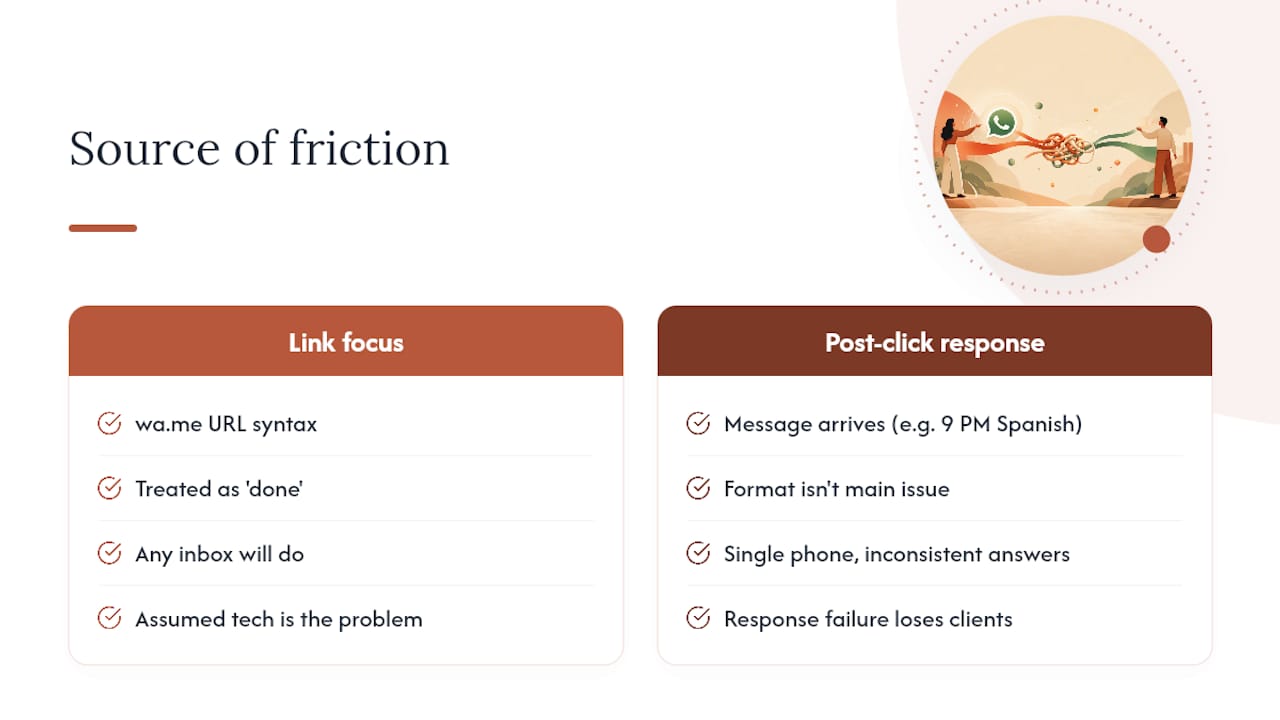
A perfectly encoded link that dumps every inquiry into one phone, answered inconsistently by whoever happens to be free, will still lose bilingual clients. Not because the technology failed, but because the response did. That’s the gap most guides on this topic skip entirely: they’ll show you the URL syntax and call it done, when the syntax was never where practices actually lose people.
Get the link right. Then look honestly at whether your team can answer it consistently, in the right language, fast enough to matter by using proven email automation examples for professional firms to improve messaging and intake workflows.
— Francisco
A managed alternative when DIY links stop scaling
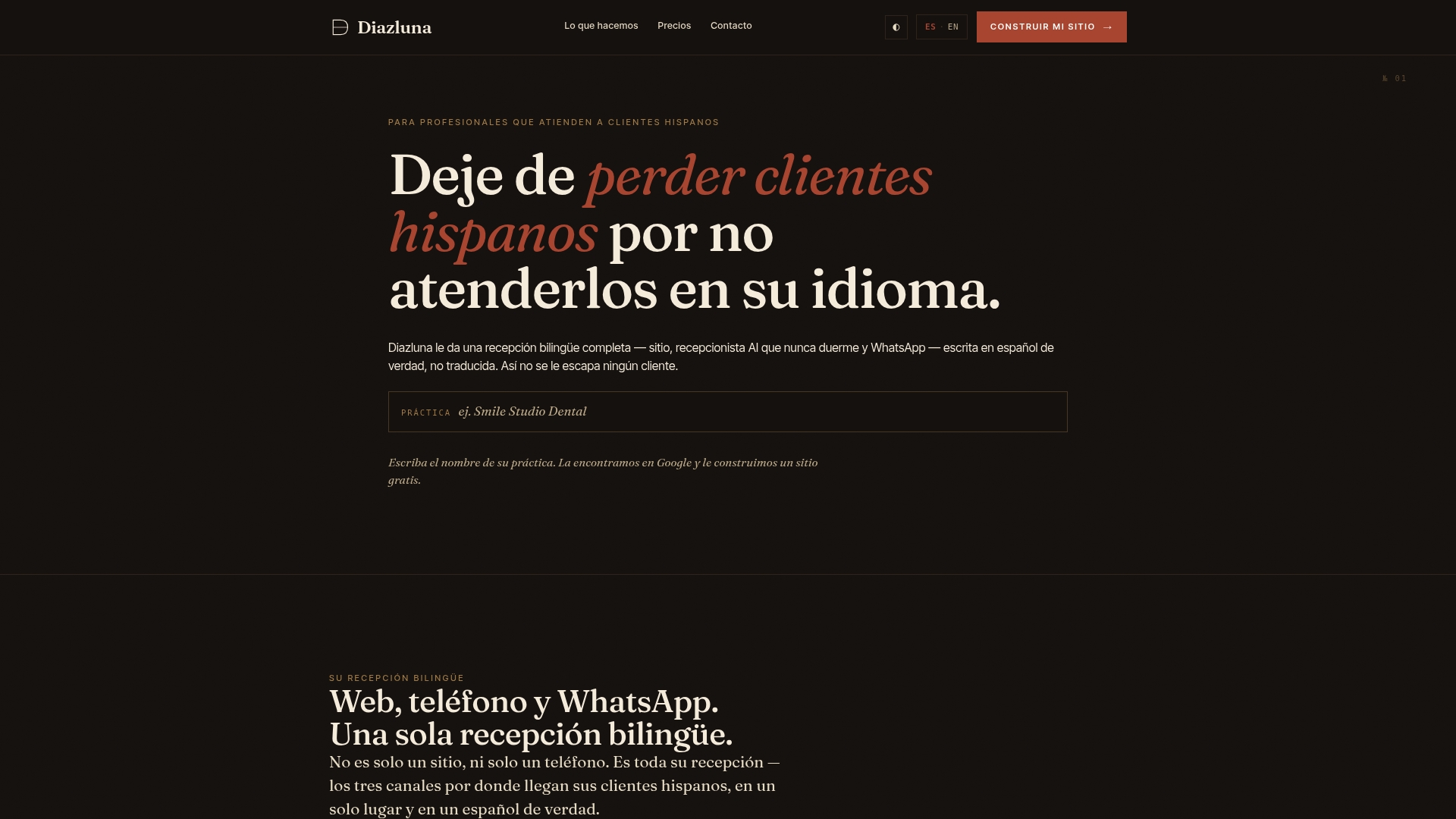
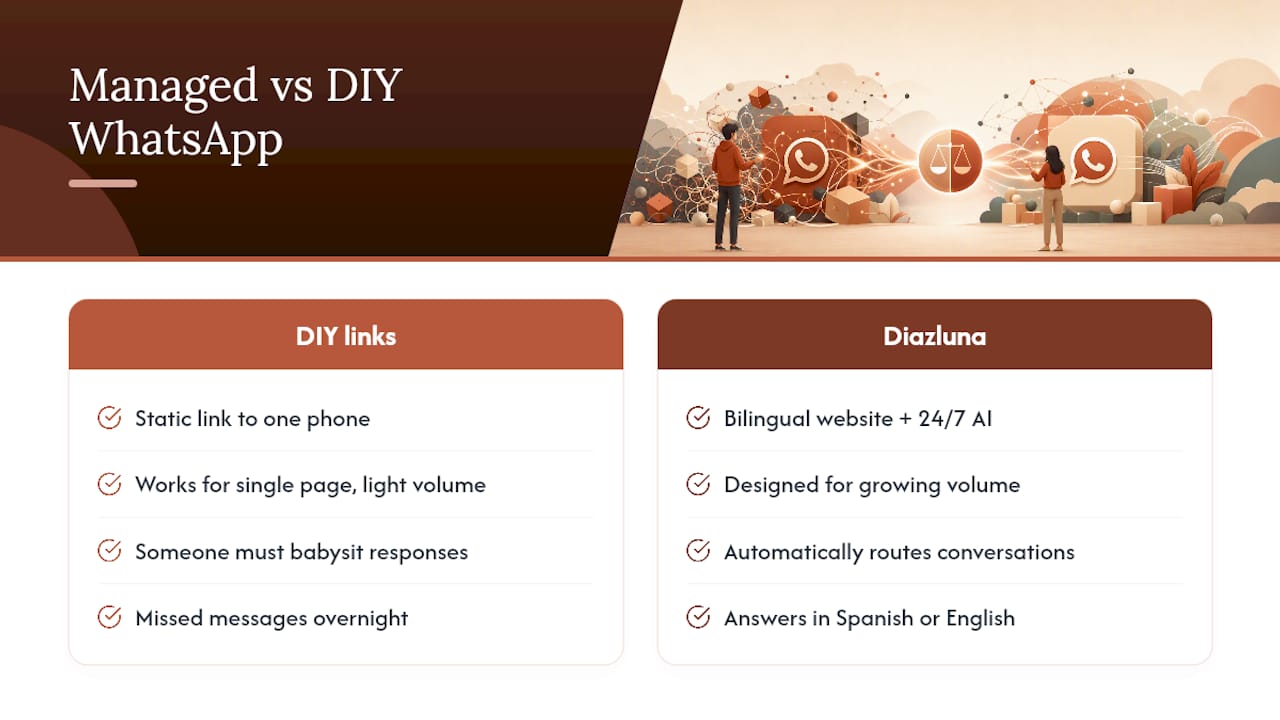
Diazluna is the alternative to juggling links, widgets, and staff schedules for practices that want WhatsApp to run itself in both languages. Instead of a static link pointing to one phone that someone has to babysit, Diazluna combines a bilingual website with a 24/7 AI receptionist that answers in Spanish or English and routes WhatsApp conversations to the right person automatically.
DIY links work fine for a single contact page with light volume. Once you’re fielding appointment requests, pricing questions, and intake forms across multiple pages and after hours, a plain wa.me link starts creating gaps: missed messages overnight, mismatched language, no record of who asked what. Diazluna’s setup handles the routing and the bilingual response so nothing falls through, and urgent cases still get flagged for a real person.
If your practice serves Hispanic clients and you’re tired of watching WhatsApp conversations stall because no one was free to answer in Spanish, see how Diazluna’s bilingual front desk works and check whether it fits your practice.
Sources
For the exact technical specifications behind everything above, three sources are worth keeping handy. The WhatsApp Help Center documents the click-to-chat format and every URL parameter directly from WhatsApp itself. Webflow’s integration page shows exactly how to attach a wa.me link inside a specific CMS, useful if you want a concrete implementation example rather than generic instructions. And Walink’s generator is a solid reference for what a short-link tool with QR codes and analytics actually looks like in practice, if you decide a plain link isn’t giving you enough visibility into who’s clicking.
- How to use click to chat | WhatsApp Help Center
- WhatsApp integration | Webflow
- Create WhatsApp links | Walink