August 22, 2026
WhatsApp Dental Patient Engagement Benefits Practices See
WhatsApp works for dental practices because it turns a one-way reminder into a two-way conversation that patients actually answer. The core WhatsApp dental patient engagement benefits break down into five measurable wins: higher appointment confirmations, fewer no-shows, faster recall re-engagement, better post-op follow-through, and stronger review and referral volume.
The highest-value use cases, in order of typical payoff:
- Automated appointment reminders with reply-to-confirm, cancel, or reschedule
- Two-way recall campaigns that pull lapsed patients back onto the schedule
- Post-treatment check-ins that catch complications early
- Bilingual outreach that keeps Spanish-speaking patients from falling through the cracks
- Review and referral requests sent right after a good visit
DentinCloud’s review of clinics running WhatsApp Business API integrations found open rates ranging from moderate to high within 30 minutes and notable reductions in no-show rates.
Pro Tip: Use the WhatsApp Business API, not the free Business App, from day one if you have more than one front-desk staffer. The API supports multi-user inboxes and audit logs; the app does not.
Key Takeaways
WhatsApp works for dental practices because two-way confirmations and bilingual reach reduce no-shows and recover staff hours that would otherwise go to phone tag.
| Point | Details |
|---|---|
| Confirmations drive results | Vitaldent’s utility messages hit a 90% confirmation rate and cut workload 70% versus SMS. |
| No-shows drop with reminders | DentinCloud reports 50 to 60% no-show reductions when practices use reply prompts. |
| Recall beats phone outreach | OdontoPrev cut re-engagement time by 44% and lifted NPS by 5 points using WhatsApp flows. |
| Compliance needs documentation | Log opt-in, preserve transcripts, and keep clinical detail in the PMS per DDU guidance. |
| Bilingual front desk closes gaps | Diazluna bundles a bilingual site, 24/7 AI receptionist, and WhatsApp so Spanish-speaking patients don’t fall through language cracks. |
Table of Contents
- Whatsapp Dental Patient Engagement Benefits By Use Case
- How WhatsApp Fits Into A Dental Practice’s Workflow
- Compliance And Best Practices For WhatsApp In A Dental Office
- Rolling Out WhatsApp: A Step-By-Step Checklist
- Which Metrics Prove WhatsApp Is Working
- Templates You Can Copy Today
- Why Bilingual WhatsApp Matters For Hispanic-Serving Practices
- Deciding When To Launch
- Start With Diazluna For A Bilingual Front Desk
- Frequently Asked Questions
- Sources
Whatsapp Dental Patient Engagement Benefits By Use Case
Each benefit shows up differently in daily operations, and the numbers behind them are worth knowing before you pick which use case to launch first.
Appointment reminders and two-way confirmations do the heaviest lifting. Vitaldent’s six-month pilot of utility messages on WhatsApp produced very high customer response and confirmation rates, alongside a substantial drop in operational workload compared with SMS. That is not a marginal gain over text messaging. It is a different category of patient responsiveness, because patients treat WhatsApp like a conversation with a person rather than a broadcast alert.

Recall and re-engagement is where WhatsApp beats the phone outright. OdontoPrev’s rollout of WhatsApp re-engagement flows significantly reduced the time staff spent re-engaging patients compared to phone calls, while improving Net Promoter Score over three months. Phone tag disappears when a patient can confirm a cleaning slot with one word.
Operational efficiency compounds across the front desk. Fewer inbound calls means shorter hold times for patients who do need to talk to a person, and routing simple requests (reschedule, insurance question, directions) to automated replies frees staff for clinical coordination instead of phone triage.
Patient experience and marketing round out the list:
- Post-op check-ins with a simple “how are you feeling” prompt catch swelling or pain issues before they become emergency calls
- Photo sharing lets patients send a quick picture of a concern instead of describing it
- Review requests sent right after checkout convert far better than a follow-up email three days later
- Bilingual threads keep Spanish-speaking patients engaged in the language they’re most comfortable with
Pro Tip: Send the review request within two hours of a positive visit, while the experience is still fresh. Waiting a day cuts response rates noticeably.
How WhatsApp Fits Into A Dental Practice’s Workflow
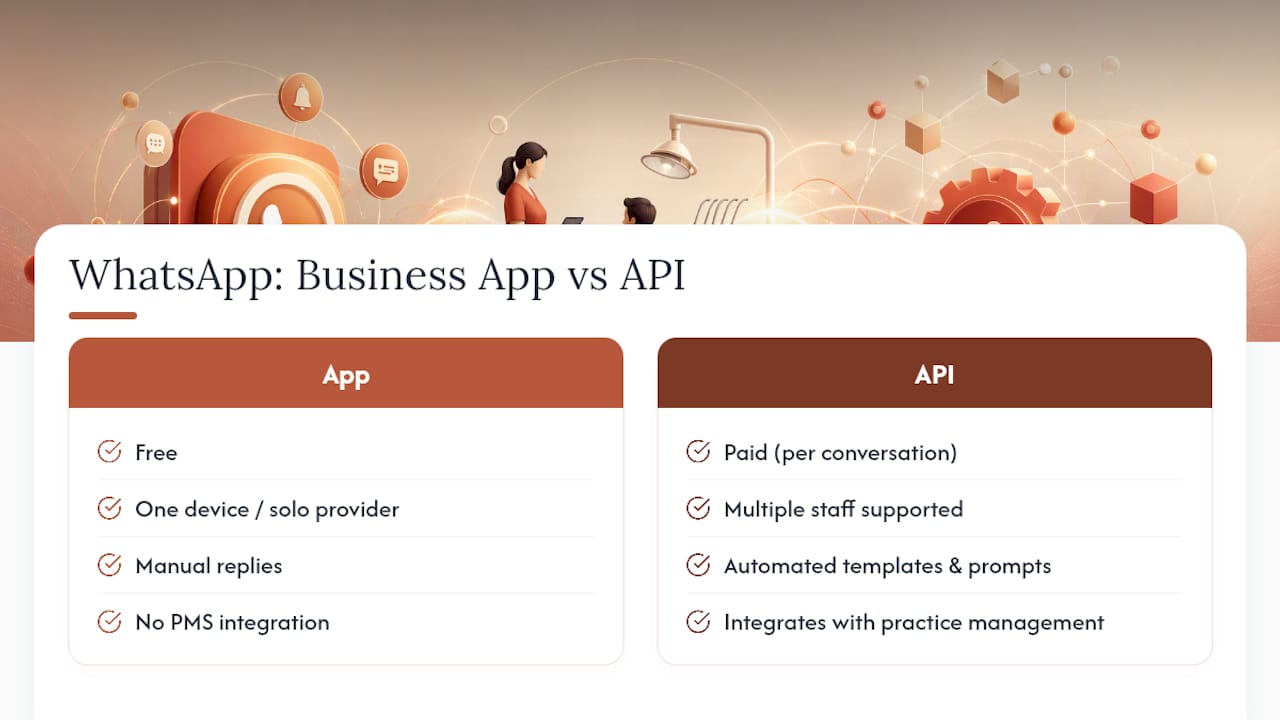
Most practices start with the free WhatsApp Business App and outgrow it fast. The App works for a solo practitioner checking messages between patients. It breaks down the moment two or three staff members need to see the same inbox, because only one device can be logged in at a time and there’s no audit trail.
The WhatsApp Business API, by contrast, supports multiple users, automated templates, and the recordkeeping a growing practice needs. A quick comparison:
- Business App: free, single device, manual replies, no automation, fine for one provider
- Business API: paid per conversation, multi-user inbox, template automation, audit logs, connects to a CRM or PMS
Templates split into two types. Utility messages (appointment reminders, confirmations, recall notices) can be sent anytime and don’t require the patient to have messaged first. Marketing templates need explicit opt-in and are more tightly regulated. Once a patient replies, a 24-hour window opens where you can send free-form messages before you’re back to template-only territory.
A typical three-message sequence looks like this: a booking confirmation the moment the appointment is scheduled, a reminder 48 hours out asking for a confirm/cancel/reschedule reply, and a same-day reminder two hours before the visit. Replies route into the practice management system automatically when the two are connected through a CRM integration, so a “reschedule” reply updates the calendar without a staffer retyping anything.
Compliance And Best Practices For WhatsApp In A Dental Office
WhatsApp convenience comes with real professional obligations. The Dental Defence Union warns that direct messaging apps require careful attention to professional boundaries, recordkeeping, and data protection, and that message threads can become disclosable evidence in a complaint or regulatory review.
Build these habits before you send your first message:
- Document opt-in clearly: tell patients what message types they’ll receive and how often, then log their consent in the chart
- Preserve transcripts and photo consent separately from casual chat, and keep clinical detail in the PMS rather than scattered across message threads
- Set a professional boundary rule: symptom questions or anything requiring judgment get moved to a phone call or in-person visit, not a WhatsApp diagnosis
- Use an API-level solution with audit logs rather than a personal number, since HIPAA-adjacent recordkeeping expectations are much easier to meet with a business-grade platform
Regulatory frameworks differ (HIPAA in the United States, GDPR in the EU, LGPD in Brazil), but the underlying principle is the same everywhere: informal messaging apps were not built for clinical recordkeeping, and the burden is on the practice to bridge that gap with policy and documentation.
Pro Tip: Write a one-page WhatsApp SOP before launch: what staff can say, what gets escalated, and where consent gets logged. It takes an afternoon and prevents most disputes later.
Rolling Out WhatsApp: A Step-By-Step Checklist
- Pre-launch: Decide between the Business App and the API based on staff size, secure a verified business number, draft opt-in language for your intake forms, and pick an integration path (a business solution provider, a CRM-connected platform, or a bundled service).
- Configuration: Write and submit templates for approval (confirmation, reminder, recall, post-op), connect the API to your PMS or CRM, and set inbox routing rules so urgent replies reach a human fast.
- Training and SOPs: Assign conversation ownership, set out-of-hours reply expectations, define clinical-query escalation, and prepare bilingual scripts if you serve Spanish-speaking patients.
- Pilot and scale: Run a small cohort for two to four weeks, track confirmation and no-show rates, then adjust template wording and send timing before rolling out practice-wide.
Things that go wrong most often: templates get rejected for sounding too promotional, staff forget to log consent, or the pilot group is too small to reveal timing problems. Catch those in the pilot, not after full launch.
Which Metrics Prove WhatsApp Is Working
Track seven numbers: response rate, confirmation rate, no-show rate, time-to-response, recall conversion rate, review or NPS lift, and staff hours saved per week. Published benchmarks give you a target range for each.
For a rough ROI check, multiply your average chair value per missed slot by your no-show reduction percentage, then subtract your monthly messaging cost. A practice losing $150 per no-show and cutting no-shows by half across 40 monthly slots recovers $3,000, against a messaging bill usually well under $200.
Templates You Can Copy Today
Keep messages short, name the clinic, and always give an easy reply option.
- Confirmation (at booking): “Hi [Name], your appointment at [Clinic] is confirmed for [Date/Time]. Reply YES to confirm or RESCHEDULE to change it.”
- 48-hour reminder: “Reminder: your visit with Dr. [Name] is in 2 days. Reply C to confirm, R to reschedule.”
- Day-of reminder: “See you today at [Time]! Reply if anything’s changed.”
- Post-op check: “How are you feeling after your procedure? Reply OK if you’re fine, or HELP if you have concerns.”
- Recall: “It’s been 6 months since your last cleaning, [Name]. Book your next visit here: [link].”
Bilingual version of the recall message: “Han pasado 6 meses desde su última limpieza, [Nombre]. Reserve su próxima cita aquí: [enlace].” Use personalization tokens (name, time, clinic) in every template so nothing reads like a mass blast.
Pro Tip: Keep a Spanish and English version of every template side by side in your library, not just the recall message. Consistency across the whole sequence is what builds patient trust.
Why Bilingual WhatsApp Matters For Hispanic-Serving Practices
A practice can run flawless English templates and still lose Hispanic patients who never fully understood a reminder or felt comfortable replying. Diazluna pairs a bilingual website, a 24/7 AI receptionist fluent in Spanish and English, and WhatsApp integration so no message, call, or booking request falls into a language gap.
The gap most dental practices underestimate isn’t clinical quality. It’s the moment a Spanish-speaking patient gets an English-only reminder, doesn’t reply, and quietly stops coming back.
- Bilingual site plus AI receptionist plus WhatsApp means one connected front desk instead of three disconnected tools
- Spanish-language conversations route to bilingual staff or an AI-first flow automatically, so nothing sits unanswered
Pro Tip: Route WhatsApp threads by detected language, not by assumption. A patient who texts in Spanish should never get an English auto-reply.
Deciding When To Launch
Launch now if you have a verified business number, basic PMS integration, and Spanish-speaking patients on your books. Wait if you lack a documented opt-in process or audit logging. Check your current no-show rate and staff bandwidth first, then pilot with one recall list before a full rollout.
Start With Diazluna For A Bilingual Front Desk
Diazluna gives Hispanic-serving dental practices one bundled system instead of stitching together a website vendor, a call service, and a separate WhatsApp tool. The bilingual site, 24/7 AI receptionist, and WhatsApp integration work as one connected front desk, so a missed call in Spanish and a missed WhatsApp reminder never happen for the same preventable reason: nobody built the bilingual layer in from the start.
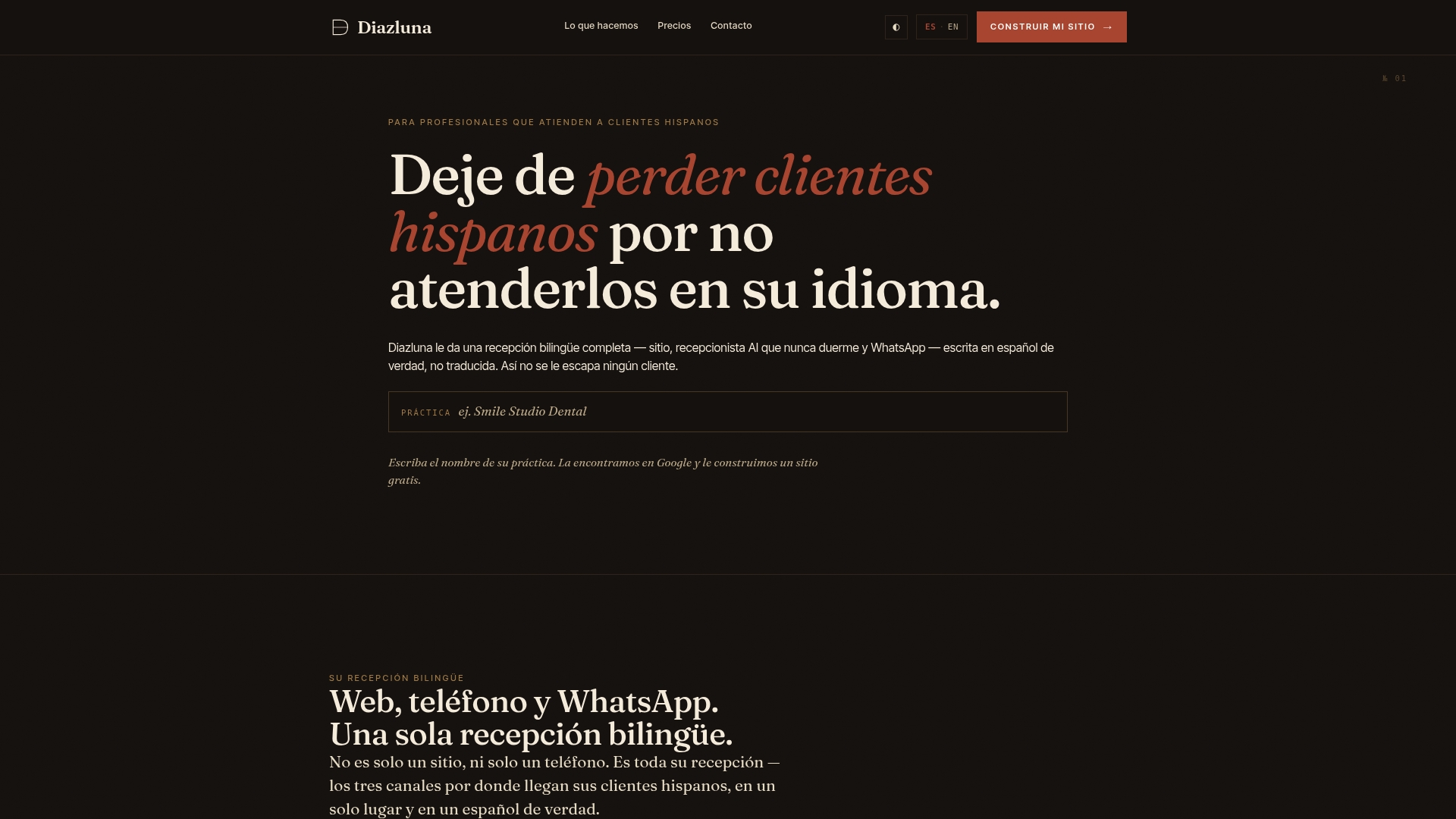
The practical difference shows up in three places: one bilingual website that ranks and converts, an AI receptionist that never sleeps or misses a Spanish-language call, and WhatsApp messaging that ties back into the same system instead of living on someone’s personal phone. If your practice serves Hispanic patients and you’re tired of losing them to language friction, see how Diazluna’s bilingual front desk works for dental practices and request a walkthrough of the setup.
Frequently Asked Questions
Does WhatsApp actually reduce dental no-shows, or is that marketing hype? The reduction is well documented. DentinCloud’s review of clinics using the WhatsApp Business API found no-show drops of 50 to 60% when reply prompts were included in reminders, and Vitaldent’s pilot showed a 90% confirmation rate.
Is WhatsApp HIPAA compliant for dental patient communication? WhatsApp itself is not automatically HIPAA compliant. Compliance depends on how you configure consent, recordkeeping, and audit logging. The Dental Defence Union’s guidance on direct messaging apps stresses that message threads can be disclosable, so practices need documented SOPs and API-level audit trails rather than a personal WhatsApp number.
What’s the difference between the WhatsApp Business App and the Business API for a dental office? The free Business App suits a solo provider on one device with manual replies. The paid API supports multiple staff, automated templates, and integration with a practice management system, which most multi-provider practices need within months of adopting WhatsApp.
How do bilingual WhatsApp messages improve patient engagement for Hispanic-serving practices? Patients respond faster and more completely to messages in their preferred language. Pairing bilingual templates with a bilingual patient intake process closes the gap between English-only reminders and patients who quietly stop responding.
What should a dental practice budget for WhatsApp messaging costs? Costs run per conversation through the Business API, typically a small fraction of the chair value recovered from even one prevented no-show per month. Most practices calculate ROI by comparing recovered appointment value against monthly messaging fees rather than treating it as a fixed marketing expense.
Sources
- Optimizing patient scheduling and outperforming SMS with utility messages on WhatsApp — Vitaldent
- Advice on using direct messaging apps with patients — Dental Defence Union (DDU)