August 24, 2026
The Best After Hours Call Handling Setup
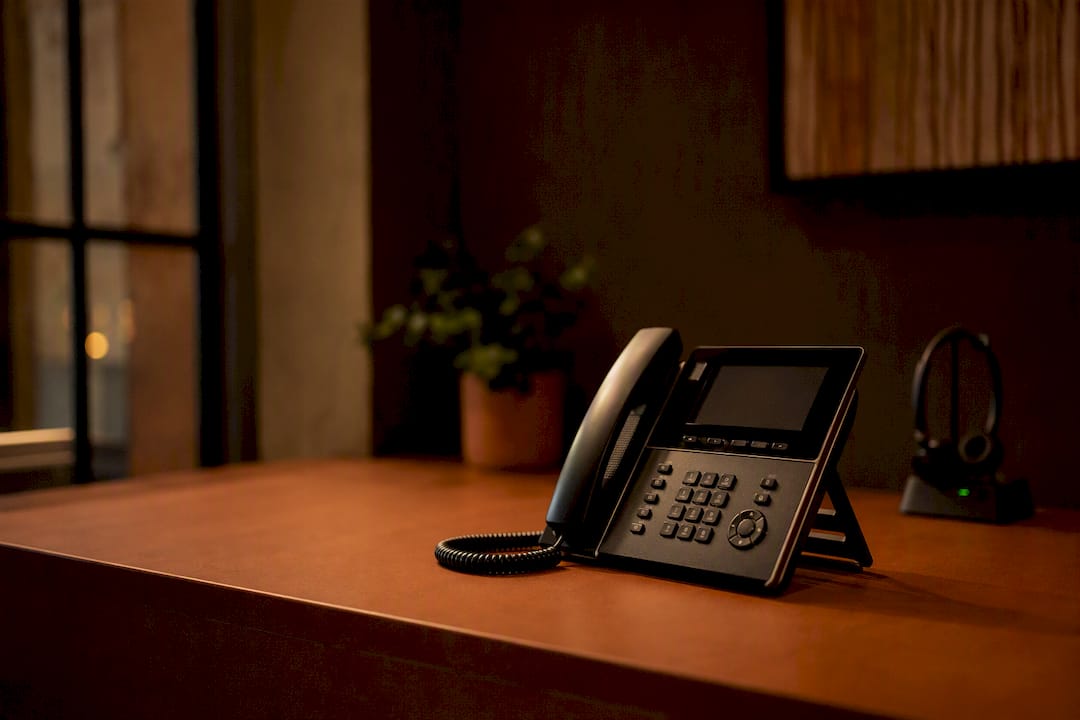
The most reliable after hours call handling model for professional practices is a bilingual 24/7 hybrid: an AI receptionist that answers instantly and captures every caller, backed by live agents who take over the moment something urgent or sensitive comes up. This setup does two things badly-run answering services can’t: it captures leads that would otherwise go to voicemail, and it triages real emergencies without making a caller wait for a callback.
- Practices using AI-first coverage have reported capturing up to 30% more overnight appointments compared to voicemail-only setups.
- A well-configured AI receptionist answers in under 3 seconds and can triage, book, and summarize before your team wakes up.
Start today by forwarding your main line to an after-hours number between 5 PM and 8 AM, and see how many calls you’ve been missing.
Key Takeaways
A bilingual 24/7 hybrid of AI receptionist and live escalation captures more after-hours leads and handles emergencies faster than voicemail or human-only coverage.
| Point | Details |
|---|---|
| Use a hybrid model | Let AI handle routine capture and booking; route urgent or sensitive calls to live bilingual agents. |
| Define emergencies in writing | List specific triggers by category so escalation doesn’t rely on guesswork. |
| Require morning summaries | Insist on overnight reports, open callback lists, and full transcripts for daytime handoff. |
| Test before you commit | Ask providers for sample bilingual scripts and run a live escalation test before signing. |
| Diazluna covers the full stack | Bilingual website, 24/7 AI receptionist, and WhatsApp integration work together to cut client loss from missed or mishandled calls. |
Table of Contents
- What After Hours Call Handling Actually Covers
- How Much Does After-Hours Coverage Actually Save You?
- How Do You Set Up After-Hours Call Routing?
- Should You Use AI Receptionists or Live Human Agents?
- What Belongs in Your Emergency Escalation Policy?
- What Integrations Make After-Hours Coverage Useful?
- What Should After-Hours Coverage Cost?
- How Do You Choose an After-Hours Call Handling Provider?
- How One Bilingual Front Desk Model Cuts Client Loss
- Why Bilingual Coverage Should Never Be an Afterthought
- Get Bilingual 24/7 Coverage Running for Your Practice
- Sources
What After Hours Call Handling Actually Covers
After hours call handling means someone, human or AI, answers your phone when your office is closed and does something useful with that call instead of routing it to voicemail. The core services worth paying for are live answer, appointment booking, lead capture, call transfers to on-call staff, callback scheduling, and message capture through SMS or WhatsApp.
How this plays out depends heavily on the industry. A dental practice mostly needs appointment booking and rescheduling handled cleanly, with a short list of true emergencies (a knocked-out tooth, uncontrolled bleeding) routed to the on-call dentist immediately. A property manager needs something different entirely: lockouts, burst pipes, and heating failures that require an instant decision about whether a contractor gets called at 2 AM.
- Live or AI answer that greets callers by practice name, not a generic hold message
- Appointment booking synced to your actual calendar, not a note someone transcribes later
- Bilingual coverage across phone, SMS, and WhatsApp, with scripts written for the culture, not just translated word for word
Real bilingual coverage isn’t just a Spanish-speaking voice. It includes message capture in the caller’s preferred channel and scripting that sounds natural to a Spanish-speaking caller instead of reading like a machine translation.
How Much Does After-Hours Coverage Actually Save You?
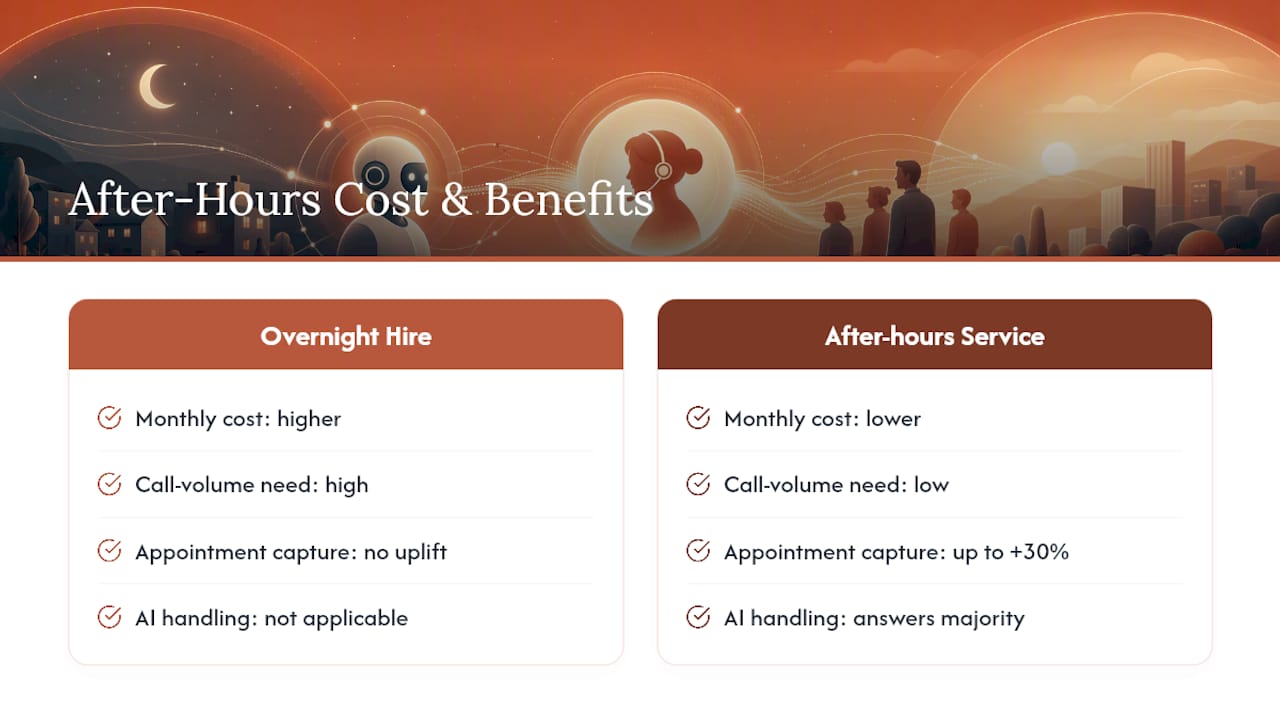
Every unanswered call after 6 PM is a lead your competitor picks up instead. Vendors and analysts tracking this consistently point to overnight appointment capture rising by as much as 30% once a practice stops relying on voicemail.
Statistic Callout: AI voice agents can answer the large majority of missed calls that would otherwise go to voicemail, and that alone changes the math on hiring versus outsourcing after-hours coverage.
Hiring a receptionist to sit by the phone from 6 PM to 8 AM, plus weekends, costs far more than a monthly after-hours subscription, and most practices don’t have call volume to justify a full-time overnight hire anyway. The bigger operational win is quieter: instead of your office manager fielding interruptions all night, you get one consolidated morning summary listing who called, why, and what already got scheduled.
How Do You Set Up After-Hours Call Routing?
Getting after-hours coverage running doesn’t require a big IT project. Most practices can have basic forwarding live the same day.
- Decide your hours and emergency rules. Define exactly when after-hours coverage kicks in (5 PM to 8 AM is common) and write down what actually counts as an emergency for your practice.
- Configure call forwarding on your main business line, and list who gets escalated calls and in what order.
- Write short scripts for your five most common after-hours scenarios, plus a bilingual fallback message for callers who need Spanish.
- Test the handoff. Call your own line after hours and confirm escalation actually reaches a live person, not a dead end.
- Schedule a morning summary email or CRM ticket so your team starts the day with a clean list instead of a stack of voicemails.
Effective routing depends on defined operating hours and multi-tier fallback logic that moves a call from human to AI to voicemail in that order, never the reverse.
Pro Tip: Run your escalation test on a Friday evening. Weekend gaps in coverage are where most missed emergencies happen, and you’ll catch a broken handoff before a real caller does.
Should You Use AI Receptionists or Live Human Agents?
Neither option wins outright. The honest answer is that AI and humans are good at different halves of the job, and the practices getting the best results run both at once.
- AI wins on speed and consistency. It picks up every call in seconds, logs the same data fields every time, and never gets tired at 3 AM, as demonstrated by RingPort’s AI receptionist for small business.
- Humans win on judgment. A caller describing chest pain or a break-in needs a person who can read tone and make a real-time call, not a script tree.
- Bilingual authenticity favors humans for sensitive moments. A Spanish-speaking caller in distress needs a live agent who understands cultural context, not just vocabulary.
The practical split: let AI handle routine capture, scheduling, and message taking, and route anything flagged as urgent or emotionally loaded straight to a bilingual human agent. AI-first systems perform best when paired with a short, tested escalation path to a live bilingual agent for legal or medical conversations, since that’s exactly where automation runs out of judgment.
What Belongs in Your Emergency Escalation Policy?
Every practice needs a written definition of what counts as urgent, because “use your best judgment” isn’t a policy. A medical red flag (chest pain, severe allergic reaction) looks nothing like a property emergency (flooding, no heat in winter), and both look nothing like an IT outage.
- List specific emergency triggers by category, not vague terms like “urgent issues”
- Define escalation channels: SMS alert, direct phone patch, or on-call routing, each with an expected response window
- Keep a full audit trail of transcripts and timestamps so nothing gets lost between the overnight shift and the morning handoff
Clear escalation definitions only work if you test them regularly, since an escalation path nobody has actually tried is a guess, not a plan.
What Integrations Make After-Hours Coverage Useful?
Coverage that doesn’t feed your existing systems just creates more manual work the next morning. The integrations that matter are calendar sync, your CRM or practice management system, and SMS or WhatsApp capture for bilingual callers.
- Overnight summary report listing every call, outcome, and flagged urgency level
- Open callback list so nothing sits unclaimed past 9 AM
- Exact transcripts, not paraphrased notes, tagged by topic and urgency
Automated ticket creation and calendar bookings mean your staff walks in to a clean list instead of a voicemail pile. That handoff, more than the phone answering itself, is often the most undervalued driver of ROI in after-hours setups, because it’s what actually saves staff hours the next day.
What Should After-Hours Coverage Cost?
Pricing shapes vary more than most buyers expect, and comparing them apples to apples takes a minute of math.
- Per-minute or per-call pricing works for low-volume practices but can spike unpredictably during a busy week
- Flat monthly tiers are easier to budget but may cap included minutes
- Per-appointment pricing suits practices where booking, not message taking, is the main after-hours job
Statistic Callout: If your average lead is worth $200 and after-hours coverage captures even five extra leads a month that would otherwise go to voicemail, that’s $1,000 in recovered revenue against a service that typically costs a fraction of that.
Watch for weekend, holiday, or call-transfer surcharges buried in the fine print, along with one-time setup fees that some vendors don’t mention until the contract stage.
How Do You Choose an After-Hours Call Handling Provider?
Picking a provider comes down to a short list of hard questions, not a sales pitch.
- Confirm bilingual quality, not just fluency. Ask for a sample script and listen for tone, not just correct grammar.
- Get the SLA in writing. What’s the guaranteed pickup time, and what happens if they miss it?
- Test escalation before you sign. Ask them to walk you through exactly how a flagged emergency reaches a human, and how fast.
- Check integration compatibility with your calendar, CRM, or practice management software.
- Ask about onboarding time. Some providers need 15 minutes for basic forwarding; full 24/7 rollout with custom scripts can take a few weeks.
- Request references from a practice in your field, and ask specifically about their after-hours experience.
Red flags worth walking away from: opaque pricing that won’t survive a direct question, no willingness to share sample scripts, and any provider that can’t demonstrate bilingual quality live on a call.
How One Bilingual Front Desk Model Cuts Client Loss
Diazluna built its platform around exactly this hybrid: a bilingual website, a 24/7 AI receptionist fluent in Spanish and English, and WhatsApp integration that captures messages in whichever channel a client actually uses.
Practices running this combined setup have reported a meaningful drop in client loss tied to language barriers, along with Google indexing of their bilingual site within 24 hours of launch.
For a dental office or law firm serving Hispanic clients, that means no caller gets lost to a script that doesn’t sound natural, and no lead sits in voicemail until Monday morning.
Why Bilingual Coverage Should Never Be an Afterthought
Most after-hours guidance treats language as a feature to bolt on later, and that’s backward. A caller who can’t get help in their preferred language at 9 PM doesn’t wait around for daytime hours. They call the next practice on the list.
The pitfall I see most often: a clinic sets up solid after-hours coverage, tests it in English, and never checks whether the Spanish-language path actually routes correctly. The system looks fine on paper and fails the exact caller it was built for.
Get Bilingual 24/7 Coverage Running for Your Practice
Diazluna gives your practice the exact hybrid this article recommends without stitching together three separate vendors. You get a bilingual website built for Spanish and English visitors, a 24/7 AI receptionist that answers, triages, and books appointments in either language, and WhatsApp integration so clients can reach you the way they already communicate.
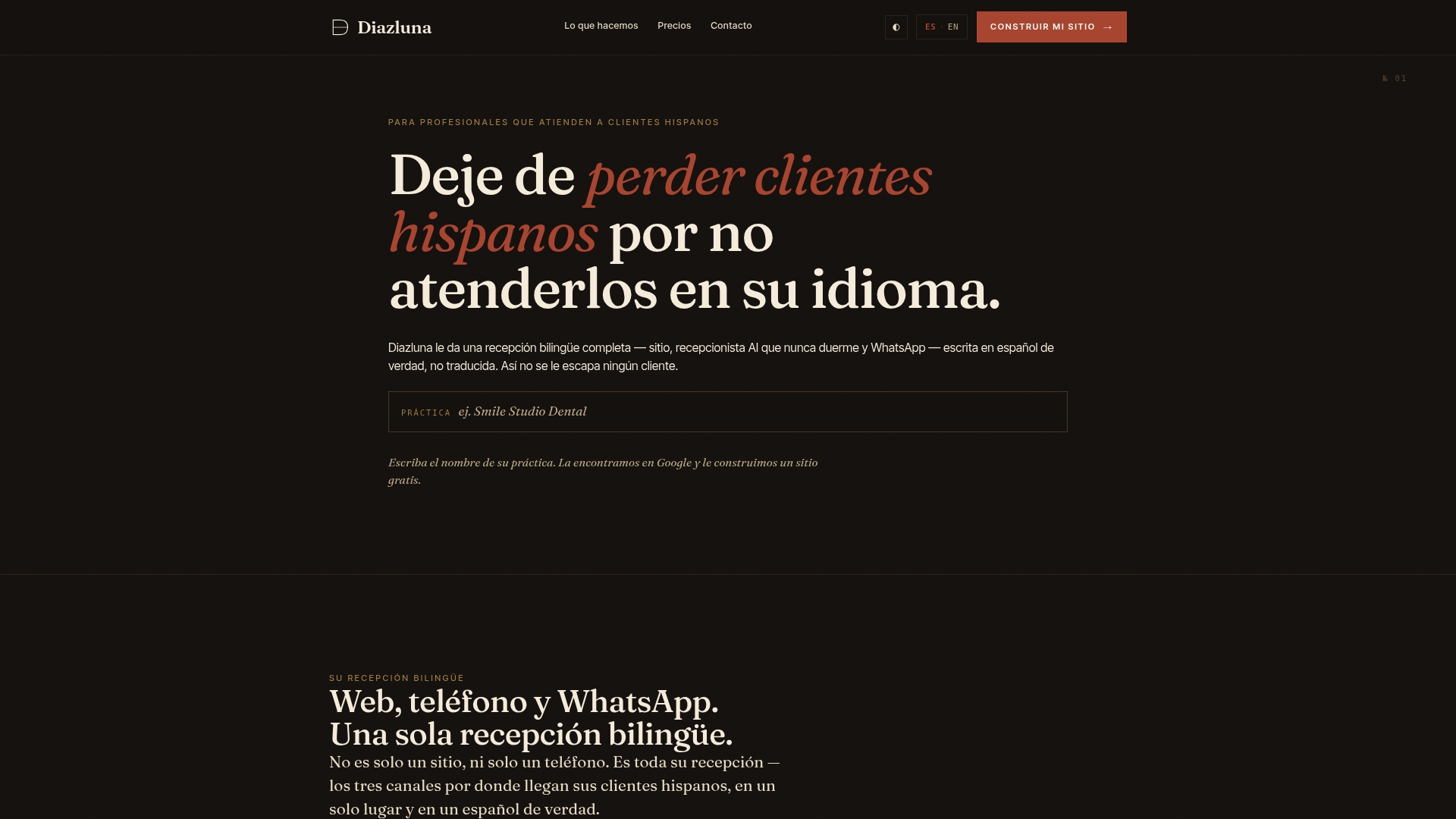
Onboarding typically starts with your existing calendar and CRM synced during setup, so calls booked overnight show up on your schedule by morning without anyone re-entering data. If you’re serving Hispanic clients and losing calls to language gaps or after-hours silence, see how Diazluna’s bilingual front desk works for practices like yours and get a walkthrough of what setup looks like for your specific hours and caseload.
Sources
- After-Hours Call Answering Service | 24/7 AI Phone Coverage | OnCallClerk
- After-Hours Call Routing & Overflow Management with AI | Synthflow
- Callin