September 19, 2026
20 Minute Hreflang Audit to Fix Bilingual Website SEO

The winning setup is subdirectories (site.com/es/), fully localized pages rather than straight translations, correct self-referencing hreflang with an x-default fallback, and unique JSON-LD schema per language. If you already have a bilingual site, your first move today is a 20-minute hreflang and sitemap audit, not a redesign.
TL;DR:
- Use subdirectories for bilingual sites to consolidate domain authority and make localization management easier, especially for small to medium sites.
- Proper hreflang implementation requires self-referencing tags, bidirectional links, absolute URLs, and an x-default page to avoid duplicate content and incorrect country targeting.
- Localization involves more than translation; run separate keyword research, adapt content to regional vocabularies, and have native speakers review pages for accuracy and relevance.
- Internal navigation must be fully translated and correctly linked to the matching language versions; use crawlable HTML links instead of JavaScript-only switchers for effective indexing.
- Build backlinks specifically in each target language, target local directories, and avoid relying solely on cross-language link equity to improve search visibility.
Table of Contents
- Multilingual vs. Multi-Regional: Language or Country?
- Should You Use Subdirectories, Subdomains, or a Separate Domain?
- What Are the Hreflang and Canonical Rules You Can’t Skip?
- Why Translation Alone Doesn’t Work for SEO
- How Should Navigation and Internal Links Work Across Languages?
- Do You Need Separate Schema for Each Language?
- How Do You Get JavaScript-Heavy Sites Fully Indexed?
- How Do You Measure Whether Your Bilingual SEO Is Working?
- What Are the Most Common Bilingual SEO Mistakes?
- Canonicalization Rules for Localized Pages
- Mobile Optimization Considerations for Bilingual Sites
- Content Duplication Issues and Strategies Beyond Canonical Tags
- Backlink Strategy for Bilingual SEO (Building Links in Multiple Languages)
- Impact of Server Location and Hosting for Bilingual Site Performance
- SEO Implications of Mixing Languages Within Single Pages (Code-Switching)
- Governance, Prioritization, and Realistic Resourcing
- Where an Integrated Bilingual Front Desk Fits Into Your SEO Work
- Sources
- FAQ
Multilingual vs. Multi-Regional: Language or Country?
A multilingual site targets a language; a multi-regional site targets a country or region, often in the same language. Spanish for US Hispanic readers is a language play. Spanish for Mexico versus Spanish for Spain is a regional play, and it changes your hreflang codes entirely.
- Language-only: use
esto target every Spanish speaker regardless of location. - Language plus region: use
es-US,es-MX, ores-ESwhen pricing, dialect, or legal terms differ by country. - Mixed approach: many US-based bilingual practices just need
enandeswith no regional split, since the audience is one country with two languages.
Get this wrong and you’ll either fragment traffic across codes nobody searches with, or you’ll lump distinct markets together and blur your signals to Google. Match the code to how your actual audience is split, not to how granular you can technically get.
Should You Use Subdirectories, Subdomains, or a Separate Domain?
Subdirectories, like site.com/es/, are the right default for almost every bilingual business site. Subdirectory URL structures are recommended for 90% of professional sites because they consolidate domain authority under one root domain instead of splitting it across subdomains or country-code domains.
Here’s how the three options actually compare:
- Subdirectories (site.com/es/): share domain authority, cost nothing extra to register, and are the easiest structure to manage in one CMS.
- Subdomains (es.site.com): sometimes treated as a separate property by search engines, which can dilute authority and complicates analytics setup.
- ccTLDs (site.com.mx): send a strong geo-targeting signal but require separate hosting, separate SEO effort, and a real budget, so they only make sense for large multi-country brands.
For slugs, keep everything lowercase with hyphens, and localize the slug itself, not just the page content, since translated URL slugs consistently outperform untranslated ones in foreign-language search results. A ccTLD only earns its cost when you’re running fully separate legal entities or pricing per country. For a two-language site serving one country, that’s over-engineering.
What Are the Hreflang and Canonical Rules You Can’t Skip?
Hreflang tells Google which page to show for which language and region, and every rule around it exists to prevent duplicate or wrong-language results in search. The core syntax pairs a language code (and optional region) with the URL of that exact variant:
<link rel="alternate" hreflang="en" href="https://site.com/en/services" />
<link rel="alternate" hreflang="es" href="https://site.com/es/servicios" />
<link rel="alternate" hreflang="x-default" href="https://site.com/" />- Self-reference every page. The English page must list itself in its own hreflang set, not just point to the Spanish version.
- Make every tag bidirectional. If the English page references the Spanish page, the Spanish page must reference the English page back, or Google ignores the pair entirely.
- Use absolute URLs, not relative paths, and validate every code against BCP 47, the same standard Schema references for
inLanguageandavailableLanguage. - Add an
x-defaulttag pointing to a neutral landing page or your primary language, so visitors whose browser language matches nothing don’t land on an irrelevant page.
Pro Tip: Run your hreflang set through a validator right after every deploy, not just at launch. A single broken bidirectional pair can quietly cost you a whole language’s worth of rankings for months before anyone notices.
Why Translation Alone Doesn’t Work for SEO
Literal translation moves words across languages; localization moves meaning, intent, and search behavior across markets. A dental practice page translated word-for-word from English often uses phrasing no Spanish speaker actually types into Google, because search intent and demand shift by language even when the topic is identical.
Run keyword research separately for each language instead of translating your English list:
- Pull search volume and related terms directly from Spanish-language keyword tools, not from an English list run through translation.
- Check for regional vocabulary differences (a term common in Mexico may read oddly in Spain or the Caribbean).
- Have a native speaker review every page before publishing, not just the translator who wrote it.
A workable resourcing model uses AI for a first-pass draft, then a native reviewer for transcreation, tone, and idiom. That combination is faster than pure human translation and far more accurate than AI alone. Diazluna’s own take on bilingual growth outcomes and specialized guides like multilingual SEO content services both make the same point: localized terminology drives rankings that literal translation never reaches.
Pro Tip: Never let a single bilingual employee both write and approve the final copy. Have a second native reader check it. Even fluent bilingual writers default to source-language sentence structure without noticing.
How Should Navigation and Internal Links Work Across Languages?
Every menu item, breadcrumb, and internal link on a Spanish page needs to point to the Spanish version of the destination page, not accidentally drop the visitor back into English. That sounds obvious until you audit a real site and find three internal links per page still pointing to the English URL.
- Translate every navigation label, not just the visible page content, including footer links and breadcrumb trails.
- Make sure each locale page is reachable through at least one crawlable internal link and listed in a sitemap, since orphaned pages get indexed slowly or not at all.
- Build the language switcher as a real link with a crawlable
href, never a JavaScript-only dropdown that requires a click event to reveal the URL. - Keep the switcher visible but non-blocking. It shouldn’t cover content or force an interstitial click before a visitor can read the page.
A language switcher that only works after a click event is invisible to crawlers. If Googlebot can’t find the link in the raw HTML, that locale page might as well not exist for indexing purposes.
Do You Need Separate Schema for Each Language?
Yes. Each language version of a page needs its own JSON-LD block, not a shared script duplicated across locales. Localized structured data requires unique JSON-LD per page using inLanguage or @language attributes so search engines correctly bind the schema to the right language variant.
- Add
inLanguageto your primary schema types (Article, LocalBusiness, Service) using standard BCP 47 codes likeesoren. - Translate every metadata field that shows up in search or social previews: title tags, meta descriptions, Open Graph tags, and image alt text.
- Watch your code format carefully: Open Graph locale codes use underscores (
es_ES) while hreflang uses hyphens (es-ES). Mixing the two formats is one of the most common bugs at the CMS template level.
One detail that trips up otherwise solid implementations: a page can have flawless hreflang and still confuse search engines if its JSON-LD schema is missing inLanguage or copy-pasted unchanged from the English version. Validate structured data per locale, not once for the whole site.
How Do You Get JavaScript-Heavy Sites Fully Indexed?
React, Next.js, and Nuxt frontends often inject hreflang tags into the page head client-side, and crawlers can miss that injection entirely if rendering is delayed. Sitemap-based hreflang annotation is more reliable for JS-heavy frontends because it’s processed during the sitemap crawl cycle, independent of how the page renders in a browser.
- Generate per-locale XML sitemaps and cross-reference them with
<xhtml:link>hreflang annotations inside the sitemap file itself, not just the page head. - Check robots.txt for accidental blocks on locale paths like
/es/— a surprisingly common mistake when a staging rule gets copied to production. - Submit each sitemap in Google Search Console and monitor the Coverage report weekly for the first month after launch, watching specifically for “Discovered, not indexed” on new locale pages.
If your framework struggles to render hreflang tags server-side, sitemap annotation is your safety net, not a nice-to-have.
How Do You Measure Whether Your Bilingual SEO Is Working?
Segment everything by language path from day one. Lump English and Spanish traffic together in one report and you’ll never see which version is underperforming until it’s cost you months of visibility.
- Filter Google Search Console’s International Targeting report and build separate views or filters for each language subpath.
- Track organic traffic, impressions, and click-through rate by locale, since per-locale segmentation is how you catch a language version quietly losing visibility.
- Monitor index coverage per locale, not just site-wide, because Spanish pages can get stuck in “Discovered, not indexed” while English pages index fine.
- Track conversions by language separately. A language version can drive traffic without driving leads, which points to a localization gap, not a technical one.
- Run an automated hreflang validator on a schedule, weekly or after every deploy, rather than trusting it once at launch.
Tools like Diazluna’s guidance on bilingual digital marketing strategies reinforce the same habit: measure each language as its own channel, because it behaves like one.
What Are the Most Common Bilingual SEO Mistakes?
Most multilingual implementations break in the same handful of ways: mismatched hreflang pairs, untranslated metadata sitting under translated body copy, cross-language canonical tags, and render-blocking language switchers that hide the URL from crawlers.
- Audit hreflang reciprocity first. Every pair should point both directions; a validator catches this in minutes.
- Check HTTP status codes on every locale URL. A 404 or redirect chain on a Spanish page silently breaks its hreflang entry.
- Confirm every metadata field is translated, including title tags and meta descriptions, not just the visible page text.
- After launch, prioritize by traffic. Fix your highest-traffic pages and highest-exit pages first; don’t try to perfect every page before shipping any of them.
Pro Tip: Build a one-page QA checklist you run before every locale launch: hreflang reciprocity, canonical targets, metadata translation, and HTTP status. Five minutes of checking beats weeks of untangling a ranking drop later.
Canonicalization Rules for Localized Pages
Canonical tags and hreflang solve different problems, and confusing them causes real damage. A canonical tag tells search engines “this is the authoritative version of duplicate content.” Hreflang tells them “these are equivalent pages in different languages, serve the right one.” Mixing the two rules breaks both signals at once.
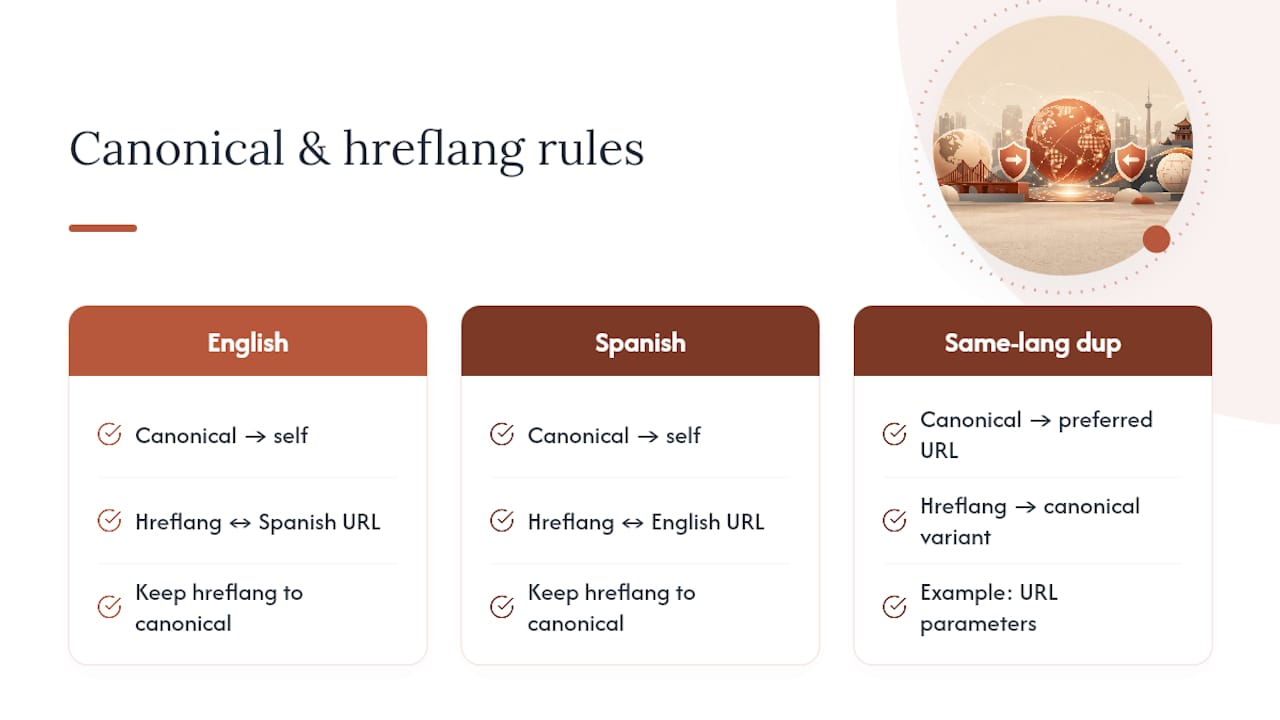
The rule that trips up the most sites: every localized page should canonicalize to itself, never to the English version. If your Spanish page’s canonical tag points back to the English URL, you’re telling Google the Spanish version doesn’t deserve to exist independently, which can quietly deindex it entirely.
The only exception is genuine duplicate content within the same language, such as a page reachable through two different URL parameters. In that case, canonicalize to the single preferred URL within that language, and keep the hreflang set pointing at the canonical version of each language variant, not at every duplicate.
A frequent error worth checking directly: pagination or filtered views of a localized page (like a sorted product listing) sometimes canonicalize correctly within their own language but get left out of the hreflang set entirely, creating orphaned duplicate content Google has to guess about. Run a spot check on paginated and filtered URLs specifically. They’re the pages most likely to have correct canonicals and missing hreflang tags at the same time, and that gap doesn’t show up in a basic homepage audit.
Mobile Optimization Considerations for Bilingual Sites
Google indexes mobile-first, which means your mobile Spanish page, not your desktop version, is what gets crawled and ranked. If your mobile site hides or truncates translated content that your desktop site shows in full, you’re effectively serving Google a thinner version of your Spanish content than you think you are.
Text expansion is the issue most bilingual sites underestimate. Spanish text typically runs 15 to 25% longer than English for the same meaning, and on a mobile viewport, that difference can break navigation labels, buttons, and headlines that fit fine in English. A button labeled “Book Now” fits comfortably; its Spanish equivalent, “Reservar una Cita” often doesn’t, without a responsive font or button-width adjustment.
Check these specifically on mobile, not just desktop:
- Navigation labels in the longer language shouldn’t wrap awkwardly or get truncated with ellipses that hide the actual link text from users and crawlers alike.
- Tap targets for the language switcher need enough spacing on a small screen; a switcher that’s too close to another link causes mis-taps and frustrates mobile visitors.
- Page speed per language should be checked separately. Spanish pages with longer text blocks can push a page past a loading threshold that English pages clear comfortably.
Run Google’s Mobile-Friendly Test on your Spanish pages specifically, not just your English homepage. It’s common for a site to pass every mobile check on English pages while the Spanish equivalent has a layout bug nobody caught because the QA process never actually loaded it on a phone.
Content Duplication Issues and Strategies Beyond Canonical Tags
Canonical tags fix technical duplication, like the same page reachable through multiple URLs, but they don’t fix the more common bilingual duplication problem: near-identical content across two languages that reads as thin or auto-generated to a search engine.
Machine-translated pages with no human review often trigger this. The words differ from the English original, but the sentence structure, keyword targeting, and even paragraph breaks stay identical, and Google’s quality systems are tuned to notice content that reads as a mechanical pass rather than genuinely localized writing.
A few strategies beyond canonicalization actually solve this:
- Restructure content per language, not just translate it sentence by sentence. If your Spanish keyword research surfaces a different set of subtopics than English, reorganize the page around them rather than forcing a 1:1 structural match.
- Vary your examples and local references. A Spanish page aimed at Hispanic clients in the United States should reference locally relevant scenarios, not a direct swap of the English page’s examples.
- Avoid publishing a language version before it’s ready. A thin, half-translated Spanish page live today does more damage than no Spanish page at all, since Google indexes it as low-quality content tied to your domain.
- Consolidate near-duplicate variants within one language. If you accidentally have two Spanish URLs covering the same topic, merge them rather than relying on canonical tags to paper over the overlap indefinitely.
The underlying test is simple: if you removed the language tag, would a native Spanish reader recognize this as writing meant for them, or as an English page wearing a translation? That gap is what triggers duplication concerns more often than any technical misconfiguration.
Backlink Strategy for Bilingual SEO (Building Links in Multiple Languages)
Backlinks earned in English don’t transfer authority to your Spanish pages the way many site owners assume. Search engines treat each language version’s link profile largely on its own terms, which means a Spanish page with zero backlinks competes at a real disadvantage against Spanish-language competitors, even if your English site is well-linked.
Build backlinks in each target language separately, using outreach that actually reaches that audience:
- Target Spanish-language publications and directories relevant to your industry, not just the English-language press list you already have relationships with.
- Guest content and interviews in Spanish carry more weight with Spanish-speaking readers and search engines than an English placement that happens to mention your Spanish page.
- Local business directories and association listings matter here too. A Hispanic chamber of commerce directory listing or an industry association’s Spanish-language member page is a legitimate, relevant link.
- Avoid link-building shortcuts that use the same anchor text across languages. Anchor text should reflect the language and keyword targeting of the linking page, not a copy-pasted English phrase dropped into a Spanish article.
This is slower to build than a single-language link profile, since you’re essentially running two outreach campaigns instead of one. But a Spanish page with even a handful of relevant Spanish-language links tends to outperform an identical page with none, particularly in competitive local categories like legal and dental services where Spanish-language search competition keeps growing.
Impact of Server Location and Hosting for Bilingual Site Performance
Server location affects page speed more than most site owners realize, and page speed is a ranking factor for every language version equally. If your primary audience for the Spanish pages is concentrated in a specific region, hosting decisions matter for that audience’s load times, even when your English audience is well served by the same server.
A few practical points worth checking:
- A content delivery network solves most of this for a single-country bilingual site. If your English and Spanish visitors are both largely in the United States, a CDN with US edge locations serves both language versions fast, and server location becomes a minor factor.
- Time to first byte should be checked per language path, not just for the homepage. A Spanish page loaded with a heavier translation plugin or a bulkier CMS template can lag behind the English equivalent even on identical hosting.
- Avoid geo-IP redirects that override user choice. Automatically bouncing a visitor to a different server or domain based on detected location, without letting them choose their language, creates both a poor user experience and a crawling problem, since bots can get redirected in ways that block them from indexing the version you actually want ranked.
- Hosting cost rarely justifies a separate server per language for a two-language site. That complexity makes more sense for global brands running dozens of country domains, not a bilingual local practice site.
For most bilingual business sites serving one country in two languages, a single well-configured server with a CDN outperforms the complexity of split hosting, and it’s far easier to maintain.
SEO Implications of Mixing Languages Within Single Pages (Code-Switching)
Code-switching, blending English and Spanish within the same page or even the same sentence, happens naturally in bilingual communities and sometimes shows up intentionally in marketing copy aimed at bilingual readers. It creates a real SEO problem: search engines assign a single primary language to a page, and mixed-language content makes that assignment unreliable.
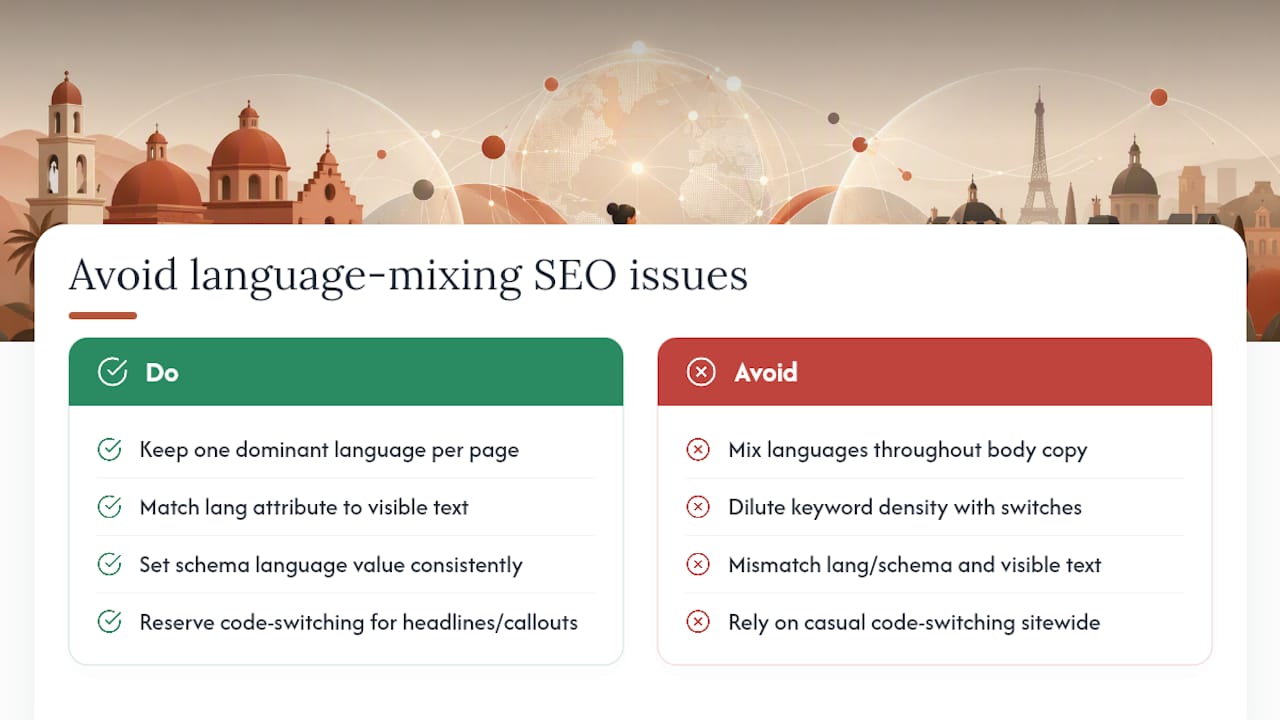
A page that’s 70% Spanish with English phrases scattered throughout risks being misclassified in the wrong language index, or classified correctly but scored as lower quality because the language signal is inconsistent with the inLanguage schema attribute or the lang HTML tag declared in the page’s code.
Where code-switching is worth using deliberately: a headline or callout phrase that resonates specifically with bilingual readers, like a Spanish page referencing “el weekend” the way many US Hispanic speakers actually talk. That’s a legitimate content choice for tone. Where it becomes a technical liability: doing it throughout body copy that’s supposed to be targeting Spanish search queries, since it dilutes the keyword density and language consistency search engines use to match the page to Spanish-language searches.
The fix isn’t to ban natural bilingual phrasing entirely. It’s to keep each page’s dominant language consistent enough that the lang attribute, the schema inLanguage value, and the actual visible text all agree, and to reserve intentional code-switching for tone moments rather than core keyword-targeted sentences. If you’re unsure whether a page reads as consistently Spanish or consistently English, ask a native bilingual reviewer, the same person doing your localization review, to flag anything that reads like a language blend rather than a language choice.
Governance, Prioritization, and Realistic Resourcing
Most teams try to localize everything at once and stall out. Start with your highest-traffic pages and your primary language pair, then expand. Assign one owner per language who approves every published page, and enforce metadata fields programmatically in your CMS rather than trusting manual translation checklists. AI-assisted drafts work fine for a first pass; save full transcreation for pages that carry real commercial intent, like Spanish landing pages built to convert.
— Francisco
Where an Integrated Bilingual Front Desk Fits Into Your SEO Work
Ranking a Spanish page is only half the job. The other half is what happens the moment a Hispanic client actually calls, messages, or fills out a form, and that’s where most bilingual sites quietly lose the lead they worked so hard to earn. An SEO-optimized bilingual website paired with a 24/7 AI receptionist fluent in Spanish and English, plus WhatsApp integration, ensures a client who finds your Spanish page at 9 p.m. gets an authentic Spanish-language response immediately instead of a voicemail.
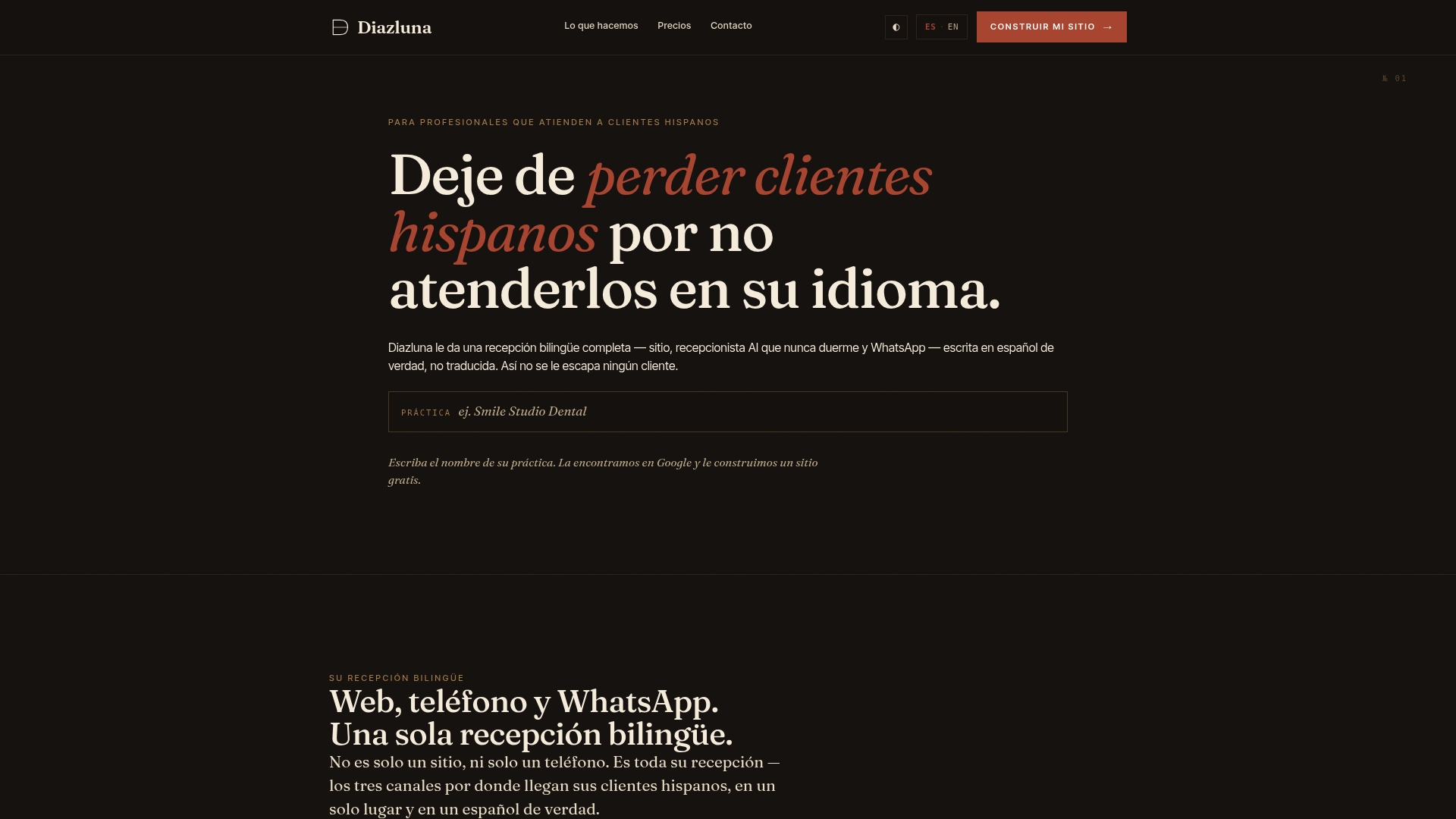
This isn’t a replacement for the technical work in this guide. It’s the operational layer that makes that work pay off, catching every call, message, and urgent case in the language the client actually used to search for you, and routing anything urgent to a human without delay. For a dental, legal, or healthcare practice serving Hispanic clients, that combination closes the gap between ranking well and actually converting the lead. Pricing plans for a bilingual website and optional AI receptionist services are available. See the current plans and setup details for pricing information and to find the tier that fits your practice.
Sources
Before you touch a single hreflang tag, bookmark these:
FAQ
Is SEO Still Worth It in 2026?
Yes, and bilingual SEO specifically has gotten more valuable, not less, since Hispanic-focused local search competition keeps growing while most competitors still run English-only or poorly localized sites. The technical bar (correct hreflang, localized schema, real content localization) is exactly what separates the sites that actually convert from the ones that just have a translate button.
What Is the 80/20 Rule in SEO?
The 80/20 rule in SEO generally means roughly 20% of your pages, keywords, or effort tends to drive around 80% of your results, so prioritizing your highest-traffic pages first is far more efficient than trying to optimize everything at once. Applied to bilingual sites, that means localizing your top-performing English pages before attempting a full site-wide translation.
What Is the Most Multilingual Website?
There’s no single verified record holder for “most languages on one website” that’s reliably sourced, and most claims you’ll find online are anecdotal. What matters for a business site isn’t the number of languages, it’s whether each language version is fully localized, correctly tagged with hreflang, and actually discoverable by the audience it targets.
Are Multilingual Sites Allowed in WordPress?
Yes, WordPress fully supports multilingual sites through plugins that handle translation management, hreflang generation, and localized URL structures. Whether you use WordPress or another platform, the same rules apply: subdirectory URLs, self-referencing bidirectional hreflang, and unique metadata per language, which is exactly the setup Diazluna builds into its bilingual website service from launch.
Do I Need Separate Analytics Setups for Each Language?
You don’t need entirely separate analytics accounts, but you do need to segment your existing reports by language path or subdirectory to see accurate performance per locale. Filtering Google Search Console and analytics data by language subpath is the standard approach, and it’s the only way to catch a struggling language version before it drags down your overall numbers.