August 5, 2026
AI Customer Service Tools for Small Business

For most 3–10 person practices serving Spanish-speaking clients, Diazluna is the clearest pick in any ai customer service tools small business comparison: it combines a bilingual website, a 24/7 AI receptionist, and WhatsApp in one predictable subscription, so no Spanish-language call or message falls through the cracks. For pure ecommerce stores, an ecommerce-first chat agent with deep order-data integration handles the bulk of support volume. For email-heavy agencies and consultancies, a shared inbox with AI-assisted replies keeps things simple. For teams planning to scale past 15 agents, an enterprise helpdesk platform built around omnichannel routing is the right foundation.
The three decisive trade-offs across every category:
- Price predictability vs. AI usage costs: flat-rate and outcome-based models protect small budgets; per-seat and per-resolution models can spike unexpectedly as volume grows.
- Autonomous AI resolution vs. multilingual fidelity: general-purpose platforms resolve more query types but often struggle with authentic Spanish; bilingual-first tools sacrifice breadth for language accuracy.
- Setup speed vs. long-term capability: the fastest tools to launch have the shallowest feature sets; the most capable platforms require weeks of configuration.
Table of Contents
- How do the top AI customer service categories compare at a glance?
- Detailed profiles: which category fits your small business?
- How we evaluated these platforms
- How to choose: checklist, vendor questions, and red flags
- When does a bilingual-first AI front desk make sense?
- Key Takeaways
- Why bilingual-first solutions deserve a closer look
- Diazluna covers the comparison dimensions that matter most for practices
- Sources and further reading
How do the top AI customer service categories compare at a glance?
| Tool / Category | Best for | Entry price shape | AI features | Multilingual | Team size | Security |
|---|---|---|---|---|---|---|
| Diazluna | Dental, legal, medical practices serving Spanish-speaking clients | Flat monthly subscription | 24/7 bilingual AI receptionist, WhatsApp routing, appointment scheduling, knowledge-grounded answers | Spanish + English (native, not translated) | Solo to 10-person practice | SOC2-aligned; HIPAA-aware onboarding |
| Entry-level chat + AI agent | Cost-sensitive small stores, solo founders | Free tier; paid from ~$29/mo | Basic chatbot, FAQ deflection, limited backend actions | Limited; often English-first | Solo to 3 agents | Varies by vendor |
| Ecommerce chat with embedded AI agent | Online retailers with high order-status volume | From ~$50/mo; usage fees apply | Order-status lookup, shipping queries, returns automation | Partial; depends on integration | Small to mid-size store teams | PCI-DSS considerations; varies |
| Email-first shared inbox with AI answers | Agencies, consultancies, service businesses | From ~$20/seat/mo | AI-assisted reply drafts, KB-driven answers, collision detection | Basic; translation add-ons | 2–15 agents | SOC2 common; GDPR-ready options |
| No-code workflow & agent builders | Teams needing multi-step automations across tools | Free to ~$49/mo; compute fees | Multi-step agents, CRM/calendar triggers, custom logic | Depends on LLM and prompt setup | 1–10 person teams | Varies widely |
| Enterprise helpdesk platforms | Teams scaling past 15 agents, omnichannel routing | From ~$55/seat/mo | Full ticketing AI, intent classification, agent assist, analytics | Strong; often 30+ languages | 10–500 agents | SOC2 Type II, GDPR, CCPA standard |
How to read this table: “Entry price shape” reflects the starting cost tier, not total cost of ownership. Total cost of ownership often exceeds the subscription sticker price because AI usage fees, add-ons, and internal configuration time compound quickly. Per-seat models look cheap at two agents and expensive at ten; per-resolution models look cheap at low volume and punishing at scale. Flat-rate models, like Diazluna’s subscription, give the most predictable budget line for small practices.
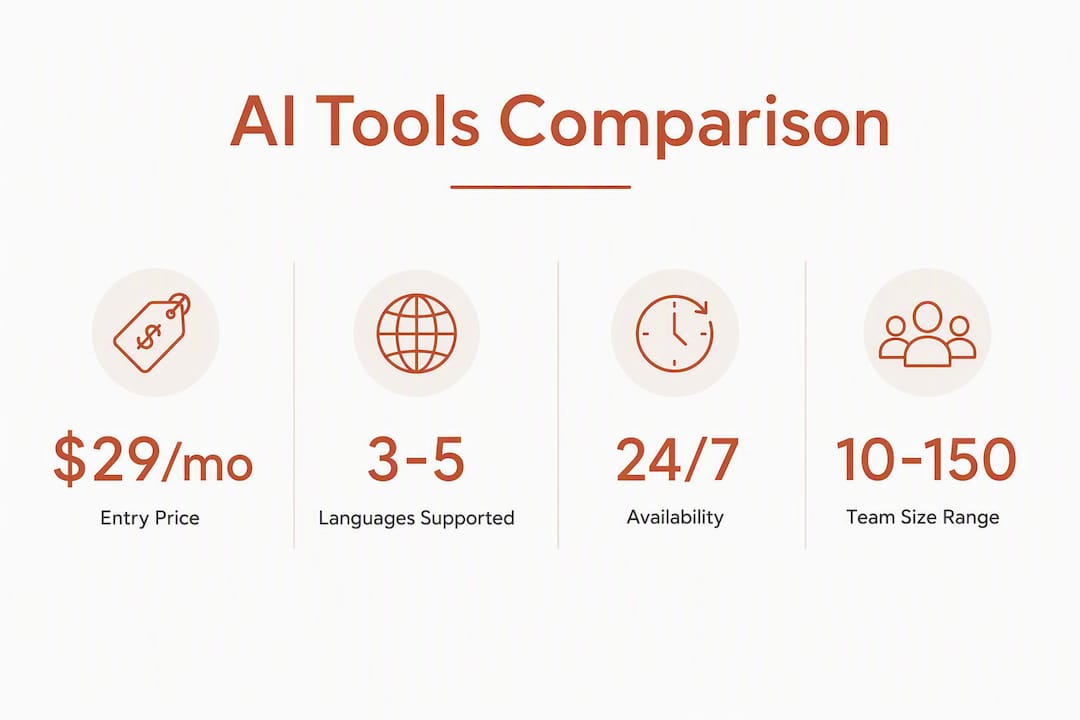
Pro Tip: Realistic small-business AI stacks often cost $50–$150 per month once you account for add-ons and usage fees. Free tiers are useful for evaluation, but most small businesses hit their limits within weeks.
Detailed profiles: which category fits your small business?
Diazluna: bilingual front desk for practices
Diazluna is purpose-built for dental offices, law firms, and medical clinics where a meaningful share of clients speak Spanish as their primary language. The platform delivers three things in one subscription: a fully optimized bilingual website (Spanish and English), a 24/7 AI receptionist that handles calls, messages, and appointment scheduling in both languages, and WhatsApp integration that routes urgent cases to a human with a real-time summary.
Core features:
- Knowledge-grounded bilingual AI receptionist (answers from your practice’s own content, not generic LLM outputs)
- WhatsApp channel with live transfer and case summaries for urgent escalations
- Appointment scheduling automation in Spanish and English
- Google indexing within 24 hours of site launch
Pricing model: Flat monthly subscription with tiered packages (website only; website plus AI receptionist; full-service managed package). No per-resolution fees that spike with call volume.
Onboarding timeline: Practice-focused onboarding; the bilingual website goes live quickly, with the AI receptionist grounded to your FAQs, policies, and service pages before launch.
Pros: Predictable cost; authentic Spanish (not machine-translated English); single vendor for web, phone, and WhatsApp; no engineering resources needed.
Cons: Narrower scope than a general-purpose helpdesk; best fit is professional practices, not ecommerce or SaaS.
For a deeper look at how the bilingual AI receptionist works for service firms, Diazluna’s own blog covers the scheduling and FAQ automation mechanics in detail.
Entry-level chat + AI agent (cost-sensitive small stores)
Tidio (with its Lyro AI agent) is the most common representative of this category. It targets Shopify stores and solo founders who need a chat widget live in under an hour. Helply occupies a similar niche, positioning itself as a lightweight AI agent for small teams.

Key features: basic chatbot flows, FAQ deflection, limited backend actions. Well-trained site-grounded AI agents can autonomously resolve roughly 67%–70% of inbound queries when properly fed a company’s website content and FAQs, but that ceiling drops sharply when the knowledge base is thin or multilingual content is missing.
Pricing band: Free tiers exist but cap conversation volume quickly. Paid plans typically start around $29/month. Lyro AI conversations are often billed separately from the base plan.
Setup time: Under one hour for basic chat; a few days to tune the AI agent on your content.
Pros: Fastest path to live chat; lowest entry cost; large Shopify app ecosystem.
Cons: Usage cliffs hit fast; multilingual support is English-first; limited phone or WhatsApp integration; backend actions (refunds, order changes) require additional API work.
Ecommerce chat with embedded AI agent
Gorgias is the dominant name here, built specifically for Shopify, BigCommerce, and WooCommerce stores. Yuma AI is a newer entrant focused on autonomous resolution for ecommerce tickets.

The core value: when order-status and shipping queries dominate your support queue, a chat agent tuned to your order data can deflect a large share of those tickets without a human touching them. The catch is that deep deflection requires a real API connection to your store backend, not just a knowledge base upload.
Pricing band: Gorgias starts around $10/month for very low ticket volumes but scales by ticket count, not seat count. Yuma AI pricing is usage-based. Both can become expensive at mid-market volumes.
Pros: Deep ecommerce integrations; strong order-status automation; good Shopify ecosystem fit.
Cons: Weak outside ecommerce; limited multilingual depth; per-ticket pricing can surprise growing stores.
Email-first shared inbox with AI answers
Help Scout, Hiver, and HubSpot Service Hub all compete here. Freshdesk (with its Freddy AI layer) and Zoho Desk (with Zia) add AI-assisted reply drafts and intent classification on top of shared inbox mechanics.
This category feels like email to customers, which is its biggest advantage for service businesses. AI features in this tier typically include reply drafts, suggested KB articles, and basic intent tagging. Custify and Kustomer IQ extend this toward customer success and CRM-linked support.
Pricing band: Seat-based, typically $20–$50/seat/month for mid-tier plans with AI features. HappyFox and Zoho Desk offer more affordable entry points. HubSpot Service Hub bundles CRM, which changes the TCO calculation for teams already in the HubSpot ecosystem.
Pros: Familiar interface; strong for async, email-heavy workflows; good KB integrations.
Cons: Voice and WhatsApp channels are add-ons or absent; multilingual support is often a translation layer, not native; seat costs compound as teams grow.
No-code workflow and agent builders
Botpress and Watson Assistant (IBM) sit at the more technical end of this category. Lighter no-code tools let small teams build multi-step agents that connect CRM, calendar, and payment tools without writing code. No-code agent builders reduce the need for custom development and let teams combine integrations for automated workflows, but setup still requires careful mapping of triggers and actions.
Pricing band: Free tiers with compute-based overages; paid plans from ~$49/month. Engineering time for complex flows is the hidden cost.
Pros: High flexibility; broad integration breadth; good for teams with unique workflows.
Cons: Setup complexity is underestimated; ongoing tuning required; multilingual quality depends entirely on the underlying LLM and prompt design.
Enterprise helpdesk platforms adapted for growth
Zendesk, Intercom (and its Intercom Fin AI agent), Freshdesk, Salesforce Einstein, LivePerson, Ada, Sprinklr AI+, Drift, Bold360, monday service, Freshservice, and ServiceNow all belong here. These are full-featured platforms with omnichannel routing, deep analytics, and AI as either an augment layer (agent assist, intent classification) or an autonomous tier (Intercom Fin, Ada, Salesforce Einstein).
Intercom Fin and Ada are the most prominent autonomous-AI plays in this group. Freshdesk (Freddy AI) and Zoho Desk Zia add AI assist to existing ticketing workflows. Helpshift focuses on mobile-first support with AI triage. LivePerson and Drift lean into conversational AI for sales-adjacent support. ServiceNow and Freshservice are IT-service-management platforms that have expanded into customer support.
Pricing band: Seat-based, typically $55–$150+/seat/month for plans with meaningful AI features. Salesforce Einstein and ServiceNow pricing is enterprise-negotiated. monday service offers a more accessible entry point for teams already using monday.com.
Pros: Deep feature sets; strong compliance certifications (SOC2 Type II, GDPR, CCPA); 30+ language support on leading platforms; robust analytics.
Cons: Overkill for teams under 10 agents; per-seat costs compound fast; implementation timelines of 4–12 weeks are common; AI features often require additional licensing on top of base seats.
How we evaluated these platforms
Pricing predictability, multilingual fidelity, and realistic AI resolution rates were the three criteria that most consistently separated good ROI from disappointing deployments for small teams.
Scoring criteria used:
- AI resolution behavior: Does the platform support knowledge grounding (uploading your own FAQs, policies, and product docs to restrict AI answers to verified content)? Does it support a configurable confidence threshold for escalation to a human agent?
- Pricing shape and predictability: Flat-rate vs. per-seat vs. per-resolution. How quickly do costs scale with volume or headcount?
- Multilingual fidelity: Native bilingual capability vs. translation layer vs. English-only with workarounds.
- Integrations: CRM, ecommerce backends, WhatsApp, phone/telephony. Are they native or API-dependent?
- Onboarding time: Days to live vs. weeks of configuration.
- Security certifications: SOC2 Type II, GDPR-readiness, CCPA, HIPAA considerations for healthcare and legal practices.
- Support quality from the vendor: Availability of onboarding support, documentation quality, and trial access.
Data sources: Published vendor pricing pages, vendor trial accounts, independent review aggregators (G2, Capterra), published case studies, and practitioner guidance from Gladly and The Tech Archive’s SMB comparison. Vendor trials were evaluated using sample workloads: a set of FAQ queries, appointment scheduling scenarios, and multilingual test interactions in Spanish and English.
Testing notes: Vendor trials and small-scale pilots measuring verified resolutions and NPS changes provide the most practical proof before committing. A one-week pilot tracking verified resolutions, average handle time, and a simple satisfaction metric gives more signal than any demo.
How to choose: checklist, vendor questions, and red flags
Start with one question: what is your primary support channel? Phone and WhatsApp-heavy practices need a different tool than email-first agencies or chat-first ecommerce stores. Everything else follows from that answer.
Decision checklist:
- Map your top three query types by volume (FAQ, appointment, order status, billing, etc.).
- Identify your primary channels (phone, WhatsApp, email, chat, social).
- Count your current and projected agent headcount over 12 months.
- List the integrations you cannot live without (CRM, EHR, ecommerce backend, calendar).
- Assess your knowledge base readiness: do you have documented FAQs and policies to upload?
- Define your escalation rules: what triggers a human handoff, and who receives it?
Ten questions to ask vendors during demos:
- How do you define and measure an “AI resolution”? Is it verified or self-reported?
- What are the overage charges when I exceed my plan’s conversation or resolution limit?
- How does knowledge grounding work? Can I restrict the AI to only my uploaded content?
- What confidence threshold triggers escalation, and can I configure it?
- How does the platform handle Spanish-language queries — native model or translation layer?
- What is the typical time-to-live for a practice like mine?
- Which integrations are native vs. requiring a third-party connector or custom API work?
- What security certifications do you hold, and how do you handle PHI or legal client data?
- What does your onboarding support include, and is it included in the subscription?
- Can you show me a live example of a failed resolution and how it escalated?
Hidden costs and TCO drivers to watch:
- Per-resolution fees that compound at busy periods
- Model or compute surcharges on top of base subscription
- Integration or engineering time for non-native connectors
- Ongoing knowledge base tuning and model retraining
- Copilot or agent-assist add-ons priced separately from the base seat
- Seat licensing that scales with headcount, not with value delivered
Per-seat pricing traps are common: as teams add agents, per-seat models inflate costs quickly. Outcome-based or flat-rate pricing models are more predictable for small teams planning to grow.
Red flags during a trial:
- No visible confidence threshold or escalation path (the AI just guesses)
- Knowledge grounding is unavailable or requires engineering to configure
- Spanish responses are clearly machine-translated from English templates
- Per-seat-only pricing with no usage cap or resolution-based alternative
- Onboarding support is documentation-only, no live guidance
Pro Tip: Start automations with the highest-frequency, lowest-risk tasks first: FAQ deflection and appointment scheduling. These deliver fast ROI and let you tune the AI before exposing it to complex or sensitive queries.
Sample onboarding timeline for a 3–5 person practice:
- Week 1: Audit top 20 query types; compile FAQs, policies, and service descriptions for knowledge base upload.
- Week 2: Configure the AI agent; set escalation rules and confidence threshold; connect primary channels (phone, WhatsApp, or email).
- Week 3: Run a live pilot with real queries; track verified resolutions and escalation rate daily.
- Week 4: Review pilot data; tune knowledge base; adjust confidence threshold based on escalation patterns.
- Month 2: Full deployment; set a monthly review cadence for knowledge base updates.
When does a bilingual-first AI front desk make sense?
The signal is straightforward: if more than 20–30% of your inbound inquiries arrive in Spanish, and your current front desk is missing those calls or responding in broken English, a bilingual-first solution pays for itself quickly. Missed bookings due to language barriers, referrals that go cold because no one answered in Spanish, and staff time spent on translation are all measurable costs.
Well-trained, site-grounded AI agents can autonomously resolve roughly 67%–70% of inbound queries when properly trained on a practice’s website content and FAQs. For a dental office or law firm where appointment scheduling and FAQ queries dominate the queue, that resolution rate translates directly into fewer interruptions for staff and fewer lost leads.
The autonomous resolution floor matters more than the ceiling. A general-purpose AI tool that claims 80% resolution but drops to 30% on Spanish queries is worse than a bilingual-first tool that holds 67%–70% across both languages consistently.
The clearest signals that bilingual-first is the right call:
- Spanish-language calls go unanswered after hours or on weekends
- Appointment no-shows correlate with language confusion at booking
- Your Google Business Profile has Spanish-language reviews mentioning communication difficulty
- Staff spend more than two hours per week translating or re-explaining information to Spanish-speaking clients
- Referral patterns show a high share of Spanish-speaking patients or clients who were referred by community members
Pro Tip: When grounding your knowledge base for bilingual use, upload canonical content in both Spanish and English separately. A single English document that the AI translates on the fly produces inconsistent, sometimes inaccurate Spanish. Native bilingual content in the knowledge base is the difference between authentic responses and obvious machine output. For more on this, see Diazluna’s guide on types of bilingual support services for professionals.
Key Takeaways
The strongest predictor of good ROI from AI customer service tools for small businesses is matching the pricing model and multilingual capability to your actual support channel mix before you sign a contract.
| Point | Details |
|---|---|
| Match tool to primary channel | Phone and WhatsApp-heavy practices need bilingual-first tools; email-heavy teams need shared inbox AI; ecommerce stores need order-data integration. |
| Watch total cost of ownership | Sticker price rarely reflects real cost; add AI usage fees, integration time, and ongoing tuning to every budget estimate. |
| Ground your knowledge base | Uploading your own FAQs and policies in both languages cuts hallucinations and keeps AI answers brand-safe and accurate. |
| Test multilingual fidelity in the trial | Run Spanish-language test queries in every vendor trial; a tool that fails in Spanish during evaluation will fail your clients after launch. |
| Diazluna for bilingual practices | Dental, legal, and medical practices serving Spanish-speaking clients get predictable flat-rate pricing, native bilingual AI, and a single vendor for web, phone, and WhatsApp. |
Why bilingual-first solutions deserve a closer look
Most AI customer service comparisons treat multilingual support as a checkbox: “supports 30+ languages.” That framing misses the actual problem for a dental office in Miami or a law firm in Los Angeles. The issue is not whether the tool can technically process Spanish. It is whether the AI responds in Spanish that sounds like a person who actually speaks it, or Spanish that sounds like Google Translate ran it through twice.
General-purpose platforms bolt multilingual support on top of English-first architectures. The knowledge base is in English, the intent classification is trained on English queries, and the Spanish output is a translation layer. That produces responses that are technically correct and culturally off, which is often worse than no response at all because it signals to a Spanish-speaking client that the practice does not genuinely serve them.
Bilingual-first solutions ground the AI in Spanish-language content from the start. The FAQs are written in Spanish. The appointment confirmation messages are written in Spanish. The escalation summaries are written in Spanish. That is a fundamentally different architecture, not a feature toggle.
There are cases where Diazluna would still recommend a category alternative: a pure ecommerce store with minimal phone contact and no Spanish-speaking client base is better served by an ecommerce-first chat agent. A 20-person SaaS support team needs an enterprise helpdesk platform with full ticketing and routing. The bilingual-first approach is not the answer for every small business; it is the answer for practices where language is the actual barrier between a potential client and a booked appointment.
One practical note: whatever platform you choose, verify its data handling practices against CCPA and HIPAA requirements during vendor diligence. SOC2 certification is a baseline signal, but not a guarantee of compliance for your specific use case.
Diazluna covers the comparison dimensions that matter most for practices
If your practice serves Spanish-speaking clients and you have been losing leads to language barriers after hours, the comparison above points to one category clearly: a bilingual-first digital front desk with predictable pricing, native Spanish, and integrated WhatsApp.
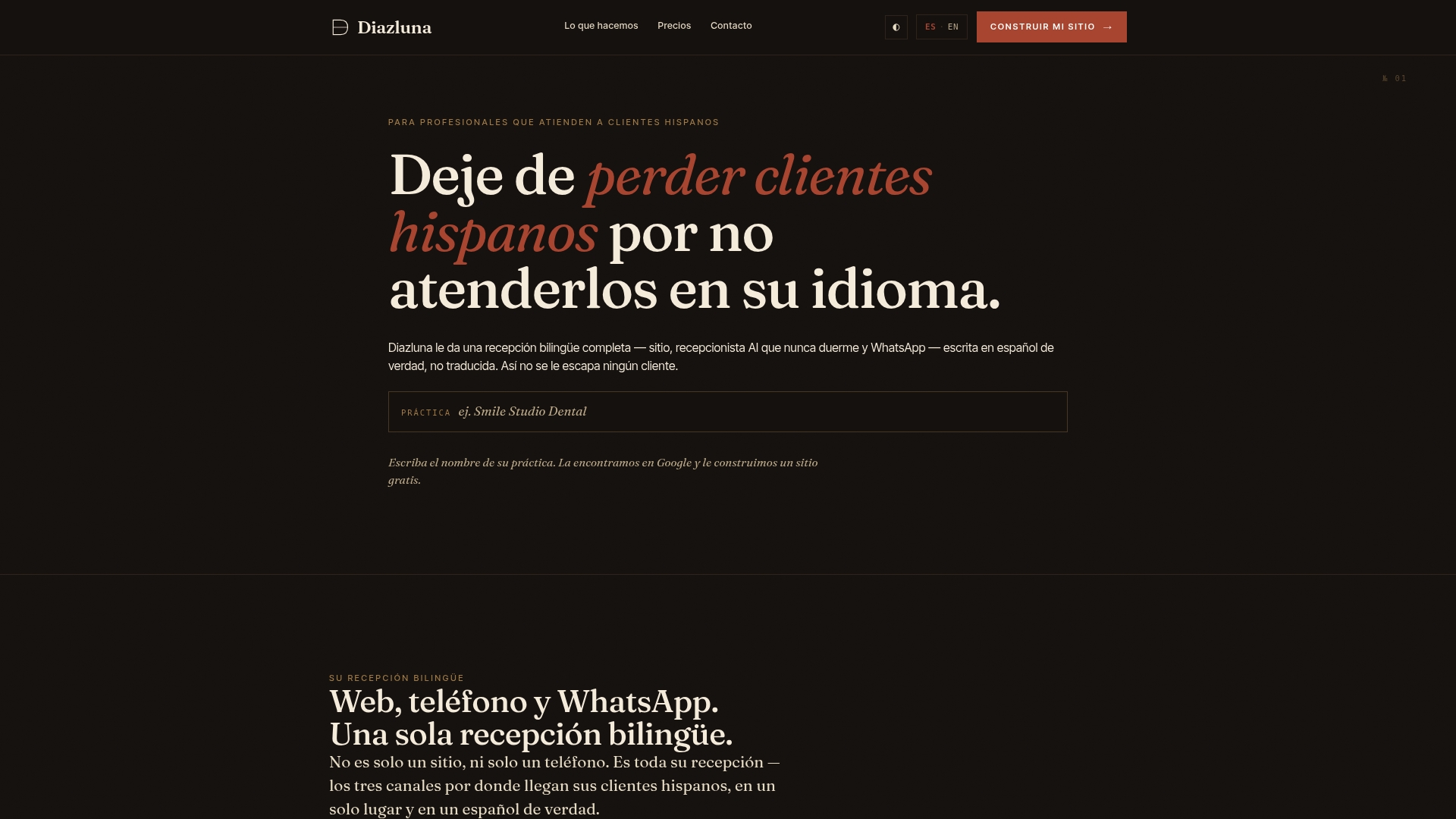
Diazluna delivers exactly that stack: a fully optimized bilingual website, a 24/7 AI receptionist that handles calls and messages in Spanish and English, and WhatsApp integration that routes urgent cases with real-time summaries. One subscription covers what most practices would otherwise piece together from three separate vendors. Pricing is flat-rate, so there are no per-resolution fees that spike during a busy week. Onboarding is practice-focused, not a generic SaaS setup flow.
For dental practices specifically, the AI receptionist for dental practices guide walks through the onboarding timeline and what to prepare before launch. For legal practices, the attorneys landing page covers how the bilingual front desk maps to client intake and scheduling workflows.
Visit diazluna.ai to see the full feature set and request a demo tailored to your practice type.
Sources and further reading
The research and references below support the claims in this comparison. For pricing checks, vendor documentation and G2/Capterra pages give the most current figures. For technical capability checks, vendor trial accounts and the practitioner resources below are more reliable than marketing pages.
- Top 11 AI Customer Service Software (Helpshift) — strong overview of enterprise and mid-market platforms with feature breakdowns
- 10 Best AI Tools for Small Business Owners in 2026 (MindStudio) — no-code setup guidance and realistic cost expectations for small teams
- 7 Best AI Tools for Small Businesses (Gladly) — practitioner perspective on phased automation and avoiding common traps
- Best AI Customer Service Software for Small Business (The Tech Archive) — vendor trial guidance and pilot methodology
- Tidio product and benchmarks — autonomous resolution rate data for site-grounded agents
- K2View on knowledge grounding — technical guidance on restricting AI to verified content
- Decagon on confidence thresholds and escalation — operational design for escalation policies
- Korix on AI pricing and hidden costs — TCO framework for evaluating true subscription costs
- Pricing traps and alternatives in support tooling (YouTube) — practitioner discussion on per-seat vs. outcome-based pricing models
- 15 Best AI Agents for Small Business (Helply) — additional agent-category breakdowns for small teams
- Bilingual AI receptionist advantages for service firms (Diazluna) — implementation detail for practices considering a bilingual-first approach
For pricing checks: vendor documentation, G2, and Capterra. Pricing pages change frequently; always confirm current plan tiers directly with the vendor before signing.
For capability checks: run a one-week trial using the checklist from the buying guide above. Upload a sample knowledge base, run Spanish-language test queries, and track verified resolutions versus escalations. That pilot data is worth more than any benchmark published in a comparison article.