August 28, 2026
What Does an AI Receptionist Cost in 2026?

Most U.S. service practices pay between $130 and $350 a month for a mainstream AI receptionist, with DIY tools starting around $50 and premium bilingual builds running $300 to $1,000 or more. Compare that to a human receptionist’s loaded cost of $3,000 to $4,500 a month, and the math tilts hard toward automation. For practices serving Hispanic clients, a bilingual option like Diazluna often earns back its price the first month it stops a caller from hanging up and calling a competitor instead.
TL;DR:
- The actual cost of an AI receptionist for small practices typically ranges from $130 to $400 monthly, depending on call volume and features, significantly less than human receptionist costs.
- Setup and customization, including integration and script writing, influence monthly fees, with many plans charging extra for bilingual support, channels, or vertical-specific scripting.
- For about 200 calls per month averaging 3.5 minutes each, most AI plans cost between $130 and $350, whereas a human receptionist would cost over $3,000 monthly.
- Many vendors impose overage fees, separate charges for bilingual or vertical add-ons, and additional costs for multi-location setups that can inflate the initial quote.
- A bundled service like Diazluna offers a predictable monthly price including a bilingual website, 24/7 AI support, and WhatsApp integration, tailored for practices serving Hispanic clients.
Table of Contents
- AI Receptionist Cost by Tier: What You Actually Get
- What Actually Drives Your AI Receptionist Pricing
- How Much Is an AI Receptionist for Your Specific Call Volume?
- Why AI Receptionist Pricing Often Costs More Than the Quote
- What Bilingual AI Reception Actually Does for Your Bottom Line
- How to Pick a Pricing Model That Fits Your Practice
- Three Moves to Make Before You Sign Anything
- Diazluna: A Bilingual Front Desk Priced for What You Actually Need
- Sources
AI Receptionist Cost by Tier: What You Actually Get
The price you pay maps pretty directly to how much of the setup work someone else does for you. DIY platforms carry the lowest sticker price but hand you the labor of building call flows, training scripts, and fixing what breaks.
- DIY tools: $50 to $100/month headline price, but you’re on your own for setup, and usage fees stack on top once you exceed the base allowance.
- Mainstream AI plans: roughly $130 to $350/month all-in for practices handling 150 to 250 calls monthly, usually including calendar booking, CRM sync, and basic multilingual support.
- Premium and enterprise builds: $300 to $1,000+ per month, with white-glove onboarding, dedicated account management, and multi-location support baked in.
- Human receptionist baseline: $3,000 to $4,500/month loaded cost once you factor in wages, payroll tax, and benefits, based on Bureau of Labor Statistics wage data.
That last line is the one most owners skip past too fast. A receptionist’s salary might look closer to AI pricing on paper, but the loaded cost, the number that actually hits your P&L, includes benefits, turnover, training time, and the fact that one person can’t answer two calls at once.
What Actually Drives Your AI Receptionist Pricing
Five variables decide whether you land at $99 a month or $600. Understanding them before you sign anything keeps you from getting quoted a number that has nothing to do with how your practice actually operates.
- Call and message volume. Minutes used, not just calls answered, is usually the single biggest lever on your bill.
- Channel scope. Voice-only pricing sits well below a plan that also covers SMS, web chat, and WhatsApp.
- Integration depth. Syncing with your calendar, CRM, or EHR system adds cost but also adds the value that justifies the plan.
- Service model. A DIY subscription, a managed build, and custom developer work occupy three very different price bands.
- Setup, onboarding, and tuning. Someone has to write the scripts and correct the AI’s mistakes for the first few weeks. That work either shows up as a one-time fee or gets amortized into your monthly rate.
Pro Tip: Ask any vendor for their per-minute rate and their average call length before you compare monthly prices. A $99 headline plan with a 3.5 minute average call and a tight allowance can end up costing more than a $199 flat-rate plan by month two.
How Much Is an AI Receptionist for Your Specific Call Volume?
Here’s the formula that actually predicts your bill: base fee + (minutes used × per-minute rate) + per-call fees, if any + phone number rental + amortized setup cost. Run your real numbers through it before you sign anything, because vendors size their headline price around light usage, not yours.
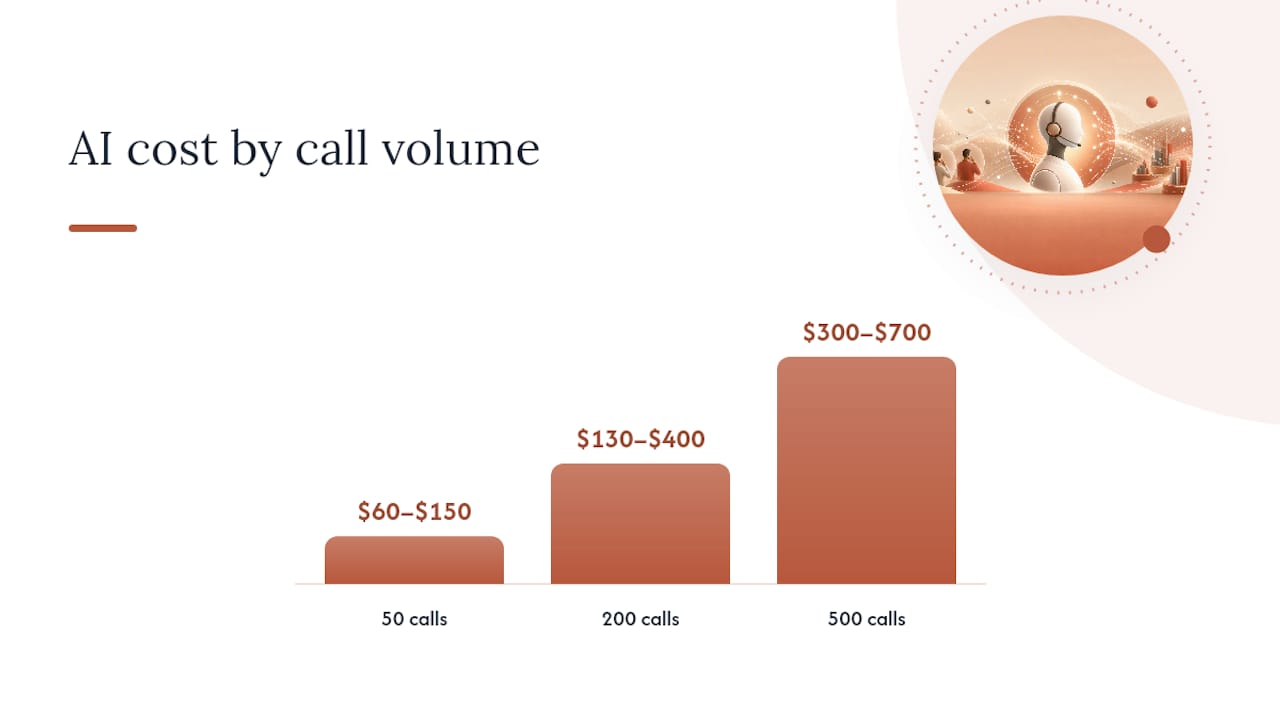
At 200 calls a month averaging 3 to 3.5 minutes each, most small service businesses land in the $130 to $350 range once usage is factored in. Some vendor models push the realistic all-in figure closer to $260 to $400 a month once phone number rental and light customization are added. Here’s how that scales across common call volumes for a single-location practice:
| Monthly call volume | Est. minutes/month | Typical all-in AI cost | Loaded human receptionist cost |
|---|---|---|---|
| 50 calls | ~200 min | $60–$150/month | $3,000–$4,500/month |
| 200 calls | ~600 min | $130–$400/month | $3,000–$4,500/month |
| 500 calls | ~1,500 min | $300–$700/month | $3,000–$4,500/month (plus overtime or a second hire) |
Even at the high end of 500 monthly calls, you’re still paying a fraction of one salaried receptionist, and you get 24/7 coverage no single employee can offer.
Why AI Receptionist Pricing Often Costs More Than the Quote
The headline number rarely tells the whole story. A handful of billing practices routinely push the real bill well past what a vendor first quoted, and they show up often enough to be worth naming outright.
- Metered overages. Plans marketed as “unlimited” frequently cap minutes or calls; go over, and per-minute or per-call fees kick in fast.
- Bilingual and vertical add-ons. Spanish/English support, dental-specific scripts, or legal intake flows sometimes carry a separate line item instead of being included.
- Per-location fees. A price that looked reasonable for one office can multiply awkwardly across a second or third.
- Hidden extras. CRM connections, HIPAA compliant virtual receptionist configurations, WhatsApp integration, phone number rental, and developer hours for custom logic often get billed separately from the “base” plan.
Before signing, ask every vendor for a single number that already includes your expected call volume, your channels, and any compliance requirements. If they can’t give you that in writing, assume the invoice will look different from the quote.
What Bilingual AI Reception Actually Does for Your Bottom Line
Diazluna builds its 24/7 AI receptionist specifically for dental, legal, and healthcare practices serving Hispanic clients, and the reasoning behind that focus is straightforward: a caller who reaches an English-only voice system when they’re more comfortable in Spanish often just hangs up and calls the next practice on the list. Every one of those hang-ups is revenue nobody tracks because there’s no missed-call log for a call that never got answered right.
- Fluent, native-sounding coverage in Spanish and English, around the clock, not just business hours.
- WhatsApp integration so clients can message in the channel they already use daily.
- Vertical-specific scripting for dental, legal, and healthcare intake, not a generic call-routing template.
- Sites built on the platform have been indexed by Google within 24 hours of launch.
Consider a modest, conservative example: if your average job or case value runs $250 and bilingual coverage helps you capture just two additional appointments a month that would otherwise have gone to a competitor, that’s $500 in recovered revenue against a plan that likely costs less than that. The real question worth asking isn’t “what does the AI cost,” it’s “what does a missed call cost.”
How to Pick a Pricing Model That Fits Your Practice
Start with what you actually need the system to do, not with the lowest number on a pricing page. A practice that only needs after-hours message taking has a very different budget than one that wants full booking and confirmation handling.
- Define the job. Decide if you need bookings and confirmations handled end-to-end, or just reliable message taking during off-hours.
- Match the billing model to your call pattern. Flat-rate plans suit practices with 40 or more calls a month because the predictability outweighs any savings from a metered plan. Very low, stable volume can sometimes do fine on per-minute pricing.
- Ask for a volume-based quote. A serious done-for-you provider should be able to quote a single all-in number once you give them your real monthly call count, including onboarding.
- Get overage terms in writing. Confirm exactly what happens past your allowance before you sign, not after your first invoice.
A quick industry gut check on whether automation even makes sense for your call volume is worth a read before you request quotes, and Cloudsprout’s 2026 breakdown covers that decision from a broader small-business angle.
Three Moves to Make Before You Sign Anything

The number that matters isn’t the price on a vendor’s homepage. It’s your actual monthly minutes multiplied by their actual rate, plus whatever they don’t mention until the second invoice. Most owners skip the measuring step and end up comparing marketing copy instead of real costs.
Pull your call logs for the last three months and get an average minutes-per-call figure. Run that number through the formula in this article. Then request a written, volume-based quote (something like: “We average 220 calls a month at roughly 3 minutes each. What’s your all-in monthly price, including any bilingual or CRM add-ons?”) and schedule a demo before you commit to a full year.
— Francisco
Diazluna: A Bilingual Front Desk Priced for What You Actually Need
Diazluna bundles a fully optimized bilingual website, a 24/7 AI receptionist fluent in Spanish and English, and WhatsApp integration into one monthly plan, so you’re not stitching together three separate vendors and three separate invoices to get the same result.
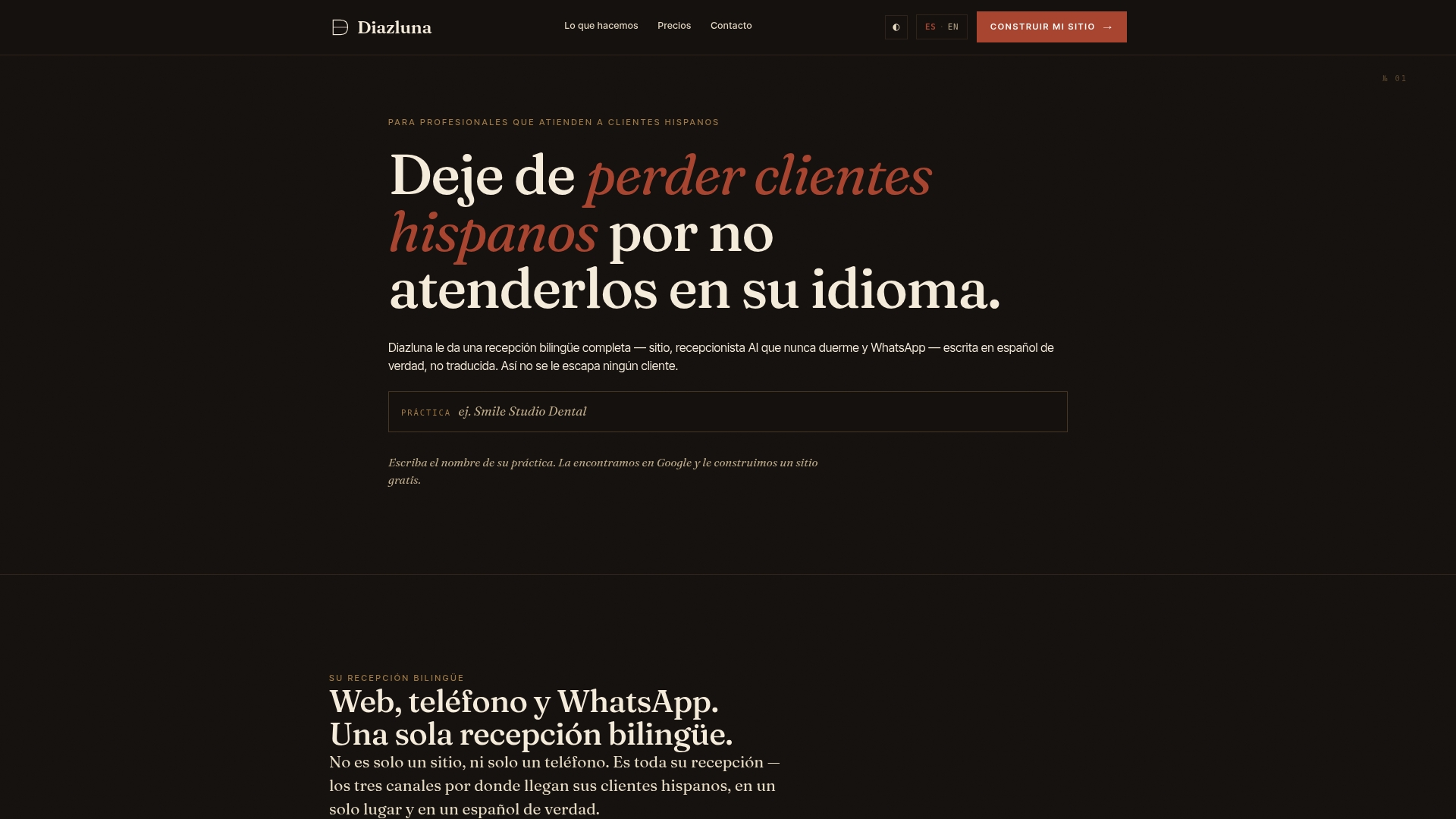
That bundling is the real cost advantage. Instead of paying separately for a web developer, a call answering service, and a messaging tool, plus the hidden add-on fees that come with each, you get all three built for practices serving Hispanic clients from day one, with vertical-specific setup for dental practices already worked out. Sites launch fast enough to show up in Google search results within 24 hours of going live. If your practice is losing Hispanic clients to language gaps or missed calls, request a custom quote from Diazluna and see what a single, predictable bill looks like for your actual call volume.
Sources
- How Much Does an AI Receptionist Cost? (2026) | Stakd
- AI Receptionist Cost 2026: Full Pricing Breakdown
- AI Receptionist Cost - 2026 Pricing Guide | NextPhone