August 16, 2026
How to Optimize Your Google Business Profile in Spanish
Optimize your Google Business Profile in Spanish and you will reach Hispanic customers before your competitors even know they searched. The single most impactful move: complete every core field in Spanish, publish weekly posts in Spanish, and respond to every review in the reviewer’s language. Do those three things consistently and your profile will outperform most local competitors, because Less than one-third of small businesses have a fully optimized profile.
Start here this week:
- Verify your profile if you have not done so already
- Write a 750-character Spanish business description (template in Section 11)
- Set your primary category with precision, not a generic label
- Add at least five photos with Spanish-language captions
- Enable WhatsApp and GBP messaging with a Spanish auto-response
- Publish one Google Post in Spanish with a clear call to action
- Ask your next three Spanish-speaking customers to leave a review in Spanish
The rest of this guide walks through each of those steps in detail, with copy-ready templates, measurement tips, and a real-world example from Diazluna’s bilingual front-desk work. If you serve Hispanic clients in dentistry, law, or healthcare, the business case for Spanish support in 2026 has never been stronger.
Key Takeaways
A fully optimized Spanish Google Business Profile, updated weekly with Spanish posts, photos, and review responses, consistently outperforms incomplete profiles in local search and Hispanic customer engagement.
| Point | Details |
|---|---|
| Verify and complete every field | An unverified or incomplete profile cannot rank; fill name, address, phone, hours, and categories before anything else. |
| Write the description in Spanish | Use natural, neutral Latin American Spanish for the 750-character description; never rely on auto-translation. |
| Publish Spanish Posts weekly | Weekly posts in Spanish signal active engagement and increase Local Pack visibility significantly. |
| Build a review-request workflow | Send a WhatsApp link after every visit; respond to every Spanish review in Spanish within 24 hours. |
| Diazluna for hands-off implementation | Diazluna combines a bilingual website, AI receptionist, and WhatsApp integration to keep your GBP and front desk running in both languages. |
Table of Contents
- How does Spanish Google Business Profile optimization actually work?
- Verify and complete your core profile fields correctly
- How to write a Spanish business description that converts
- How to use Google Posts and services to reach Spanish customers
- Setting up messaging and booking for Spanish-speaking customers
- How to collect and respond to Google Reviews in Spanish
- Which photos and videos matter most to Spanish-speaking customers
- How attributes and service listings signal Spanish availability
- What metrics tell you if your Spanish GBP work is paying off
- Common problems that reduce visibility and how to fix them
- Ready-to-use Spanish templates for your profile
- A Diazluna case: bilingual optimization that accelerated Spanish engagement
- What most guides get wrong about bilingual GBP optimization
- Diazluna handles the bilingual front desk so your profile works around the clock
- Sources
How does Spanish Google Business Profile optimization actually work?
Google Business Profile (the platform formerly called Google My Business) is the free listing that appears on Google Search and Google Maps when someone searches for a local business. For Spanish-speaking customers, the profile is often the first touchpoint, and it needs to speak their language before they ever reach your website.
Google’s official Business Profile documentation lists the core fields that drive discovery: business name, address or service area, phone number, website, hours, photos, posts, and attributes. Fill every one of them. A half-complete profile signals neglect to both Google’s algorithm and the customer reading it.
The ranking logic Google uses for local results comes down to three factors: relevance, distance, and prominence. Relevance is where Spanish-language optimization does the most work. When your description, posts, and services use the same words a Spanish speaker types into Search, Google can match your profile to that query with confidence. Google’s local ranking guidance is direct: verify your profile, keep information current, respond to reviews, and add photos regularly.
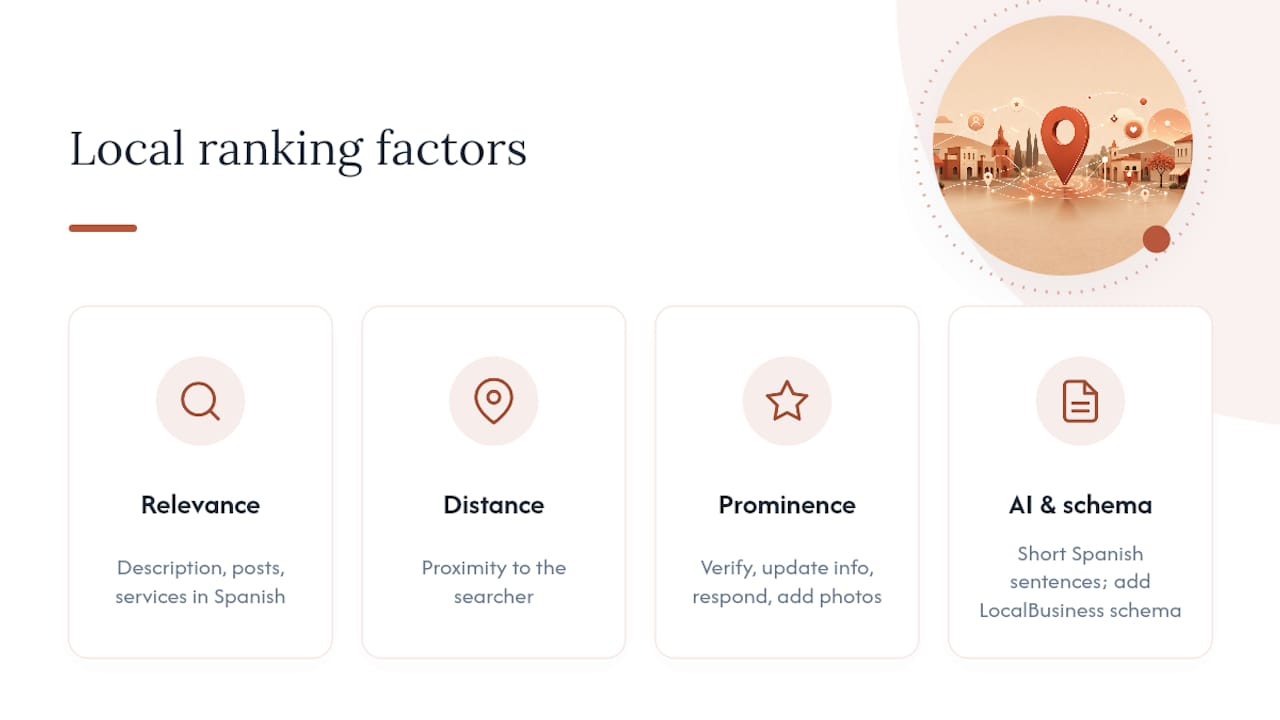
In 2026, one more layer matters. AI Overviews and AI-driven local features now surface concise, answer-first content and structured data (LocalBusiness schema on your website) more often than long-form descriptions. Write short, specific sentences. State what you do, where, and for whom, in Spanish, and Google’s models can pull that copy directly into a generative result.
Verify and complete your core profile fields correctly
Verification is the gate. An unverified profile can be edited by anyone, ranks poorly, and may not appear at all. Google recommends verifying by postcard, phone, video, or instant verification depending on your business type. Complete verification before touching anything else.
Once verified, fill every field. NAP consistency, meaning your Name, Address, and Phone number matching exactly across your GBP, your website, and every directory you appear in, is a primary trust signal for Google and for call-attribution systems. A single character difference (“St.” vs. “Street”) is enough to create a mismatch that erodes local ranking.
| Field | What to do | Common mistake |
|---|---|---|
| Business name | Use your legal or trade name only | Adding keywords (“Dr. Smith Dentist Spanish”) |
| Address / Service area | Enter your physical address or define a service radius | Listing both when you are service-area only |
| Phone number | Use a local number, not a toll-free line | Using a tracking number that changes |
| Website | Link to a bilingual page when possible | Linking to a homepage with no Spanish content |
| Hours | Set accurate hours including holidays | Leaving hours blank or set to “always open” |
| Primary category | Choose the most specific category available | Picking “Health” instead of “Family Medicine” |
Category choice carries more weight than most owners realize. “Dentist” outperforms “Health” for a dental practice. “Immigration Attorney” outperforms “Lawyer.” Specificity tells Google exactly which searches your profile should appear for. Secondary categories are useful when you genuinely offer a second service, but adding unrelated categories to chase traffic is a policy violation and can trigger a suspension.
Pro Tip: Never add keywords to your business name field. Google’s guidelines prohibit it, and profiles caught doing it are suspended. Your description and posts are the right place for keyword-rich copy.
How to write a Spanish business description that converts
The business description field gives you 750 characters. Use them to state your service, your location, and the one thing that makes you the right choice for a Spanish-speaking customer. Lead with the most important information because Google may truncate the display.
A strong Spanish description follows this structure: what you do, where you do it, who you serve, and one differentiator. For example: “Somos un consultorio dental en [ciudad] especializado en atención a familias hispanas. Ofrecemos consultas en español, planes de pago flexibles y citas disponibles los sábados.” That is 178 characters, leaves room to expand, and answers the three questions a new patient asks before calling.
Tone and regional variation matter. If most of your Hispanic clients are Mexican or Central American, neutral Latin American Spanish is the right register. Spain Spanish uses “vosotros” and different vocabulary that can feel foreign to a customer from Guadalajara. When your client base spans multiple countries, stick to neutral Spanish: avoid slang, use “usted” for formal contexts, and favor common vocabulary over regional terms.
Shopify’s Spanish-language GBP guide recommends writing bilingual descriptions and posts, noting that profiles written in the customer’s language increase trust and interaction for Hispanic audiences. The practical way to handle bilingual copy is to write two separate versions, one in Spanish and one in English, and keep them synchronized. When you update your hours or add a service, update both. Do not run them through machine translation. Auto-translated Spanish is easy to spot and signals to a Spanish speaker that you did not actually invest in serving them.
Dos and don’ts for your description:
- Do write in natural, conversational Spanish your clients actually use
- Do mention the languages your staff speaks (“atención en español e inglés”)
- Do include the city or neighborhood to reinforce local relevance
- Don’t stuff keywords (“dentista español dentista hispano dentista bilingüe”)
- Don’t copy the English description and paste it through Google Translate
- Don’t make claims you cannot support (“el mejor dentista de la ciudad”)
Pro Tip: Keep a plain-text document with your Spanish and English descriptions side by side. Every time you update one, update the other the same day. Drift between the two versions confuses customers who switch languages mid-session on your site.
The connection between Spanish tone and client retention goes beyond word choice. Customers who feel addressed in their own language, with the right register and warmth, are more likely to call, book, and return.
How to use Google Posts and services to reach Spanish customers
Google Posts are short-lived content cards that appear directly on your profile in Search and Maps. They expire after seven days for standard posts, so weekly publishing is the baseline. For a Spanish-speaking audience, Posts are one of the fastest ways to signal that your business actively serves them.
A fully optimized profile with regular posts significantly increases your chances of appearing in the Local Pack and AI Overviews. The content does not need to be elaborate. A short offer, a seasonal message, or a quick FAQ answer in Spanish does the job.
Practical content ideas by customer intent:
- Offer post: “Esta semana: consulta inicial gratis para nuevos pacientes. Llámenos o escríbanos por WhatsApp.” Include a WhatsApp link as the CTA button.
- Event post: “Taller de salud dental gratuito el sábado 14 de marzo. Cupos limitados. Reserve su lugar aquí.”
- FAQ post: “¿Aceptamos Medicaid? Sí. Llame al [número] para verificar su cobertura antes de su cita.”
- Product/service highlight: List each service in Spanish under the Services tab. “Limpieza dental,” “Ortodoncia,” “Extracciones” each get their own entry with a short Spanish description.
For tracking, add UTM parameters to every link in your Posts. A URL like ?utm_source=google&utm_medium=gbp_post&utm_campaign=spanish_offer_march lets you see in Google Analytics exactly which Post drove a website visit or conversion. Without UTMs, GBP traffic blends into “organic” and you cannot prove the value of your Spanish content work.
WhatsApp deserves its own CTA button on every Post aimed at Spanish speakers. Many Hispanic customers prefer WhatsApp over phone calls for initial inquiries, and a direct link removes the friction of copying a number.
Setting up messaging and booking for Spanish-speaking customers
GBP messaging, WhatsApp integration, and booking links are three separate channels that work best when they are all active and routed correctly.
Setup checklist:
- Turn on GBP Messages in your Business Profile dashboard. Set a welcome message in Spanish: “¡Hola! Gracias por contactarnos. Un miembro de nuestro equipo le responderá en breve en español o inglés.”
- Add your WhatsApp business number to your profile and website. Use the direct link format (
https://wa.me/[number]) in Posts and your website’s contact section. - Connect a booking link (Google’s Reserve with Google, or your own scheduling tool) so customers can book without calling.
- Set response time expectations. Google tracks how quickly you respond to messages and surfaces that information to users. Aim for under one hour during business hours.
Message routing for Spanish inquiries:
- Use a shared inbox tool (such as Google Business Messages or a CRM with GBP integration) so messages do not get lost when a staff member is out
- Tag or label incoming Spanish messages so you can track volume separately
- For urgent cases, set an auto-response that offers a phone number and a WhatsApp link as immediate alternatives
Spanish message templates for common inquiries:
- Appointment request: “Gracias por su mensaje. Para agendar su cita, por favor indíquenos su nombre, el servicio que necesita y su disponibilidad. También puede llamarnos al [número] o escribirnos por WhatsApp.”
- Availability question: “Nuestro horario de atención es de lunes a viernes de 9 AM a 6 PM y sábados de 9 AM a 1 PM. ¿Le gustaría agendar una cita?”
- Pricing inquiry: “Los precios varían según el servicio. Contáctenos directamente para una cotización personalizada sin costo.”
A bilingual front-desk setup, where Spanish messages are handled by someone fluent in both languages, prevents the common failure mode: a Spanish speaker sends a message, gets a reply in English, and calls a competitor instead. The advantages of bilingual website and phone integration for medical practices apply equally to GBP messaging.
How to collect and respond to Google Reviews in Spanish
The most effective review strategy is the simplest one: ask directly, immediately after a positive interaction, with a link that takes the customer straight to the review form. Do not ask for a “positive” review. Ask for an honest one. Customers who feel respected leave better reviews than customers who feel pressured.
How to ask for a Spanish review:
- Get your short review link from your GBP dashboard (Profile > Ask for reviews).
- Send it via WhatsApp or text with a short message: “Hola [nombre], fue un placer atenderle hoy. Si tiene un momento, nos ayudaría mucho si pudiera dejarnos una reseña aquí: [link]. ¡Gracias!”
- Follow up once if there is no response after three days. One follow-up is appropriate; more than that is pressure.
- Train your front desk to ask verbally at checkout and send the link immediately after.
Profiles with frequent, recent reviews and regular responses outperform dormant profiles. The response matters as much as the review itself. When you reply in Spanish to a Spanish review, you signal to every future reader that your practice actually communicates in that language.
Review response templates:
- Positive review: “¡Muchas gracias, [nombre]! Nos alegra mucho saber que tuvo una buena experiencia. Esperamos verle pronto.”
- Neutral review: “Gracias por su comentario, [nombre]. Nos importa mucho su experiencia y nos gustaría saber cómo podemos mejorar. Por favor, contáctenos directamente al [número].”
- Negative review: “Lamentamos que su experiencia no haya sido la esperada, [nombre]. Nos gustaría resolver esto personalmente. Por favor, llámenos al [número] o escríbanos por WhatsApp para que podamos ayudarle.”
For the Q&A section, do not wait for customers to ask questions. Seed it yourself. Write the five questions your Spanish-speaking customers ask most often, then answer each one in Spanish. This prevents Google’s auto-translation from filling the section with awkward machine-translated text, and it gives you control over the first impression.
Avoid auto-translate pitfalls: if a customer asks a question in Spanish and Google auto-translates it before you see it, answer in Spanish regardless. Your reply language is what future Spanish readers will see.
For negative reviews that appear fake or violate Google’s policies, use the flag function in your GBP dashboard. If the review is not removed after flagging, respond professionally and contact Google support through the Business Profile Help Center.
Which photos and videos matter most to Spanish-speaking customers
Photos are not decoration. Profiles with photos see higher engagement, including more direction requests and website clicks, according to Google-cited data. For a Hispanic customer deciding between two practices they have never visited, photos of a welcoming, familiar environment can be the deciding factor.
Photo checklist by category:
- Exterior: Front of the building, signage, parking area. Helps customers find you.
- Interior: Waiting room, treatment rooms, front desk. Shows the environment is clean and welcoming.
- Staff: Team photos, ideally with bilingual staff visible. A photo of a staff member who looks like the community you serve builds immediate trust.
- Services/products: Before-and-after (where appropriate and consented), equipment, service in progress.
- Cultural context: Seasonal decorations, community events, anything that signals you are part of the local Hispanic community.
Technical specs: Google recommends JPG or PNG, minimum 720 x 720 pixels, under 5 MB. For videos, under 30 seconds and under 75 MB.
Spanish captions: When you upload photos through the GBP interface, add a caption that includes your location and a brief description. “Sala de espera de nuestra clínica dental en [ciudad]” is more useful than “waiting room.” Captions are indexed and contribute to local relevance signals. Keep them natural, not stuffed with keywords.
Upload at least one new photo per week. Active visual content with 20 or more photos and periodic refreshes correlates with higher engagement rates in agency case studies. A short video, 30 seconds or less, of a staff member introducing the practice in Spanish is one of the highest-trust signals you can add.
How attributes and service listings signal Spanish availability
Attributes are the checkboxes and labels on your profile that tell customers specific things about your business. For a practice serving Hispanic clients, the most important attribute to enable is “Spanish-speaking staff” if Google makes it available for your category. Check your profile’s attribute options, as availability varies by business type and region.
Beyond attributes, the Services section is where you can list every offering with a Spanish-language name and description. “Limpieza dental” instead of “Dental Cleaning,” “Consulta legal de inmigración” instead of “Immigration Consultation.” These entries are indexed and contribute to your profile’s relevance for Spanish-language queries.
Attribute and service checklist:
- Enable all language-related attributes available for your category
- List every service with a Spanish name and a one-sentence Spanish description
- Add pricing ranges where you are comfortable disclosing them (transparency builds trust)
- For multi-location businesses, manage attributes centrally but allow location-level edits for staff names and local phone numbers
Policy warnings: Adding attributes that do not apply to your business is a policy violation. If your staff does not actually speak Spanish, do not enable that attribute. Google users who arrive expecting Spanish service and find none will leave negative reviews, and the mismatch can trigger a listing review.
Pro Tip: Review your attribute options every quarter. Google adds new attributes regularly, and a new “Bilingual staff” or “Spanish-language services” option may appear for your category without any notification.
For franchises and multi-location businesses, a bilingual digital marketing strategy that sets brand-level standards while allowing local content keeps profiles consistent without making them identical.
What metrics tell you if your Spanish GBP work is paying off
GBP Insights gives you the primary engagement data: searches (how customers found you), views, calls, direction requests, website clicks, messages, and bookings. Review these weekly for the first 90 days after optimization, then monthly once you have a baseline.
UTM parameters on every GBP link let you separate GBP traffic from other organic sources in Google Analytics. Use a consistent naming convention: utm_source=google_gbp, utm_medium=local, utm_campaign=[campaign_name]. For call tracking, a dedicated tracking number on your GBP profile (different from your main line) lets you attribute calls specifically to GBP without breaking NAP consistency on your website.
AI Overviews in 2026 increase the value of structured data alongside your GBP work. Add LocalBusiness schema to your website with your NAP, hours, and service area. When your GBP and your website schema match, Google’s models have two consistent signals pointing to the same answer.
A bilingual website that supports your GBP amplifies every metric. When a Spanish speaker clicks through from your profile to a Spanish-language page, the session is longer, the bounce rate is lower, and the conversion rate is higher.
Statistic callout: Fewer than one-third of small businesses have a fully optimized Business Profile, which means completing yours in Spanish puts you ahead of the majority of local competitors before you run a single ad.
Common problems that reduce visibility and how to fix them
Most GBP visibility problems fall into four categories: duplicates, suspensions, auto-translation errors, and NAP inconsistency. Here is how to diagnose and fix each one.
-
Duplicate listings. Search Google Maps for your business name and address. If two listings appear, claim the duplicate and request a merge through the GBP dashboard (Info > Suggest an edit > Mark as permanently closed on the duplicate, then contact support to merge). Do not simply delete the duplicate, as it may have reviews attached.
-
Suspended listing. Suspensions happen for policy violations (keyword stuffing in the name, false address, fake reviews) or for appearing to be a virtual office. To appeal, go to the Business Profile Help Center, submit a reinstatement request, and provide documentation: a utility bill, business license, or photos of your physical location. Be specific in your appeal about what you changed to comply.
-
Auto-translation errors. If your profile description or Q&A appears in a language you did not write, check whether Google has auto-translated content. Write your description directly in Spanish (not translated by Google) and answer all Q&A questions yourself in Spanish. This overrides auto-generated translations.
-
NAP inconsistency. Run your business name, address, and phone through a directory audit tool to find mismatches across Yelp, Apple Maps, Bing Places, and major local directories. Correct each one manually or use a listing management service. NAP consistency across GBP, your website, and top local directories remains a primary trust signal for Google.
-
Fake or policy-violating reviews. Flag them through the GBP dashboard. If Google does not remove them after review, respond professionally in Spanish and English, then escalate through the Business Profile Help Center.
Shortcuts to avoid: Buying reviews, using a virtual office address, or adding false attributes will get your profile suspended. Recovery takes weeks and sometimes requires legal documentation. The short-term visibility gain is never worth the risk.
Ready-to-use Spanish templates for your profile
These templates are designed to be pasted and adapted. Change the bracketed fields to match your business.
Business description (neutral Latin American Spanish):
“Somos [nombre del negocio], ubicados en [ciudad]. Ofrecemos [servicios principales] con atención personalizada en español e inglés. Nuestro equipo está comprometido con brindar un servicio de calidad a familias hispanas de la comunidad. Llámenos, escríbanos por WhatsApp o visítenos. [Dirección o área de servicio]. Abiertos [días y horario].”
Variant with regional warmth (for communities with strong Mexican or Central American presence):
“En [nombre del negocio] le atendemos como se merece, en su idioma y con el respeto que usted y su familia merecen. Ofrecemos [servicios] en [ciudad]. Hablamos español. Llámenos hoy.
Google Post template (offer):
“[Nombre del servicio] con descuento especial este mes. Reserve su cita antes del [fecha] y ahorre [monto o porcentaje]. Llámenos al [número] o escríbanos por WhatsApp: [link]. [UTM-tagged URL for booking]”
Review reply templates:
Positive: “¡Gracias, [nombre]! Nos alegra mucho que haya tenido una buena experiencia con nosotros. Esperamos verle pronto en [nombre del negocio].”
Negative: “Lamentamos que su visita no haya cumplido sus expectativas, [nombre]. Por favor, contáctenos directamente al [número] para que podamos resolver su situación de manera personal.”
WhatsApp / GBP message autoresponder:
“¡Hola! Gracias por contactar a [nombre del negocio]. Recibimos su mensaje y le responderemos en menos de [tiempo]. Si necesita atención inmediata, llámenos al [número]. Atendemos en español e inglés.”
A Diazluna case: bilingual optimization that accelerated Spanish engagement
A dental practice serving a predominantly Hispanic neighborhood had a verified GBP but no Spanish content anywhere on the profile. The description was in English only, there were no Spanish posts, and the practice had received zero Spanish-language reviews in 12 months despite a patient base that was majority Spanish-speaking.
Diazluna implemented a full bilingual front-desk setup: a Spanish-English website with LocalBusiness schema, a 24/7 AI receptionist handling calls and messages in both languages, and WhatsApp integration with Spanish auto-responses. On the GBP side, the description was rewritten in Spanish, all services were listed with Spanish names and descriptions, weekly Spanish Posts were scheduled, and a review-request workflow was set up to send WhatsApp messages to patients after each visit.
Google indexed the new bilingual website within 24 hours of launch. Within the first 30 days, the practice began receiving Spanish-language messages through GBP and WhatsApp that previously went to voicemail or were never followed up on.
The replicable steps: write the description in Spanish first, list every service with a Spanish name, set up a WhatsApp link as the primary CTA on Posts, and build a review-request message into your post-visit workflow. The bilingual front-desk approach Diazluna uses for attorneys and healthcare practices follows the same pattern regardless of specialty.
Attribution caveat: Results vary by market, competition level, and how consistently the profile is maintained after setup. The indexing speed reflects Diazluna’s internal observations and is not a guaranteed outcome for every implementation.
What most guides get wrong about bilingual GBP optimization
The standard advice is to translate your profile into Spanish. That framing misses the point entirely. Translation is a mechanical task. What actually moves the needle is writing for a specific person: a Spanish-speaking parent looking for a dentist who will not make them feel like a burden for asking questions in their own language, or a first-generation immigrant who needs a lawyer and wants to know, before they even call, that someone on the other end speaks their language.
The profiles that perform best in Spanish local search are not the ones with the most keywords. They are the ones that feel like they were written by someone who actually knows the community. That means using “usted” in formal contexts, not “tú.” It means mentioning the neighborhood, not just the city. It means a review reply that says “nos alegra mucho” instead of “we are glad.” These are small choices that add up to a profile a Spanish speaker trusts on sight.
The measurement piece is equally underrated. Most businesses optimize their profile once and check back six months later wondering why nothing changed. Weekly Posts, monthly photo refreshes, and a consistent review cadence are what separate profiles that rank from profiles that exist.
Diazluna handles the bilingual front desk so your profile works around the clock
Running a fully optimized bilingual GBP takes consistent effort: weekly posts, same-day review replies, Spanish message routing, and a website that converts the traffic your profile generates. Most practice owners do not have the bandwidth to do all of it well.
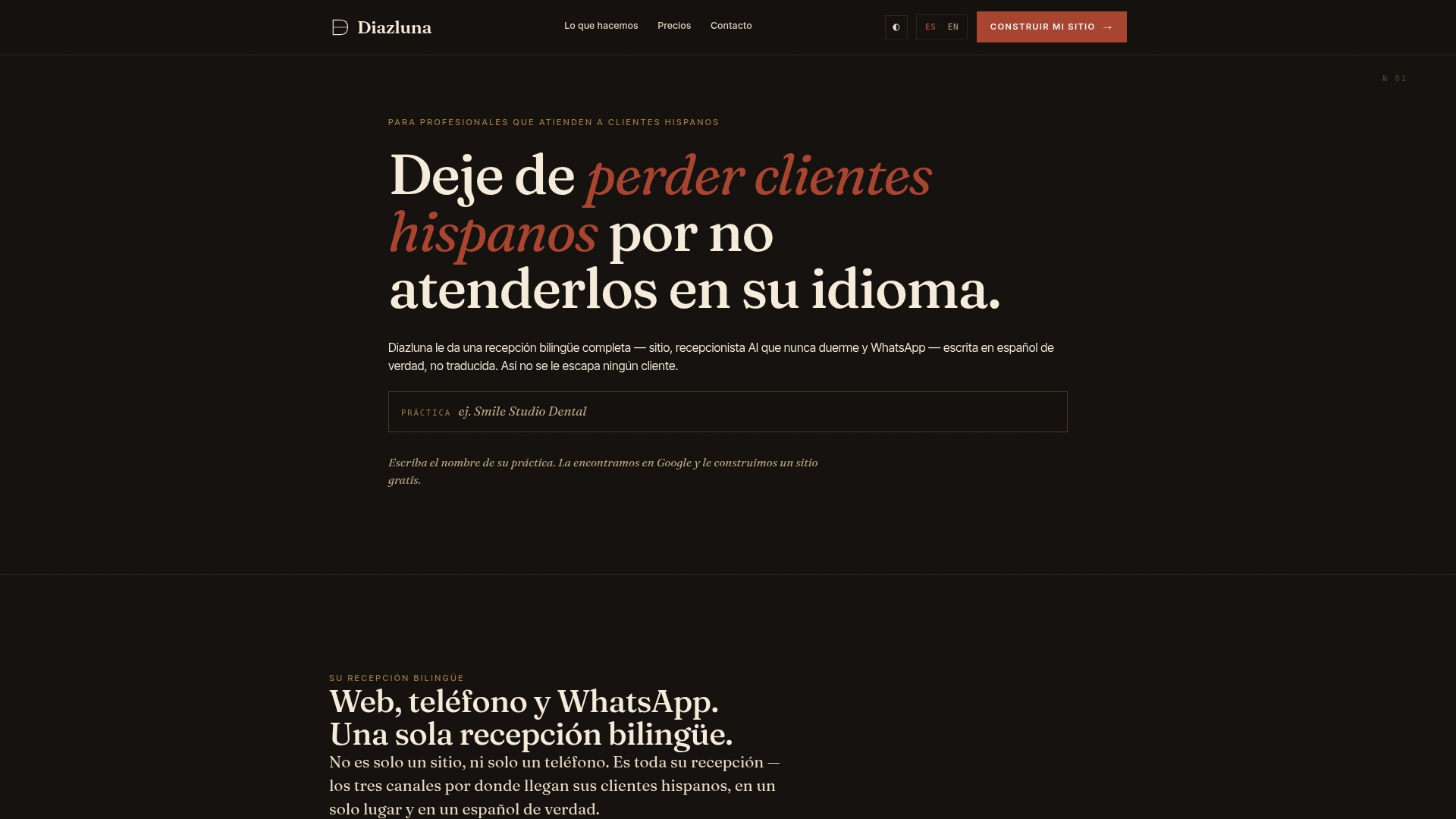
Diazluna gives dentists, attorneys, and healthcare practices a complete bilingual front desk at a fraction of what a traditional agency charges for the same scope. You get a fully optimized bilingual website (Spanish and English), a 24/7 AI receptionist that handles calls, messages, and appointment scheduling in both languages, and WhatsApp integration with real-time summaries and urgent-case handoffs. The website goes live fast, Google indexes it within 24 hours, and no Spanish-speaking patient or client falls through the cracks because no one answered in their language.
See how it works for your practice at Diazluna’s bilingual front-desk platform or check the dentist-specific setup if you run a dental practice. Request a quick audit and Diazluna will show you exactly what your current profile is missing before you commit to anything.
Sources
These are the primary references to consult when verifying steps or troubleshooting issues:
- Get Listed on Google - Google Business Profile
- Tips to improve your local ranking on Google
- Perfil Empresa Google SEO Local España 2026, Guía | Go To Agency
For verification issues specifically, the fastest path to Google support is through the Business Profile Help Center after selecting “Verify my business” as your issue type. Phone and chat support availability varies by account type and region.