August 23, 2026
What Is a Dental Digital Front Desk? A Manager's Guide

A dental digital front desk is software and workflows, often backed by an AI virtual receptionist, that answers calls, books appointments, and automates intake so your team focuses on patients in the chair instead of the phone. Instead of a human juggling three ringing lines while checking in a patient at the counter, the system handles routine contact automatically and hands off anything that needs a person’s judgment.
The core benefits show up fast once it’s running:
- Every call gets answered, even after hours or during lunch, instead of going to voicemail
- Appointments get booked automatically, with the system checking real-time availability and writing the visit straight into your practice management system
- Bilingual callers get served in their own language, which matters if a meaningful share of your patients speak Spanish first
The rest of this guide covers what these systems actually do, how they connect to your existing tools, what kind of return you can expect, and how to run a pilot without breaking anything that already works.
Key Takeaways
A dental digital front desk succeeds when it combines reliable PMS writeback, clear escalation rules, and genuine bilingual support rather than a translated script.
| Point | Details |
|---|---|
| Definition | Software plus workflows, often led by an AI receptionist, that answers calls and books appointments automatically. |
| Track answered-call rate | Measure how many calls get picked up versus voicemail before and after adoption. |
| PMS integration is the gate | Confirm your specific practice management system is supported before signing anything. |
| Pilot narrow, then expand | Start with overflow or after-hours calls, measure for 30 to 60 days, then widen scope. |
| Bilingual example | Diazluna bundles a bilingual site, AI receptionist, and WhatsApp for Hispanic-serving practices. |
Table of Contents
- Core Features Of A Dental Digital Front Desk
- How A Digital Front Desk Connects To Your Existing Systems
- Benefits And ROI: What To Measure
- Who Benefits Most From This Technology
- Implementation Checklist For Evaluating Vendors
- Diazluna’s Bilingual Front Desk: A Working Example
- Frequently Asked Questions
- Sources
Core Features Of A Dental Digital Front Desk
A digital front desk isn’t one tool. It’s a stack of connected capabilities, each replacing or supporting a specific job your front-desk staff used to do manually.
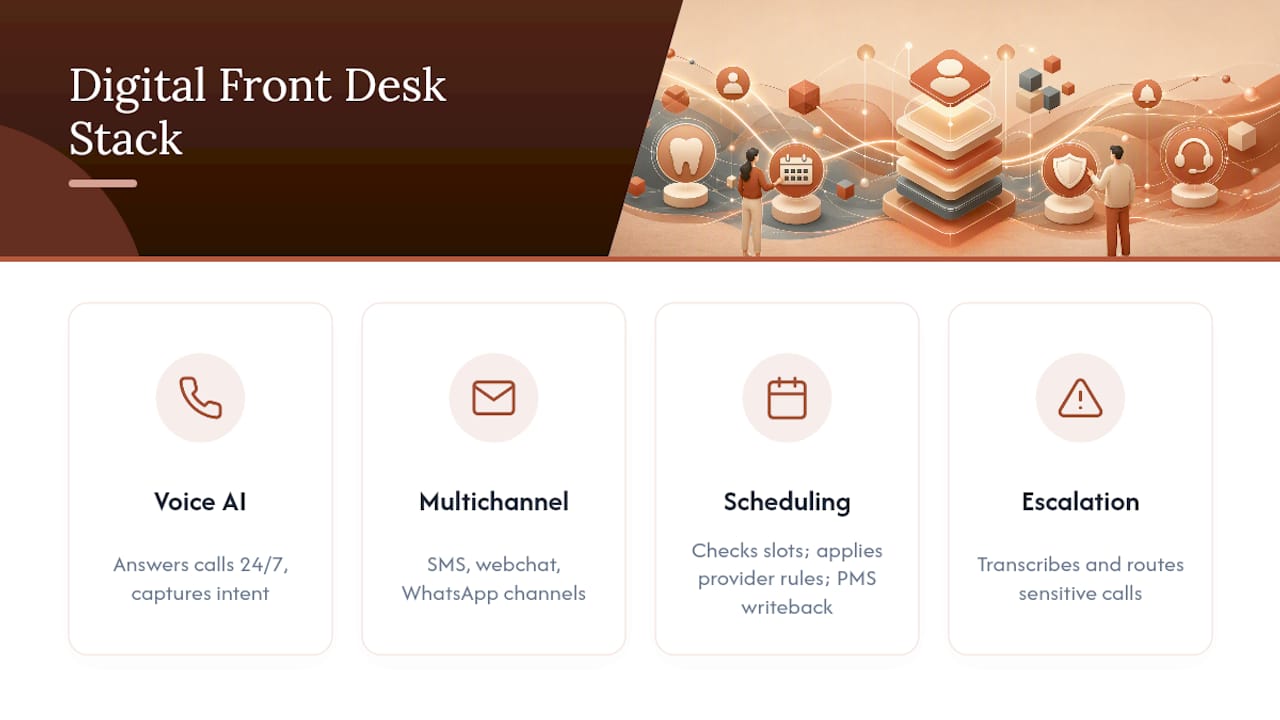
The AI voice receptionist sits at the center. It answers calls 24/7, understands natural speech well enough to gather intent (new patient, reschedule, billing question, emergency), and applies your practice’s own booking logic rather than a generic script. Alongside voice, most platforms handle multichannel intake through SMS, webchat, and increasingly WhatsApp, which matters for practices with international or Spanish-speaking patients who default to messaging apps over phone calls.
Scheduling intelligence is where the real value lives. The system doesn’t just take a message. It checks open slots, applies provider-specific rules (some providers don’t take new patients on Fridays, some procedures need double slots), and writes the confirmed appointment back into your PMS without a staff member touching a keyboard. Layered on top: automated reminders, insurance eligibility checks, digital intake forms, and payment collection, all running before the patient ever walks in.
For anything sensitive, the system produces a transcript and summary, then escalates. Clinical questions, complaints, and anything emotionally charged get routed to a human with context already attached, not dropped as a cold transfer.
Pro Tip: Ask any vendor to show you exactly which call types trigger escalation versus autonomous handling. If the answer is vague, the escalation logic probably is too.
How A Digital Front Desk Connects To Your Existing Systems
The integration layer determines whether this technology actually saves time or just creates a second system to babysit. Here’s the typical path a call takes, from ring to confirmed visit:
- The call arrives through a cloud phone or VoIP line connected to the AI receptionist.
- The system identifies intent, whether that’s booking, rescheduling, or a billing question, using conversational AI rather than a phone tree.
- It checks your practice management system in real time for open slots matching the provider and procedure requested.
- It confirms the appointment and writes it back into the PMS automatically, the same step AI front-desk platforms describe as the core of a “ring-to-book” flow.
- It logs intake answers and a call transcript, attaching that data to the patient record for staff to review.
- Anything outside its scope gets escalated to a staff member, with the summary already written.
The biggest variable in that whole chain is interoperability. ADA guidance on digital dentistry points to interoperability standards like DICOM for imaging as the backbone of reliable digital workflows, and the same principle applies to front-desk writeback: if the platform can’t talk cleanly to your specific PMS, you get double entry instead of automation. Confirm PMS compatibility before anything else. On privacy, look for platforms that build in HIPAA-aware handling of transcripts and patient data by default, not as an add-on you have to request.
Benefits And ROI: What To Measure
The return on a digital front desk isn’t abstract. It shows up in a small set of numbers you can track from month one.
The KPIs that matter most: answered-call rate (how many calls get picked up versus going to voicemail), appointments recovered from missed calls, no-show reduction from automated reminders, and staff-hours saved on repetitive phone work. Front-desk management guides treat these four as the primary success metrics for any front-desk automation rollout, and for good reason: they’re the ones that translate directly into either recovered revenue or freed-up staff capacity.
Here’s a simple way to estimate impact. If your practice currently misses 15 calls a week and even a third of those would have booked, that’s 5 recovered appointments weekly, roughly 20 a month. At an average production value per visit, that adds up quickly, and it’s before counting the no-shows a reminder sequence prevents.
Beyond the dollar figure, there’s a quieter benefit: multilingual, automated front-desk platforms free your human staff to spend their time on the patients who actually need a person, which tends to reduce burnout on top of expanding who your practice can serve.
Who Benefits Most From This Technology
Not every practice needs the same setup, and knowing where you fit changes what you should evaluate.
Solo practitioners with a high missed-call rate see the fastest payback, since every unanswered call is a lost patient with nobody covering the phone during procedures. Bilingual clinics serving Spanish-speaking patients gain a different kind of value: callers get served in their preferred language instead of being put on hold for a translator. DSOs centralizing call handling across multiple locations use it to standardize intake without hiring a call center.
Common use cases include after-hours booking, overflow coverage during peak call times, recall campaigns for overdue cleanings, and bilingual patient capture that would otherwise go to voicemail.
Delay adoption if your call volume is genuinely low, if no vendor offers real integration with your specific PMS, or if you haven’t resolved how patient data and transcripts will be stored and secured.
Implementation Checklist For Evaluating Vendors
Running a clean pilot starts with asking the right questions before you sign anything.
- Confirm PMS integration by name. Don’t accept “we integrate with most systems.” Ask which one you use, specifically.
- Request compliance documentation. HIPAA-aware handling should be demonstrable, not just claimed in a sales deck.
- Verify bilingual and WhatsApp support if you need it. Test the Spanish-language flow yourself during the demo, not just the English one.
- Ask how booking rules are enforced. Does the AI respect provider-specific scheduling logic, or does it book anything into any open slot?
- Clarify escalation flow. What exactly triggers a human handoff, and how fast does that handoff happen?
- Get a clear SLA on accuracy and uptime, plus transparent, itemized pricing.
- Scope a pilot. Limit it to overflow or after-hours calls first, as vendors in this space commonly recommend, measure the four core KPIs for 30 to 60 days, and only expand to full booking access once the numbers hold up.
Pro Tip: Build a rollback plan into the pilot from day one. If the vendor can’t explain how you’d unwind the integration if it doesn’t work out, that’s the biggest red flag in the whole evaluation.
Walk away if a vendor can’t demonstrate writeback, has no human escalation path, keeps pricing vague, or gives you soft answers on data ownership.
Diazluna’s Bilingual Front Desk: A Working Example
Diazluna bundles a fully optimized bilingual website, a 24/7 AI receptionist fluent in Spanish and English, and WhatsApp integration into one system built specifically for practices serving Hispanic patients. The combination matters operationally because a bilingual website alone doesn’t help a patient who calls after hours, and an AI receptionist alone doesn’t help someone who’d rather message than call.
Diazluna’s reported client outcomes include a meaningful reduction in client loss tied to language barriers and Google indexing within 24 hours of launch, proprietary results specific to Diazluna’s own deployments rather than industry-wide averages.
Operationally, this means real language detection, not a translated script; culturally natural phrasing instead of literal translation; and a direct handoff to Spanish-speaking staff when a call needs a human touch. For more on how this plays out for medical and dental practices specifically, see Diazluna’s guide to bilingual AI reception.
Where automation should stop
Automation handles routing, forms, and reminders well. It should never handle the conversation where a patient is scared, in pain, or upset. Start with a narrow pilot, one call type, one language, and expand only once your staff has weighed in on what worked.
How Diazluna Supports Bilingual Dental Practices
Diazluna is the alternative to hiring a bilingual receptionist and building a separate Spanish website from scratch. It bundles a bilingual site, a 24/7 AI receptionist, and WhatsApp into a single subscription, at a fraction of what a traditional agency charges for the same three services separately.
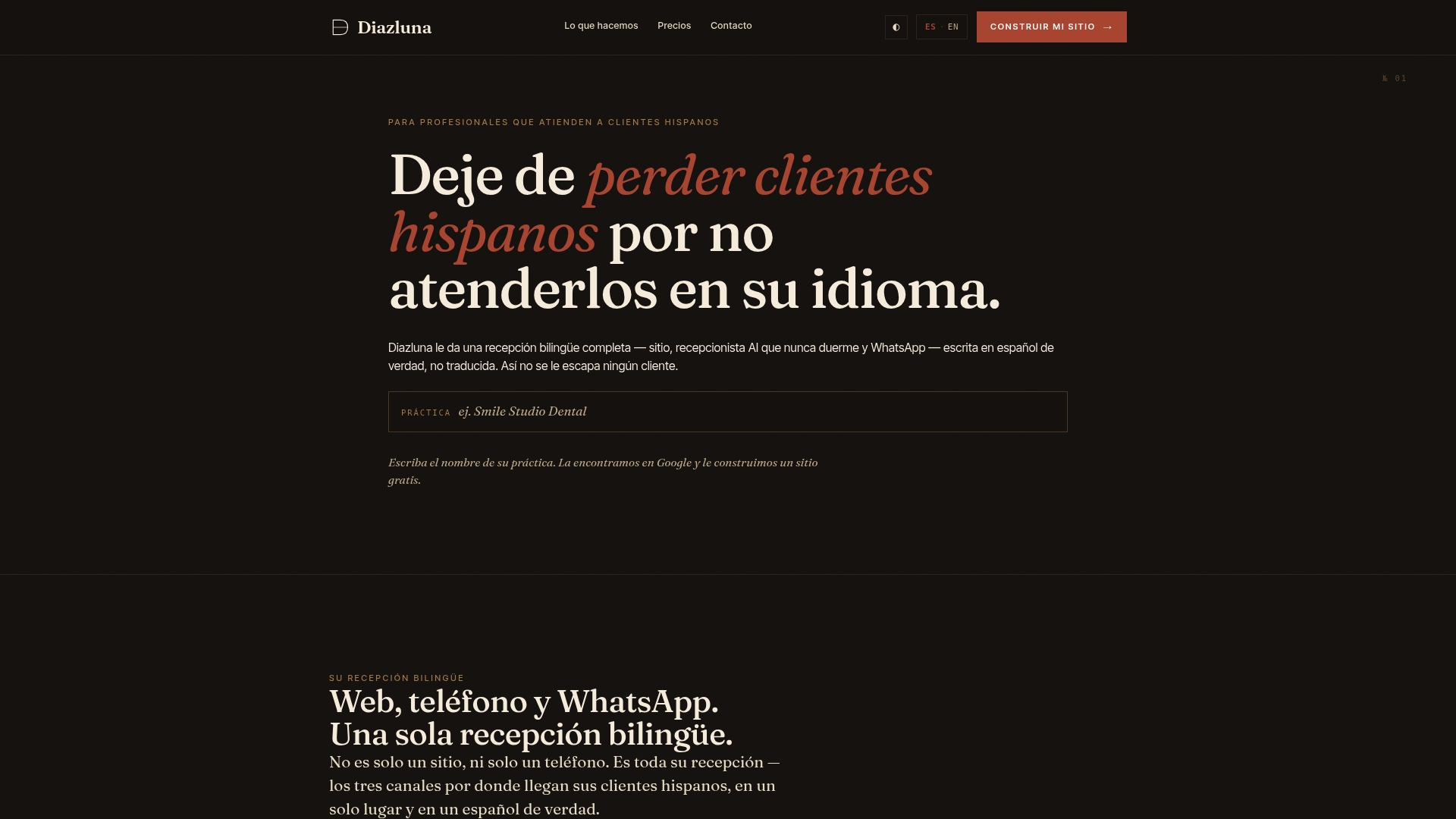
If your practice loses Spanish-speaking patients to missed calls or a language gap at the front desk, that’s the exact problem Diazluna was built to close. Small and solo practices get the fastest setup since there’s no legacy call center to untangle. Multi-provider clinics can scale the same system across locations without hiring additional staff. Learn more about the bilingual front desk package for dental practices or visit the Diazluna homepage to schedule a demo and see the AI receptionist handle a live call in both languages.
Frequently Asked Questions
Is a dental digital front desk the same as a virtual receptionist? A virtual receptionist is one piece of a digital front desk. The full system also includes scheduling logic, PMS writeback, intake forms, and reminders working together.
Does it replace my front-desk staff entirely? No. It handles repetitive tasks like booking and reminders so staff can focus on in-person patients and any call requiring judgment or empathy.
Can it handle Spanish-speaking patients naturally, not just translate? Platforms built specifically for bilingual practices, like Diazluna, detect language and respond with natural phrasing rather than running text through a translator.
What should I check before signing with a vendor? Confirm PMS integration by name, request compliance documentation, and test the escalation flow yourself during the demo.
How long should a pilot run before expanding it? Most practices see meaningful data within 30 to 60 days when tracking answered-call rate, missed-call recovery, and no-show reduction.
Sources
- AI in dentistry: How dental practices and DSOs use AI in 2026 | Becker’s Dental
- Digital dentistry and technology resources | American Dental Association (ADA)
- Complete guide to dental front desk management | FrontDesk