November 24, 2026
Bilingual Intake Over Video: How to Run It Well
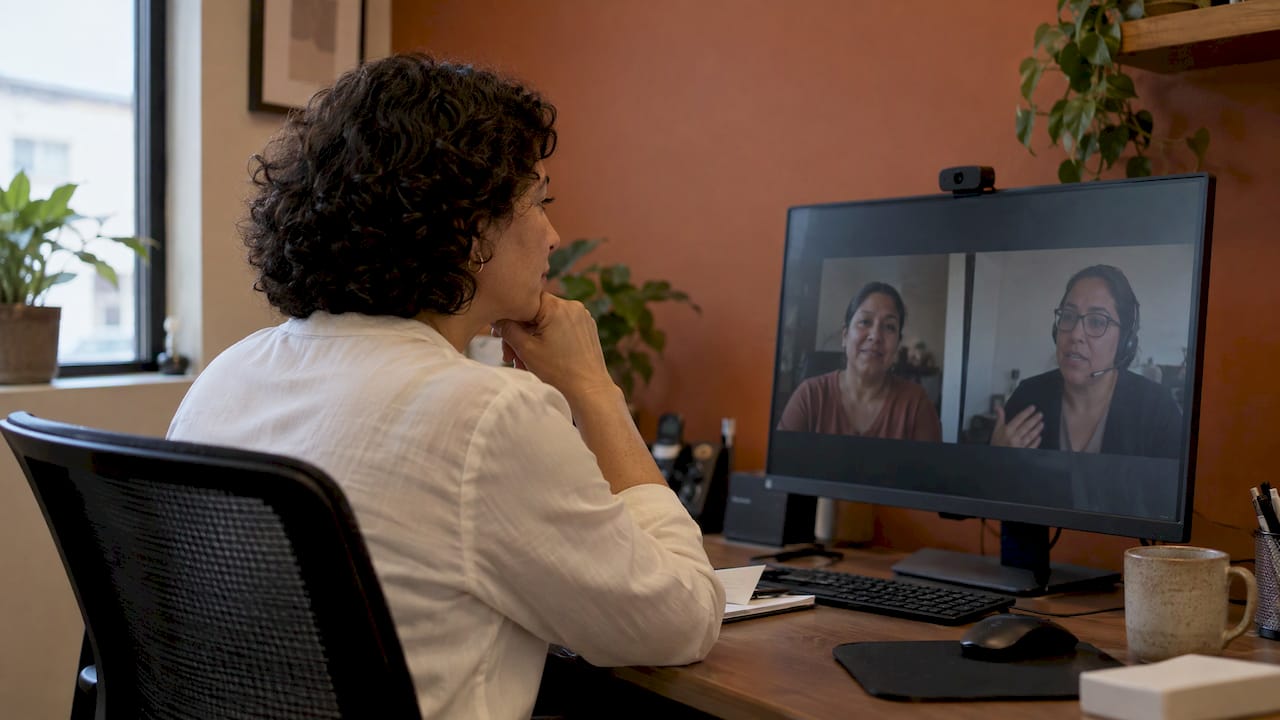
A good bilingual intake over video comes down to three things: a qualified interpreter or a qualified bilingual staff member on the call, a structure that gives the client time to understand, and a front end that collects the routine details before the call starts. Do those three and the video session is spent on the dental, legal or medical conversation instead of on spelling names and chasing forms. This guide walks through the full routine, step by step, for practices serving Spanish-speaking clients. It also shows where Diazluna, our bilingual front desk, takes work off your team before the video starts.
TL;DR
- Use a qualified interpreter or qualified bilingual staff, not a relative, a child or an automated translation tool, and plan for 2 to 3 times the length of a monolingual appointment.
- Speak directly to the client in short, plain segments, pause for the interpreter, and confirm understanding with teach-back.
- In an emergency, call a phone or video interpreter first. A family member may bridge the gap only temporarily, and a qualified interpreter must then confirm what was said.
- Keep the video platform private, document the interpreter use, and keep your written language access procedures current.
- Move name, reason for visit, scheduling and urgent-case triage ahead of the call with a bilingual website, WhatsApp and a 24/7 AI receptionist, so the video time is used for what only you can do.
Table of Contents
- Why video works for Spanish-speaking clients
- Before the call: what to collect first
- Running the video intake, step by step
- Who may interpret: interpreter, bilingual staff or family
- Bilingual emergency intake over video
- Privacy and documentation
- The rules behind it, in plain terms
- What Diazluna handles around the video call
- Our perspective
- FAQ
- Sources
Why video works for Spanish-speaking clients
Video sits between an in-person visit and a phone call, and for interpreted sessions that is a real advantage. An AHRQ patient safety review notes that video interpretation preserves visual cues and allows visually based teaching, such as showing how to care for a wound or use an injectable medication. The same review reports that clinicians and patients rate video interpretation quality as equal to in-person, and that error rates are significantly lower than with ad hoc interpreters. It adds that in-person may still be better for cultural nuance.
A guide on language justice in legal services ranks the options the same way: everyone in the room first, video interpreting with a strong internet connection second, phone interpreting third. California’s court guidelines for video remote interpreting also prefer video over phone because it keeps visual cues.
For a dentist, a lawyer or a clinic owner, that means video is a sound default for intake when the client cannot or should not travel, and for a first conversation where trust matters.
Before the call: what to collect first
Most intake time is lost on things that do not need a live conversation: spelling of the name, phone number, preferred language, reason for the visit, insurance or case type, availability. If you collect them live, with an interpreter on the clock and a nervous client on screen, you burn the extra time that interpretation already demands.
A solid pre-call routine looks like this:
- Capture language preference at first contact. Ask it directly and record it. A client who says “Spanish” at the first message should never be asked again in English.
- Collect basic details in Spanish, in writing or by voice. Name, contact, reason for the visit, and best times.
- Flag anything urgent. Pain, a court deadline, a safety concern: these change who calls back and how fast.
- Send a clear confirmation in Spanish, with the video link, the time, what to have ready, and how to reconnect if the call drops.
- Tell the client an interpreter will be on the call and that it is free. Under federal health rules, language assistance must be free, accurate and timely, and a client cannot be asked to bring or pay for their own interpreter.
This is the part of the routine we built Diazluna around. The bilingual website, the 24/7 AI receptionist and WhatsApp integration handle calls, messages and appointment scheduling in both languages, and our service passes along real-time summaries and transfers urgent cases. By the time you open the video room, you already know who is calling, why, and whether it is urgent. For the scheduling side, see our guide to practical bilingual scheduling and our bilingual appointment policy template.
Running the video intake, step by step
The National Council for Fostering Health’s best practices for phone and virtual interpretation and a Stanford telehealth toolkit on working with an interpreter agree on the core method. Here it is as a routine.
1. Brief the interpreter
Before the client joins, tell the interpreter who you are, the type of visit or matter, and anything sensitive coming up. For emergency calls, the Cincinnati Children’s language access plan tells staff to give the video interpreter the department and chief complaint, with a heads-up about background noise or distressing content. The same habit works for a dental office or a law firm: one sentence of context saves several minutes of confusion.
2. Set up the screen
The client should see your face and the interpreter’s. Federal rules for video remote interpreting in health programs ask for real-time, full-motion video and audio without lag, choppy or blurry images, a picture large enough to show both faces, and clear audio, along with enough training for users to set it up quickly. Test the camera, microphone and connection before the day, not during the call. If the connection fails, the California guidance says to suspend and reschedule rather than push through a degraded session.
3. Introduce everyone and explain the roles
Say who you are, who the interpreter is, that everything said will be interpreted, and that the conversation is confidential. A telehealth interpreter training module published in 2023 lists introductions, consent, screening for language preference and privacy among the basics of a good visit. Use a short confidentiality statement in Spanish and English.
4. Speak to the client, not to the interpreter
Look at the camera, address the client directly, and use short segments with natural pauses. Avoid jargon and idioms. If a term does not translate well, explain it another way or show a diagram on screen, as the Stanford toolkit models. Let the interpreter finish before you continue; consecutive mode, with pauses, is the pattern the NCFH guide recommends.
5. Confirm understanding with teach-back
Do not ask “Does that make sense?” A yes costs nothing. Ask the client to explain in their own words what will happen next: “To make sure I explained it clearly, can you tell me what you will do after this call?” AHRQ recommends teach-back for this reason.
6. Build in time and breaks
Interpretation typically takes 2 to 3 times longer than a monolingual appointment, so book accordingly. The California guidelines add that remote interpreting adds lag and increases interpreter fatigue, so shorter sessions or more frequent breaks help. If your standard intake is 30 minutes, block 60 to 90 for an interpreted one.
7. Close with a written summary in Spanish
End with the next steps, dates and documents needed, and send them in writing in Spanish afterward. This is where a WhatsApp thread and a bilingual website pay off: the client has something to return to, in their own language, after the call ends.
Who may interpret: interpreter, bilingual staff or family
This is the question practices get wrong most often, so it is worth being precise.
A qualified interpreter is the safe default. The language justice guide cited above urges hiring trained interpreters with professional experience rather than ad hoc bilingual individuals.
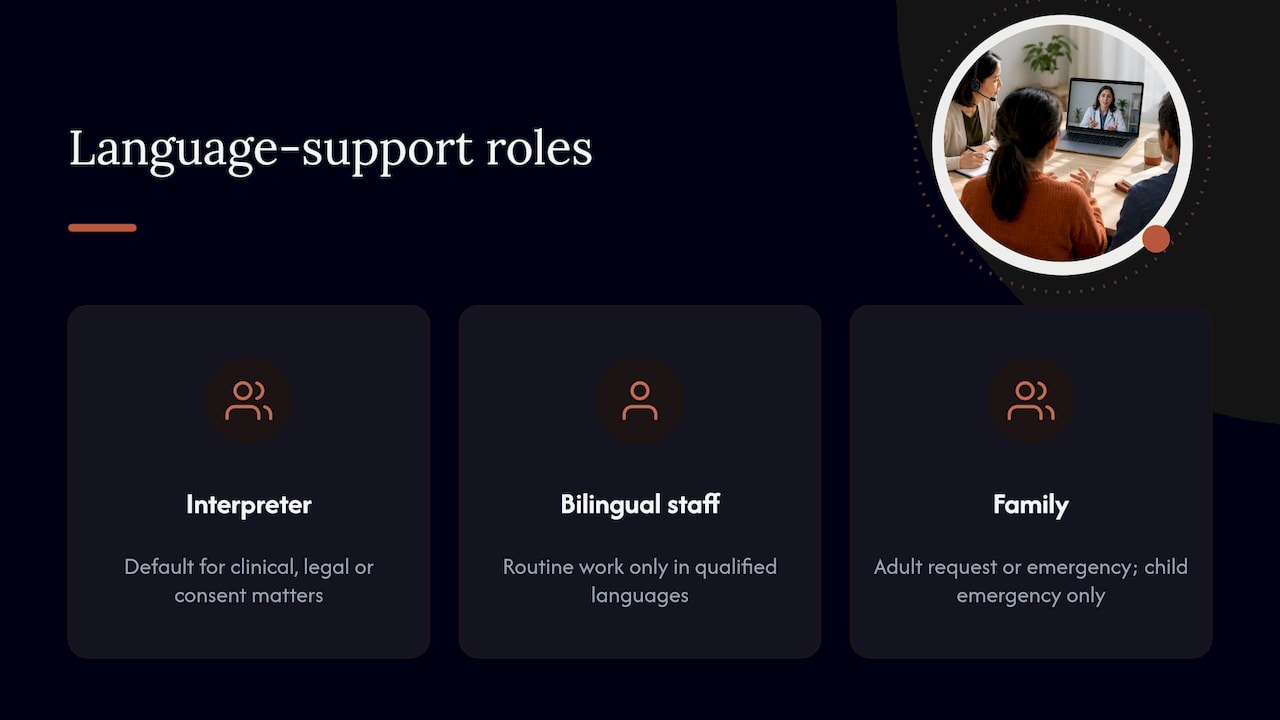
Qualified bilingual staff can do their own job in Spanish. Cincinnati Children’s plan says such staff may work in the languages they are qualified in, but may not interpret or facilitate communication for other staff. A bilingual hygienist can explain a cleaning to a Spanish-speaking patient. She should not be pulled into the next room to interpret for a colleague.
Family members and children are a narrow exception. Under 45 CFR Part 92, a covered health entity may not rely on an unqualified adult except in narrow emergency or documented-request situations, and may not rely on a minor child except as a temporary emergency measure. The Cincinnati plan adds that an accompanying adult may interpret when the client specifically requests it in private with a qualified interpreter present, the adult agrees, and both are documented. It also says this is not generally appropriate for informed consent or discharge.
Legal practices face a similar standard. The Asian Pacific Institute on Gender-Based Violence’s resource guide says that under Title VI and the ADA, federally supported entities must ensure language access, with professional, culturally competent interpreters and no untrained bilingual speakers, except where delay would jeopardize a victim’s safety. A Department of Justice letter to state courts says remote interpreting by phone or video can be an appropriate alternative depending on the circumstances, and that a demonstrably bilingual employee may serve directly in-language in some office settings.
As a working rule: bilingual staff for routine front-desk talk, a qualified interpreter for anything clinical, legal or consent-related.
Bilingual emergency intake over video
When a Spanish-speaking client calls with a dental trauma, a medical emergency or a legal crisis, speed and accuracy pull in opposite directions. The Cincinnati Children’s plan gives the clearest order of operations I have seen:
- When seconds matter and no interpreter is present, call a phone or video interpreter.
- Only if there is an imminent threat and no qualified interpreter is immediately available may staff use an adult, or a minor child, temporarily.
- The qualified interpreter who arrives must confirm or supplement what was communicated in the meantime.
- Request an in-person interpreter for situations where remote interpreting is ineffective, such as trauma or end-of-life care.
AHRQ also points out that remote interpretation provides on-demand access without scheduling, which matters most in emergency settings.
The practical gap for a small practice is the first minute. A caller at 9 p.m. with a broken tooth needs someone to answer in Spanish, understand that it is urgent and get the right person on the line. Our AI receptionist answers around the clock in Spanish and English, manages calls, messages and scheduling, and transfers urgent cases, with a real-time summary so your clinician or attorney starts the video call already informed. The interpreter rules above still govern the clinical or legal conversation itself.
Privacy and documentation
Two habits protect both client and practice.
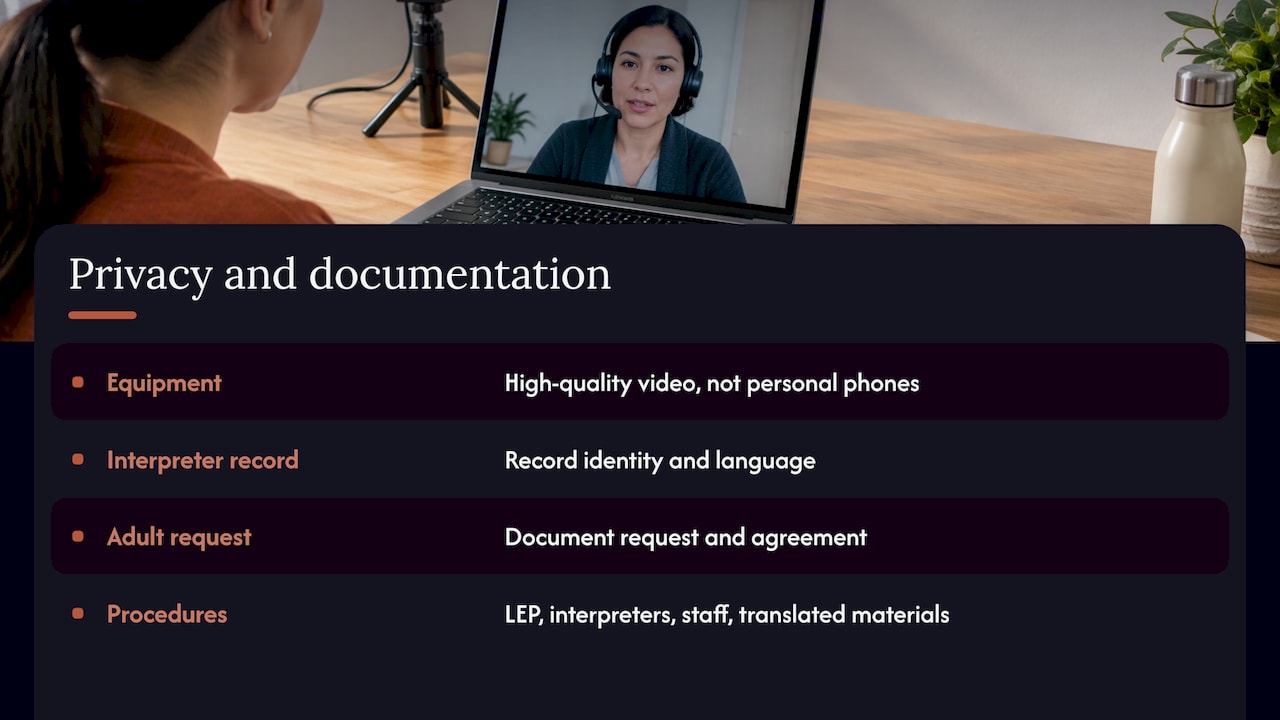
Use proper equipment. AHRQ advises high-quality video interpretation equipment rather than personal cellphones, to maintain the privacy of protected health information. Beyond the camera, secure access to the systems holding client records matters too; the HIPAA multi-factor authentication requirements are a useful starting point for what to put in place.
Document it. Record in the chart or file that a professional interpreter was used, who it was, and the language. If an accompanying adult interpreted at the client’s request, document the request and the adult’s agreement.
Keep written procedures. For health programs, 45 CFR 92.8(d) requires written language access procedures covering how employees identify limited English proficiency, how they obtain qualified interpreters and translators, the names of qualified bilingual staff, and a list of translated materials with languages, dates and access methods. Our guide to building a language access plan shows how to put those pieces on paper, and our piece on Section 1557 language access covers the policy side.
The rules behind it, in plain terms
If your practice is a health program covered by Section 1557 of the Affordable Care Act, the rule is simple: you must take reasonable steps to give meaningful access to each person with limited English proficiency, including companions with limited English proficiency. HHS published the 2024 final rule in April 2024 with an effective date of July 6, 2024, and it added protections in telehealth.
You may have heard that the 2025 executive order naming English the official language changed this. A 2025 explainer from the National Health Law Program states that Executive Order 14224 has no impact on covered entities’ obligations to provide meaningful access, because it applies only to federal agencies. Lawyers should check how Title VI and the ADA apply to their own federally supported work, and consult their state bar or counsel for specifics.
What Diazluna handles around the video call
A video intake only works if the client reaches you, in Spanish, before it starts. Diazluna is a bilingual digital front desk for dental, legal and healthcare practices: a fully optimized bilingual website in Spanish and English, a 24/7 AI receptionist, and WhatsApp integration in one subscription. The Spanish is human-reviewed, not machine-translated, and you can edit the site yourself without technical skills. Our guide to authentic bilingual service explains the difference, and our AI receptionist guide shows what it does with Spanish-speaking patients.
Setup of the site is free. Plans are published on our site:
| Plan | Monthly | Yearly |
|---|---|---|
| Solo Sitio (website only) | $99 | $990 |
| Sitio + María (website plus AI receptionist) | $199 | $1,990 |
| Sitio + María Pro (managed, with site updates and expanded call capacity) | $349 | $3,490 |
There is a one-time activation fee of $399. See the plans on diazluna.ai.
Our perspective
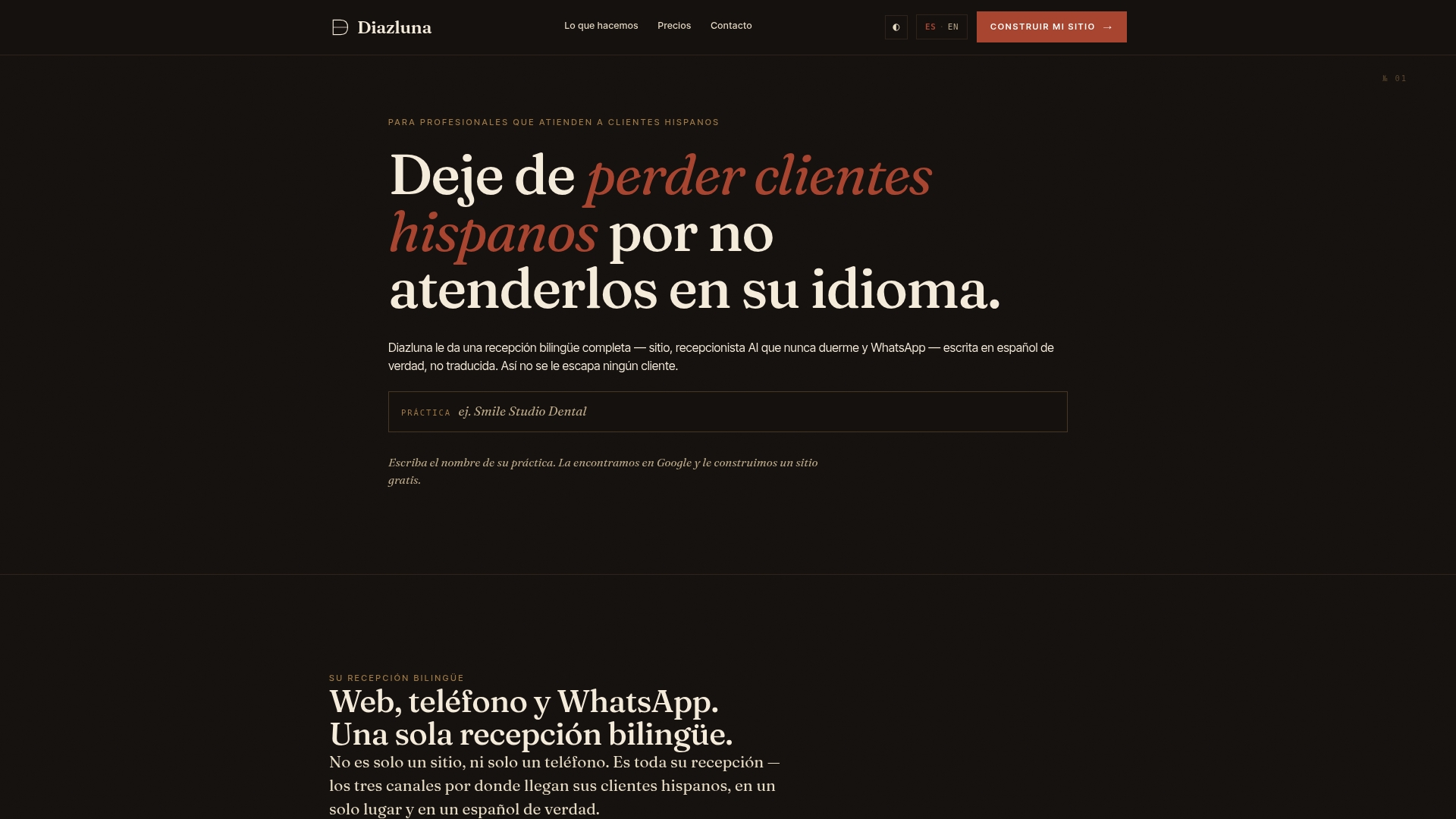
Most practices think of bilingual intake as a video problem. We think of it as a front-door problem. By the time the interpreter joins, the client has already decided whether your practice feels safe: did someone answer in Spanish, did the website speak to them, did the message come back on WhatsApp?
That is why we put the website, the AI receptionist and WhatsApp in one service. The video call is where your professional judgment matters, and it deserves the full time slot. The routine questions, the scheduling and the first triage should already be done, in authentic Spanish, before it begins.
Use qualified interpreters for the clinical and legal conversation, and let us make sure the client arrives informed, confirmed and ready.
Francisco
FAQ
How much longer should I schedule for an interpreted video intake?
Plan for two to three times the length of a monolingual appointment. Collecting basic details before the call, in Spanish, shortens the live portion considerably.
Can my bilingual receptionist interpret the video call?
Qualified bilingual staff may do their own job in Spanish, but federal health rules do not allow relying on staff who are not qualified interpreters or qualified bilingual staff. A receptionist should not interpret clinical or legal discussions or interpret for colleagues unless qualified.
Can a family member interpret if the client prefers it?
Only in narrow cases. For health programs, an accompanying adult may interpret if the client asks in private with a qualified interpreter present, the adult agrees, and both are documented. It is not generally appropriate for informed consent or discharge.
What if the video connection drops during intake?
Reconnect with the interpreter, and if quality stays poor, reschedule rather than continue. The California court guidance says to suspend and reschedule when technology fails. Put reconnection instructions in your Spanish confirmation message.
Sources
- Best Practices for Phone & Virtual Interpretation (NCFH, 2024)
- Recommended Guidelines and Minimum Specifications for Video Remote Interpreting (California courts, 2021)
- When Patients and Providers Speak Different Languages (AHRQ PSNet)
- Providing Equitable Care for Patients With Non-English Language Preference (PMC)
- Optimal Interpreter Collaboration (Stanford Cocos Lab)
- Language Justice in Legal Services (API-GBV)
- Verbal Communication, Language Access Plan (Cincinnati Children’s)
- Language Access Plan (Cincinnati Children’s)
- 45 CFR Part 92 (govinfo, 2025 edition)
- 45 CFR 92.201 (eCFR)
- Department of Justice letter to state court administrators
- Resource Guide for Advocates & Attorneys on Interpretation (API-GBV)
- 2024 Health Care Rights Law (1557) Final Rule (Justice in Aging)
- Title VI and Section 1557 explainer, 2025 update (National Health Law Program)
- HIPAA multi-factor authentication requirements