November 13, 2026
Dentist AI Receptionist Guide
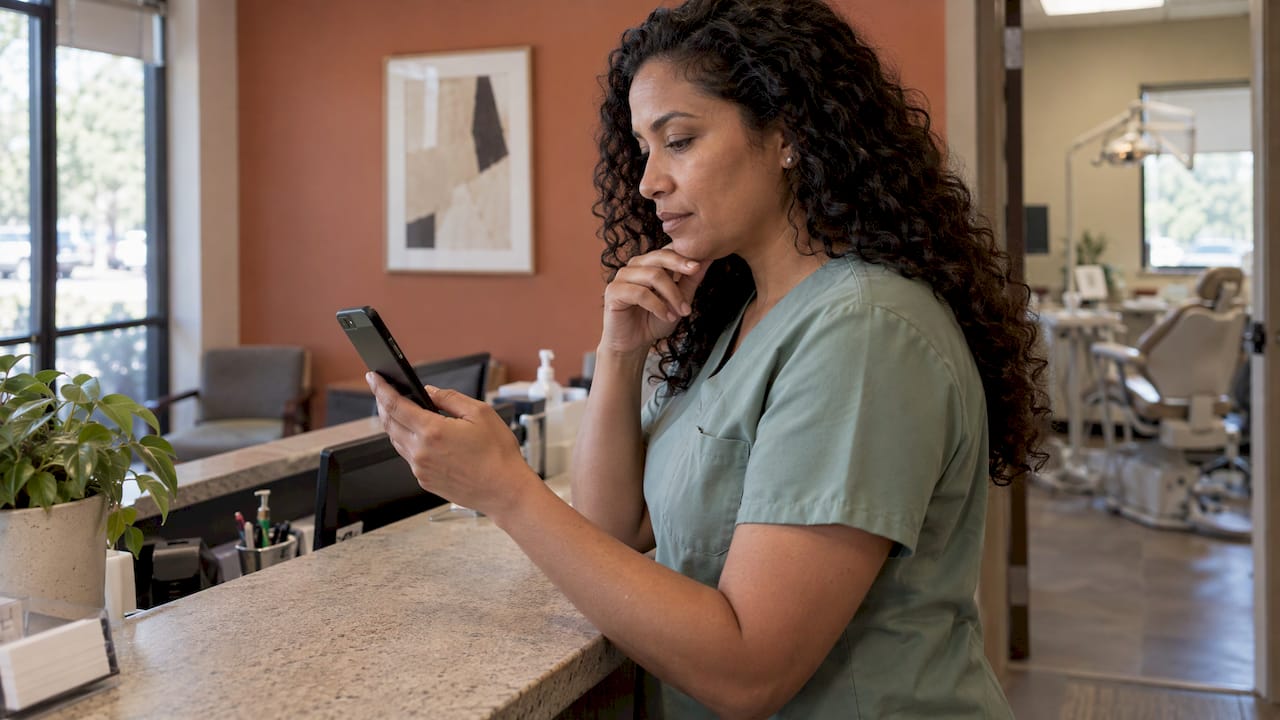
An AI receptionist for a dental practice answers every call and message around the clock, books and confirms appointments, answers routine questions and hands urgent cases to your team. The best fit for a practice with Spanish-speaking patients is one that does all of that in natural Spanish and English, and ties into a bilingual website and WhatsApp. That way a caller never reaches a front desk that can’t understand them. Below you’ll find what the technology does, how to judge it, what a rollout looks like and what to expect to pay.
TL;DR
- A dental AI receptionist covers calls, texts and scheduling 24/7, so after-hours and lunch-hour requests stop disappearing into voicemail.
- If Spanish-speaking patients are part of your community, language is the first selection criterion: human-reviewed Spanish, not machine-translated scripts.
- Any vendor that touches patient information is a HIPAA business associate, so your practice needs a signed agreement before go-live.
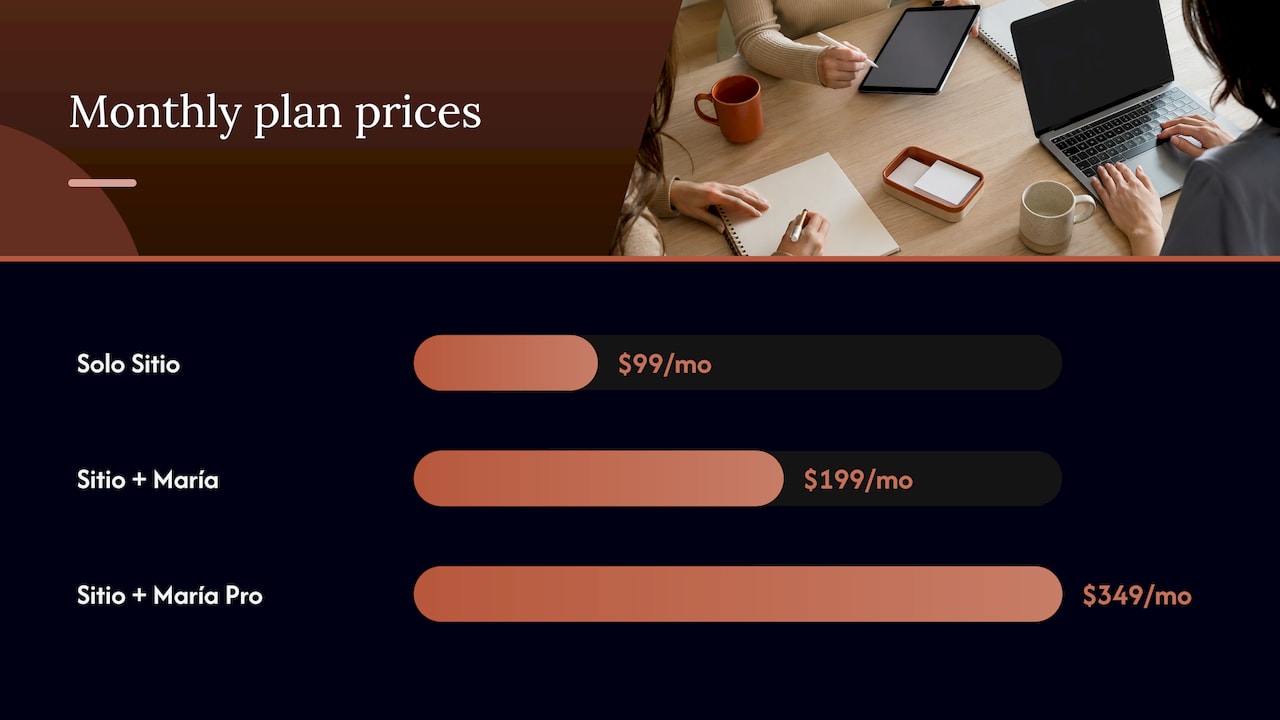
- Our plans run from $99 per month (website only) to $349 per month (website, AI receptionist and managed service), plus a one-off $399 activation.
- Roll out in four steps: map your calls, define escalation rules, connect scheduling, review summaries weekly.
Table of Contents
- What a dental AI receptionist actually does
- Why calls go unanswered, and what it costs
- Why language belongs at the top of your checklist
- HIPAA: the legal point to settle first
- How to evaluate an AI receptionist: the criteria that matter
- A rollout that works in four steps
- Clinics and medical practices: the same logic applies
- What it costs
- Our perspective
- Where our offer fits
- Common mistakes to avoid
- FAQ
- Sources
What a dental AI receptionist actually does
Strip away the marketing and a dental AI receptionist is a voice and messaging agent that sits in front of your phone line. It picks up, talks with the caller in ordinary conversation, works out what they need and acts on it. The core jobs are consistent across the category:
- Answering inbound calls at any hour, including when every human on your team is chairside or at lunch.
- Booking, rescheduling and confirming appointments against your open slots.
- Answering routine questions: office hours, location, insurance types you accept, what to bring to a first visit.
- Collecting intake details so the front desk starts the day with names, reasons for visit and callback numbers instead of a blinking voicemail light.
- Flagging urgent cases, such as a broken tooth, swelling or pain, and passing them to a human right away.
The point is not to replace the people at your front desk. It is to take the repetitive, interruptible work off them so they can focus on patients standing in front of them: checking in, explaining treatment plans, handling insurance conversations that need judgment.
For a deeper look at this role in a small practice, see our walkthrough of the AI receptionist role in small bilingual practices.
Why calls go unanswered, and what it costs
Most practices don’t have a call problem on paper. They have a coverage problem. A front desk that is checking in a patient, verifying insurance and answering the phone at the same moment will let calls roll to voicemail, and a new patient shopping for a dentist rarely leaves a message. They call the next office on the list.
The pattern is predictable:
- Peak hours. Mornings and the lunch hour bring the most calls and the most in-office traffic at the same time.
- After hours. Evenings and weekends are when working adults search for a dentist, and no one is there.
- Language mismatch. A caller who speaks mainly Spanish and reaches a voicemail in English, or a team member who can’t continue the conversation, often hangs up without booking.
You can measure your own exposure in a week. Pull your phone log, count the calls that went unanswered or abandoned, and multiply by your average first-visit value. The number is usually enough to settle whether coverage is a priority.
Another practice-side example of recovering requests that would otherwise be lost is this dental case study on turning missed demand into appointments, which shows how much a small practice’s visibility can move when the basics of reaching patients are handled well.
Why language belongs at the top of your checklist
Generic AI receptionist guides rank features like integrations and call analytics. Those matter. But for a practice with Hispanic patients, the first question is simpler: does it speak to them the way a native front desk would?
The U.S. Census Bureau’s American Community Survey counts tens of millions of people who speak Spanish at home, which is why a monolingual front desk leaves a large share of local demand unserved in many markets. Machine-translated Spanish is where practices get burned. Formal or oddly literal phrasing, wrong terms for dental procedures and stiff greetings tell a caller immediately that no one in the office speaks their language, and trust drops before the conversation starts.
When you evaluate any bilingual option, look for these qualities:
- Spanish written for Spanish speakers. Scripts and website copy reviewed by people, not translated word by word.
- Same quality in both languages. The English side should not be the “real” version with Spanish bolted on.
- The channels patients use. Many Spanish-speaking families prefer WhatsApp to phone calls or email, so messaging should be part of the front desk, not an afterthought.
- Consistency from website to phone. The patient who reads your Spanish page at night should hear the same tone when they call.
Our guides on the 24/7 Spanish dental answering service and bilingual dental patient intake go deeper on each of these.
HIPAA: the legal point to settle first
A dental practice is a HIPAA covered entity. When a vendor creates, receives, maintains or transmits protected health information on your behalf, it becomes a business associate, and HHS guidance says the covered entity needs a HIPAA-compliant business associate agreement with that vendor. The same guidance applies to cloud providers that store or process that information.
In practice for you:
- Treat the agreement as part of onboarding, signed before the system handles real patient calls.
- Decide what the receptionist may collect. A reason for visit and a callback number is very different from clinical detail.
- Keep your own staff access tidy: who sees call summaries, who can export them.
- Document the arrangement in your compliance files, as you would for any other vendor.
This is a compliance question for your practice’s privacy officer and, where needed, your attorney. Bring both in before launch rather than after.
How to evaluate an AI receptionist: the criteria that matter
The rankings for this topic mostly compare feature lists. Here is the shorter list that decides whether a system works in a real dental office.
| Criterion | What good looks like | Why it matters |
|---|---|---|
| Languages | Natural Spanish and English, reviewed by people | Prevents lost callers and builds trust |
| Hours | True 24/7 coverage, including holidays | Captures evening and weekend demand |
| Scheduling | Books against your real availability | Avoids double-booking and callbacks |
| Urgent handling | Clear rules and instant transfer or alert | Patients in pain get a person fast |
| Channels | Phone, text and WhatsApp in one place | Meets patients where they already are |
| Summaries | Real-time summaries of each contact | Your team doesn’t replay recordings |
| Website | Bilingual site that feeds the front desk | One consistent patient journey |
| Control | You can edit content without a developer | Hours, services and offers stay current |
| Compliance | Business associate agreement in place | Required when patient information is handled |
| Pricing | Flat monthly fee, setup cost known up front | Predictable budget |
Weigh the list against how your practice runs. A single-dentist office with one hygienist needs simple, reliable coverage and clear escalation. A multi-chair group will care more about call capacity and integrations.
A rollout that works in four steps
A receptionist is only as good as the instructions behind it. Here is the sequence that gets a practice live without surprises.
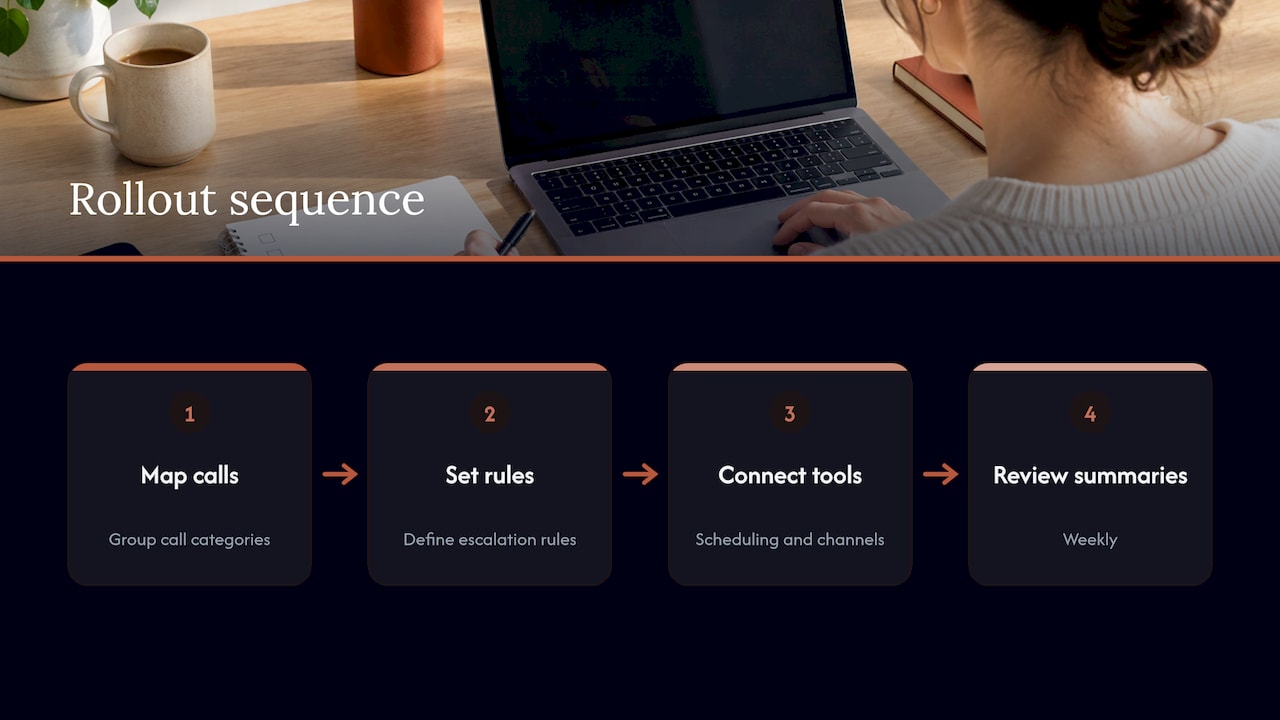
Step 1: Map your calls
For one week, tag every call: new patient, existing patient scheduling, insurance question, billing, emergency, vendor or spam. Most practices find that a few categories make up most of the volume. Those are what the receptionist should handle first.
Where it goes wrong: skipping the tagging and guessing. Teams then over-engineer rare cases and under-prepare for the common ones.
What we take off your hands: when you start with us, we set up your bilingual site for free, so the information your receptionist needs (services, hours, location) is already in place in both languages.
Step 2: Define escalation rules
Write down what counts as urgent: facial swelling, a knocked-out tooth, severe pain, bleeding that won’t stop. Decide who is called, in what order, and what happens if no one answers. Also list what the receptionist should never attempt, such as clinical advice.
Where it goes wrong: vague rules. “Urgent” means different things to a patient and to a dentist, so spell it out in plain language.
Our AI receptionist transfers urgent cases to your team and sends real-time summaries, so the person who takes over already knows what the patient said.
Step 3: Connect scheduling and channels
Appointments should land in the system your team already trusts. Define appointment types, durations and how far ahead patients can book. Add WhatsApp so patients who prefer messaging can reach the same front desk.
Where it goes wrong: separate inboxes. When calls live in one tool and messages in another, follow-ups slip. A single stream of summaries keeps everyone current.
With Diazluna, the AI receptionist handles calls, messages and appointment scheduling, and WhatsApp is integrated in both Spanish and English.
Step 4: Review summaries weekly
For the first month, read the summaries every week. Look for questions the receptionist could not answer, patterns in what callers ask, and any call that should have escalated sooner. Update your content and rules accordingly.
Where it goes wrong: treating launch as the finish line. The best results come from a short weekly review that tunes the answers to what your patients really ask.
The rest of the process is covered in our overview of how an AI medical receptionist works for clinics and our manager’s guide to the dental digital front desk.
Clinics and medical practices: the same logic applies
If you run a medical clinic rather than a dental office, the framework is identical: cover every channel, handle routine requests automatically, escalate what needs a clinician and keep the language consistent. Triage rules carry more weight in medicine, so write them with your clinical lead. For specifics, see our pieces on AI phone triage in healthcare, the medical intake assistant and the AI receptionist for Spanish-speaking medical patients.
What it costs
Prices in this category vary widely, and many vendors sell the website, the phone agent and the messaging as separate services, each with its own invoice. The total climbs fast, and so does the number of vendors you manage.
Our pricing, as published on our site, bundles those pieces:
| Plan | Monthly | Annual | What it covers |
|---|---|---|---|
| Solo Sitio | $99 per month | $990 per year | Bilingual Spanish and English website |
| Sitio + María | $199 per month | $1,990 per year | Website plus the 24/7 AI receptionist |
| Sitio + María Pro | $349 per month | $3,490 per year | Full-service managed package with site updates and expanded call capacity |
There is a one-off activation fee of $399. Site setup is free before the subscription begins.
To judge the value, compare against the true alternative cost: a bilingual part-time receptionist, an answering service, a website agency and a messaging tool, each billed separately. Then add the value of the patients who stop slipping away.
Our perspective
We built Diazluna around one observation: a practice that serves Hispanic patients doesn’t have three separate problems (a website, a phone line and a messaging channel). It has one problem, which is that a patient reaches out and the experience either feels like it was made for them or it doesn’t.
That’s why we put the bilingual website, the 24/7 AI receptionist and WhatsApp into a single service. The Spanish is human-reviewed, not translated, because tone is what tells a patient they are in the right place. And the owner can edit the content without technical skills, so hours and services stay accurate.
Our aim is simple: no potential Hispanic patient lost to a language barrier. We would rather a dentist spend the day on dentistry and let the front desk work in both languages around the clock.
Francisco
Where our offer fits
If your practice serves Spanish-speaking patients and you want the website, the receptionist and WhatsApp working together, our plans are built for exactly that. Start with the bilingual site, or choose Sitio + María to add the AI receptionist that answers calls and messages 24/7, schedules appointments and transfers urgent cases to your team.
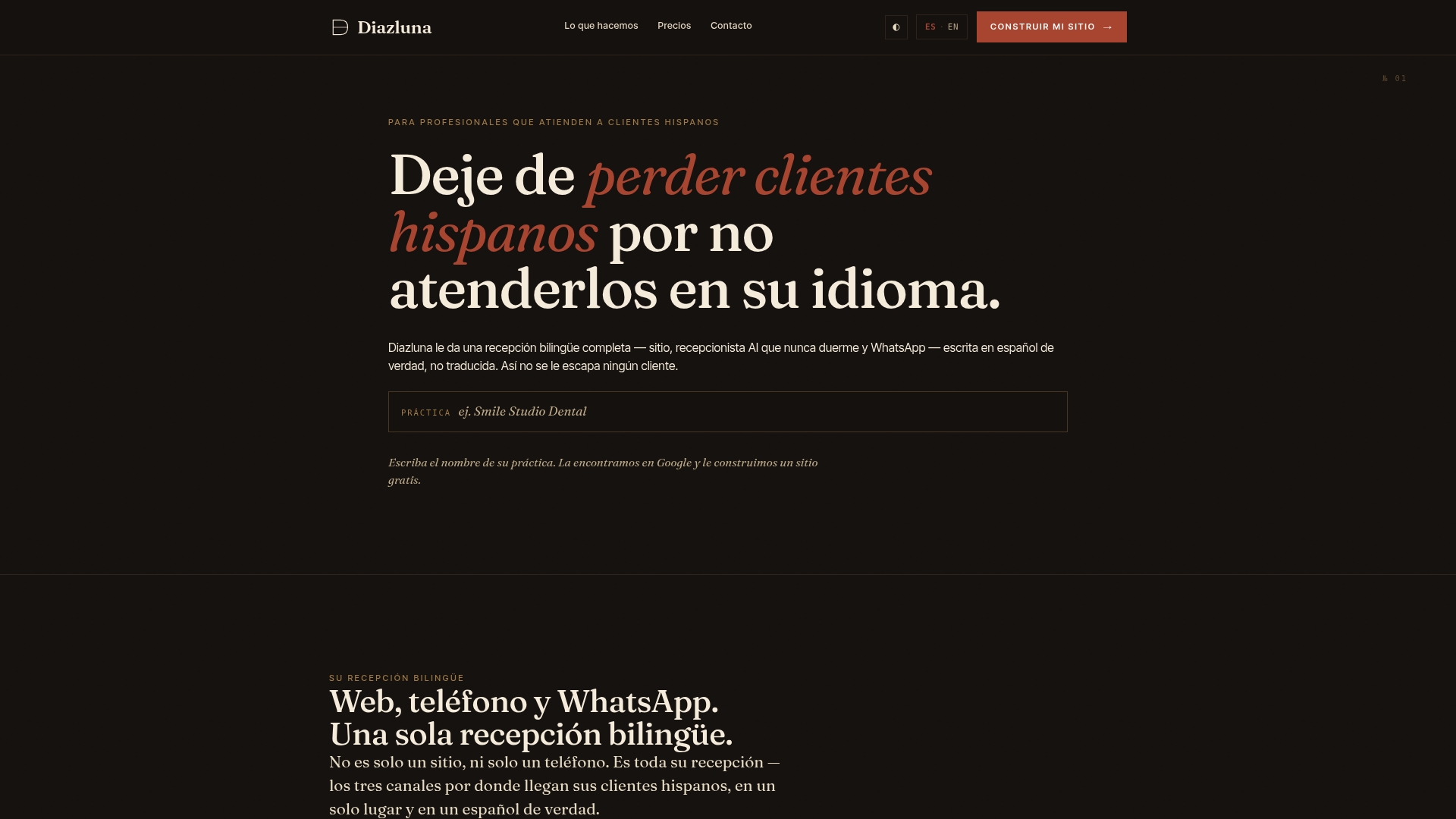
The full-service Pro package adds site updates and expanded call capacity for busier practices. You can see every plan and begin on the Diazluna home page.
Common mistakes to avoid
- Buying on features alone. A long feature list does not help if the Spanish sounds translated.
- Skipping the agreement. Settle the business associate paperwork before go-live.
- Vague urgent rules. Define emergencies in specific, plain terms and name who gets called.
- Forgetting the website. Patients read before they call. A site in one language undermines the receptionist in two.
- No weekly review. The first month of summaries is the most valuable tuning data you’ll have.
For a broader view of the category, our 2026 guide to AI receptionists for dental practices and the piece on 24/7 dental receptionist benefits for practice owners cover more ground.
FAQ
Will an AI receptionist replace my front desk team?
No. It takes over the repetitive work, such as answering common questions, booking and after-hours calls. Your team keeps the work that needs people: greeting patients, discussing treatment and handling sensitive conversations. Most practices find staff are less interrupted and can focus on patients in the office.
Does an AI receptionist for dentists need to be HIPAA compliant?
If it handles protected health information for your practice, the vendor is a business associate, and HHS guidance calls for a business associate agreement between you and that vendor. Settle this before launch with your privacy officer or attorney. Also limit what the receptionist collects to what the task needs.
Can an AI receptionist handle Spanish-speaking patients?
Yes, when it is built for it. Our receptionist works in Spanish and English, and the website and WhatsApp channel follow the same bilingual approach. The Spanish content is human-reviewed rather than translated, so it reads the way patients expect.
What does an AI receptionist for a dental clinic cost?
Our plans start at $99 per month for the bilingual website alone, $199 per month with the AI receptionist and $349 per month for the full-service package. Annual billing is $990, $1,990 and $3,490 per year respectively. A one-off activation fee of $399 applies.
How long does setup take?
We set up your site for free before the subscription starts, and our site is designed so you can edit content yourself without technical skills. Your own timeline depends mainly on how quickly you define your call categories and urgent-case rules, which is why step one of the rollout is worth doing carefully.